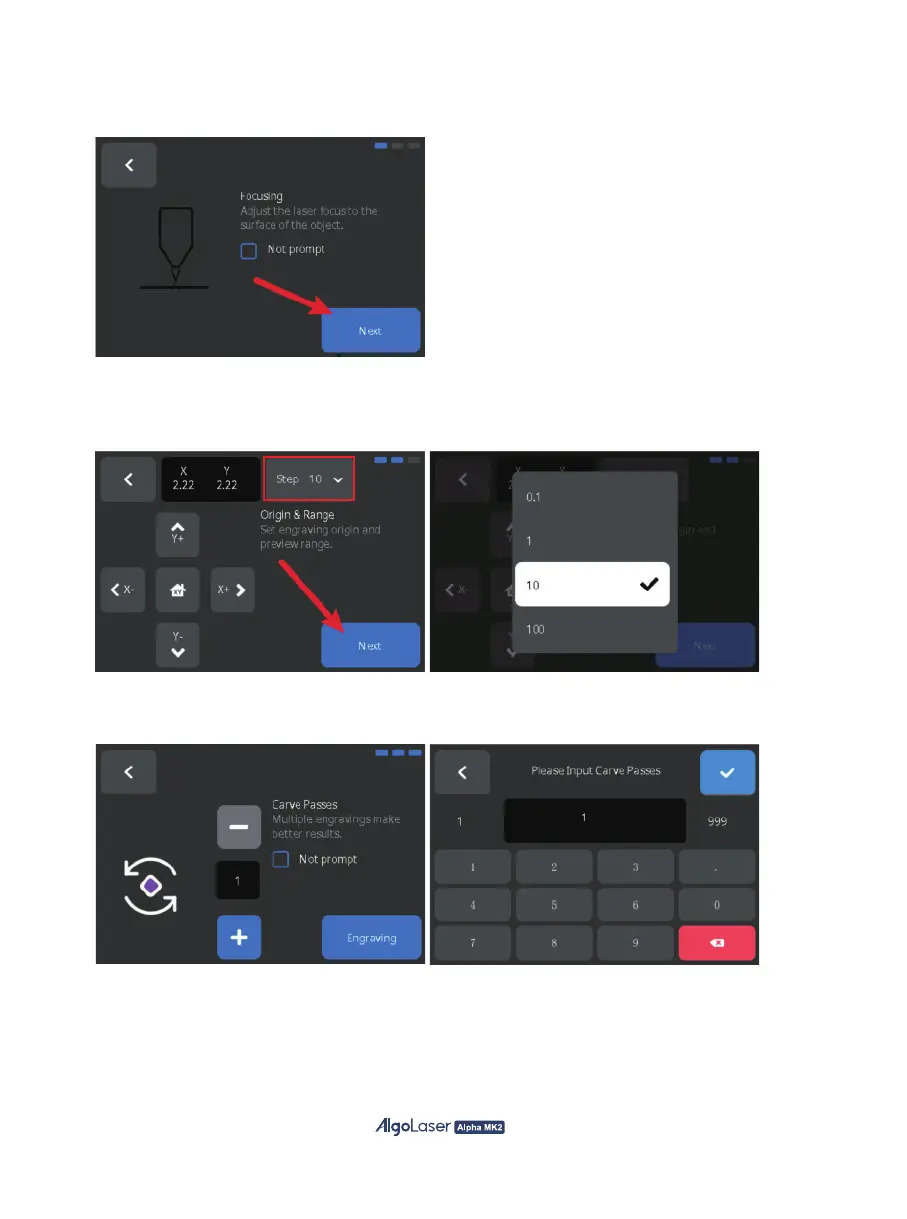
D. Engraving Preparation Page:
A. Focus Verification: Make sure that the laser is focusing at the correct focal length before clicking "Next".
B. Engraving Range: Move the laser with the button. Click "Step" to adjust the moving distance.
Observe whether the starting position meets the engraving requirements and whether the range
covers the engraved object. Make sure that there is no error before clicking "Next".
C. Multiple Engraving: If you want to engrave repeatedly, you can adjust the number of engraving
by "+" and "-", or by clicking on the numeric area to enter the value on the keyboard popped up.
25


 To Next Page