Operating the monitor | 45
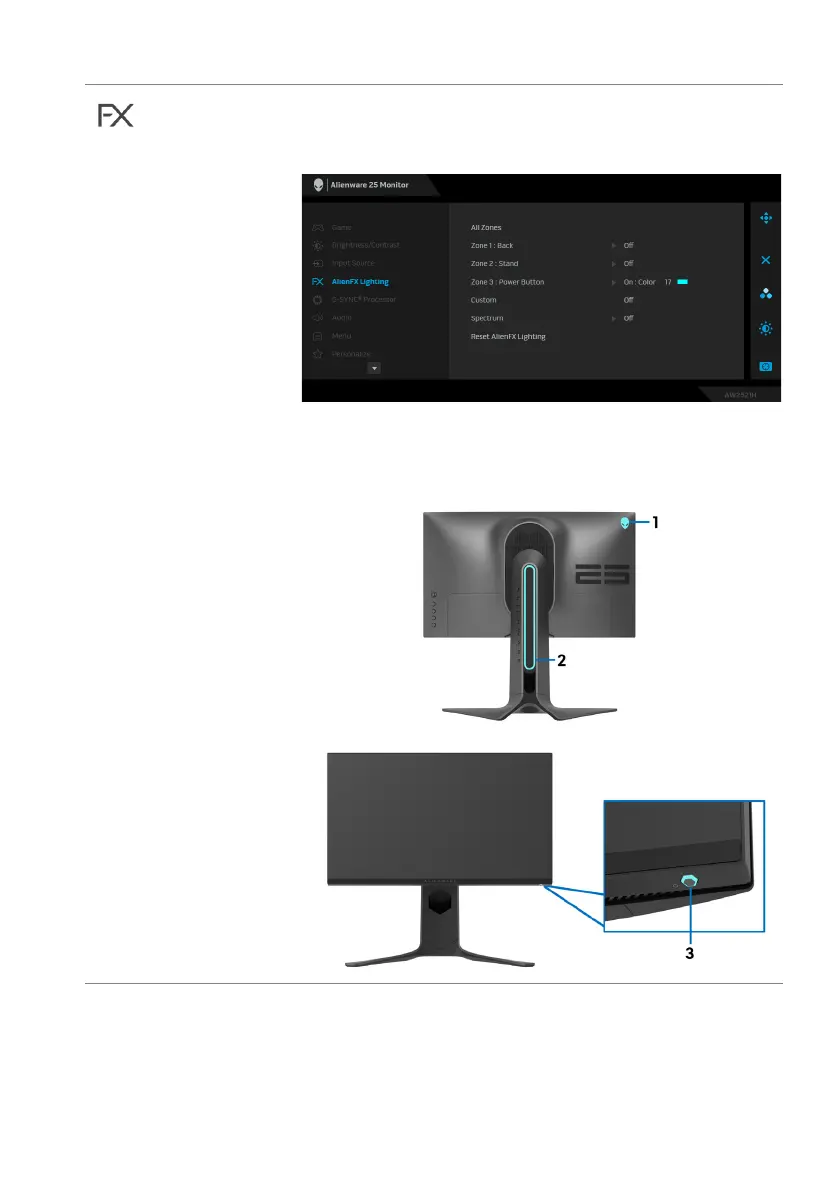
AlienFX
Lig
hting
Use this menu to adjust the LED light settings for the
Power button, Alienware logo, and the light stripe on
the stand.
Before making any adjustments, select any or all of
these 3 zones from the submenus. The illustration below
indicates the lighting zones.















 To Next Page