About your monitor | 13
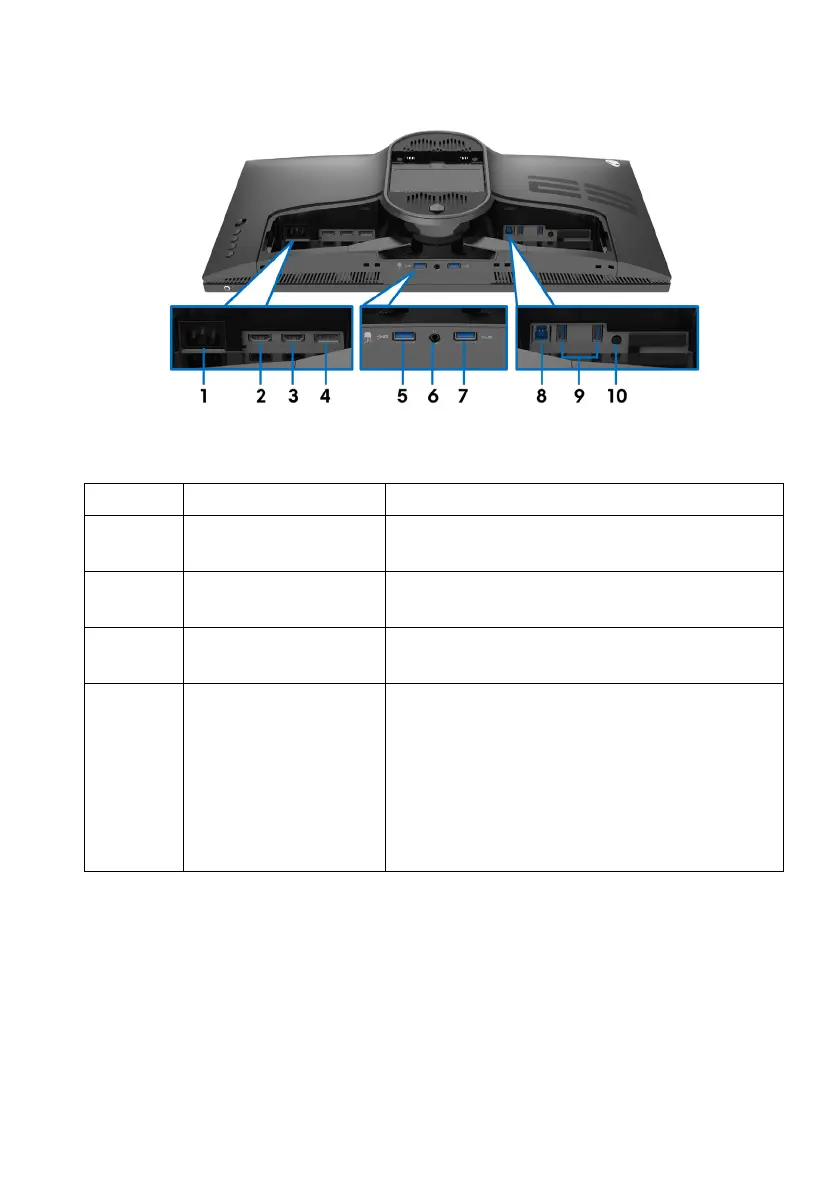
Rear and bottom view
Rear and bottom view without monitor stand
Label Description Use
1 Power connector Connect the power cable (shipped with your
moni
tor).
2 HDMI port (HDMI 1) Connect your computer with the HDMI
ca
ble.
3 HDMI port (HDMI 2) Connect your computer with the HDMI
ca
ble.
4 DisplayPort • Connect your computer
with DisplayPort-
DisplayPort cable (shipped with your
monitor)
or
• Connect your computer with mini-
Displa
yPort-DisplayPort cable (shipped
with your monitor)















 To Next Page