Troubleshooting | 63
Built-in diagnostics
Your monitor has a built-in diagnostic tool that helps you determine if the screen
abnormality you are experiencing is an inherent problem with your monitor, or
with your computer and video card.
NOTE: You can run the built-in diagnostics only when the video cable is
unplugged and the monitor is in self-test mode.
To run the built-in diagnostics:
1. Ensure
that the screen is clean (no dust particles on the surface of the
screen).
2. Pr
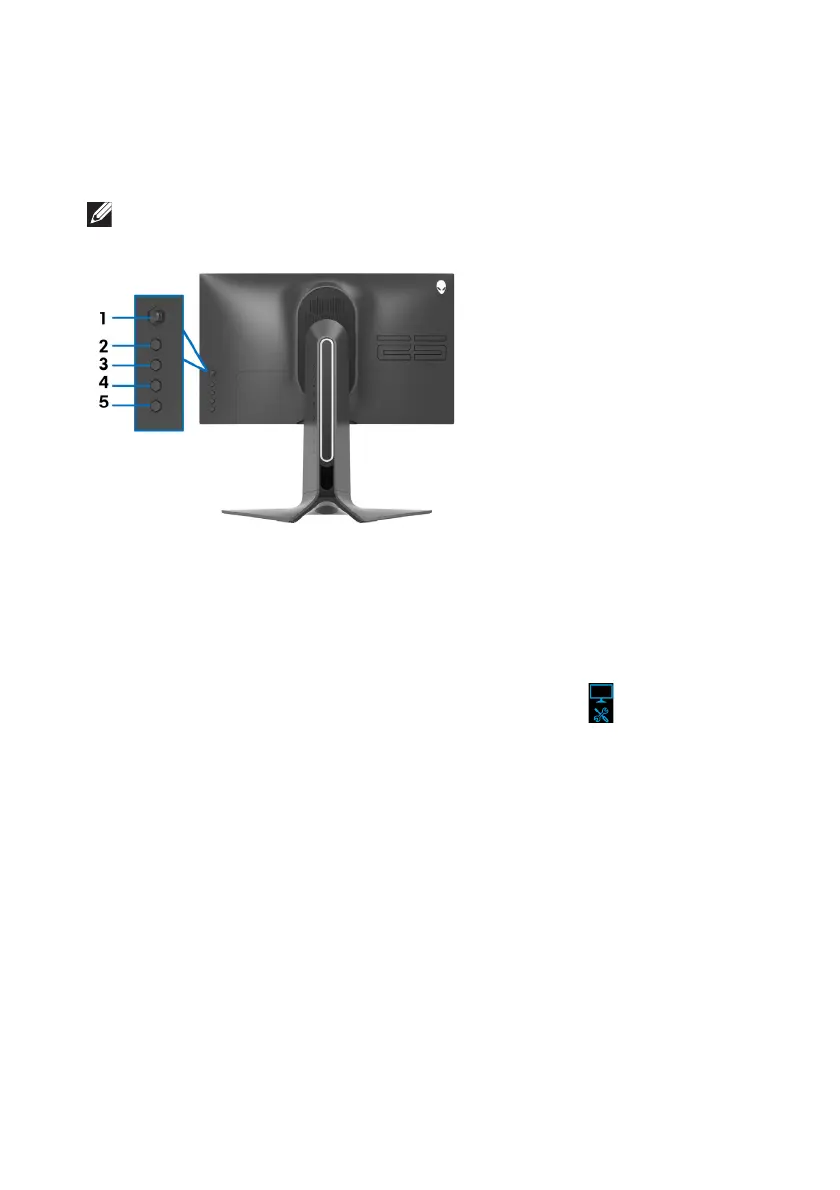
ess and hold Button 5 for four seconds until a menu appears on the
screen.
3. U
sing the joystick control, highlight the Diagnostics option and press
the joystick button to start the diagnost
ics. A grey screen is displayed.
4. Obser
ve if the screen has any defects or abnormalities.
5. Toggl
e the joystick once again until a red screen is displayed.
6. Obser
ve if the screen has any defects or abnormalities.
7. Repeat steps 5 and 6 until
the screen displays green, blue, black, and white
colors. Note any abnormalities or defects.
The test is complete when a text screen is displayed. To exit, toggle the
joystick
control again.
If you do not detect any screen abnormaliti
es upon using the built-in diagnostic
tool, the monitor is functioning properly. Check the video card and computer.















 To Next Page