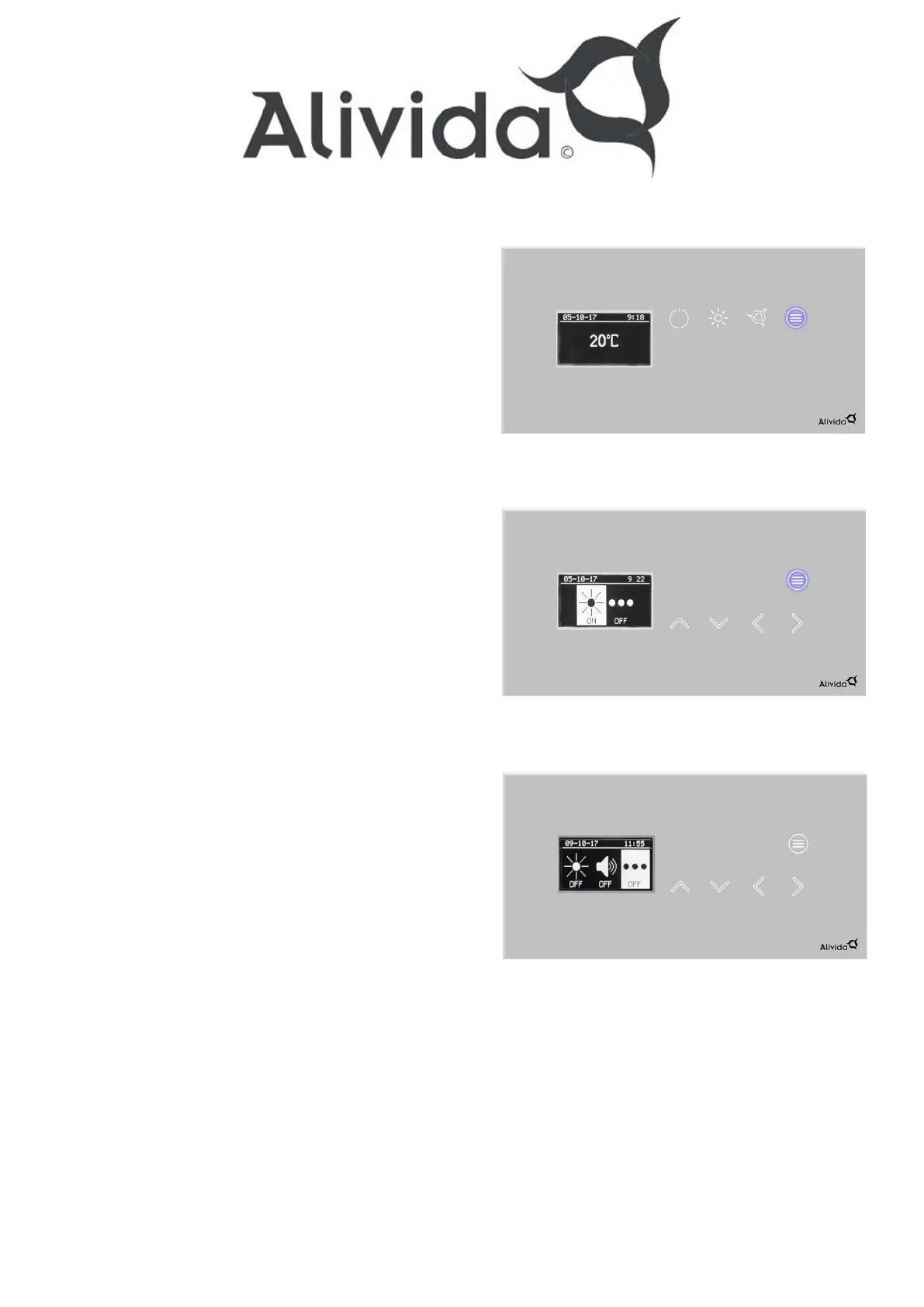
Option menu
Depending on the configuration of your sauna
control, you have 1 or more options at your disposal.
When your sauna technique is configured with 1 option,
it will be switched on/off by pressing the “option” key.
The “option” button lights up as soon as this option
is activated.
If your sauna control is configured with more than
1 option, you will enter a submenu after pressing
the “option” key. In the submenu you can
enable/disable the available options using the
up and down arrow keys. The display returns to the
main menu after 5 seconds.
The 2 possible options that can be displayed in
the submenu are: Cleaning light, External output.
.


 To Next Page