EasyManua.ls Logo

Allegion SCHLAGE MTB15 - User Manual

Allegion SCHLAGE MTB15
9 pages
Print Icon
To Next Page IconTo Next Page
Loading...
*P519-096*
P519-096
1 Locate and/or install single gang box.
Consult manufacturer’s instructions for installation.
2 Complete the wiring. Wire the cable to the control
module.
Wiring methods shall be in accordance with the National Electrical Code
(ANSI/NFPA70), CSA 22.1, Canadian Electrical Code (CEC), Part I, Safety
Standard for Electrical Installations, local code, and the authorities having
jurisdiction. A shielded cable must be used.
A power limited, class 2 UL 294 approved power supply must be used.
Voltage rating 5VDC to 28VDC.
Total length
to power supply or
to panel
Gauge to power supply
(power & ground wires)
Gauge to panel
(all other wires)
Power supply voltage
12 VDC 24 VDC
100 ft (30.5 m) 22 22 22
200 ft (61 m) 22 22 22
300 ft (91.5 m) 20 22 22
400 ft (121.9 m) 18 22 22
500 ft (152.4 m) 18 20 22
600 ft (182.9 m) 18 20 22
700 ft (213.4 m) 18 20 22
800 ft (243.8 m) 16 18 22
900 ft (274.32 m) 16 18 22
1000 ft (305.8 m) - 18 22
Cable Connections
Black
Ground
Blue
Unused
Brown
Red LED Control
Gray*
Tamper Out
Green
Wiegand Data 0 / Data
Orange
Green LED Control
Pink
RS485-A/Y
Red
Power In
Shield
Shield Ground
Tan
RS485-B/Z
White Wiegand Data 1 / Clock
Yellow Beeper Control
Estimated Current Draw
MTB15 MTKB15
Input
Voltage
(VDC) Avg. mA Max. mA Avg. mA Max. mA
5 145 310 145 320
12 80 190 80 200
24 45 100 45 105
28 40 85 40 90
The max run for a 5V supply is 50 ft (15 m) with 18 AWG.
* Tamper Outputs are to be connected to a UL-Rated Burglary System.
3 Route cable through box.
Single Gang Reader
MTB15, MTKB15
Installation Instructions
Support and Warranty
us.allegion.com
(877) 671-7011
+1 512-712-1316
Allegion Address
3899 Hancock
Expressway
Security, CO 80911
Tools
Phillips Screwdriver
6-32 Tap
1" (25 mm), Z\," (3 mm) Drill Bits
T10 Security Torx Screwdriver
(Optional)
For Indoor/Outdoor Use
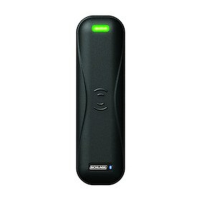
MTB15
Mobile Enabled Multi-
Technology Reader
MTKB15
Mobile Enabled Multi-
Technology Reader with
keypad

Questions and Answers

  • M
    michaelfrancisAug 4, 2025
    What to do if Allegion Card Reader MTB fails to read credential?
    • M
      Mrs. Ashley ReynoldsAug 5, 2025
      If your Allegion Card Reader MTB fails to read a credential, consider these possibilities: * The card type may not be enabled. Use the ENGAGE mobile app or configuration cards to enable the card type. * The card type may not be supported. If so, acquire a supported credential. * If you are using a mobile credential, it might be out of range. Move the device with the mobile credential closer to the reader.
  • R
    Ryan ThompsonAug 11, 2025
    Why doesn't the access control panel receive data from the Allegion Card Reader MTB?
    • R
      rjimenezAug 11, 2025
      If the access control panel is not receiving data from the Allegion Card Reader MTB, the issue could be due to incorrect wiring. Ensure the MTB reader wiring is correct and matches the input standard the panel is configured for. Another possibility is that the RS-485 is not in sync. Some RS-485 panels require the reader to complete sync. Follow the access control panel manufacturer’s procedures for triggering a synchronization sequence if applicable.
  • S
    shannon26Aug 16, 2025
    How to fix ENGAGE mobile app not connecting to Allegion SCHLAGE MTB15 Card Reader MTB?
    • O
      ohudsonAug 16, 2025
      If the ENGAGE mobile app is not connecting to the Allegion Card Reader MTB, it could be due to the reader being out of range. Try getting closer to the reader. Alternatively, the reader may have been reset manually with a reset card. In this case, delete the reader from ENGAGE and commission it again.
  • D
    daviskelliAug 22, 2025
    What to do if Allegion Card Reader MTB commissioning fails?
    • S
      simontracyAug 22, 2025
      If the Allegion Card Reader MTB commissioning fails, consider the following: * The reader can only be commissioned for the first 2 minutes after power on. Disconnect power from the reader, then apply power again. * The reader may have been previously commissioned. Apply the MTB reset card to the reader within 1 minute of power on, then commission the reader. * The reader might still be commissioned in another site. Delete the reader from the other site it is commissioned in. Then apply the MTB reset card within the first 1 minute of power on.
  • S
    Sean LopezAug 29, 2025
    How to troubleshoot Allegion SCHLAGE MTB15 MTB not powering up?
    • T
      Teresa DennisAug 29, 2025
      If the Allegion Card Reader MTB is not powering up, check the power connections and ensure that the power source is ON.

Summary

Installation Steps

Locate and Install Single Gang Box

Guidance on locating and installing a single gang box for the reader unit.

Complete Wiring to Control Module

Instructions for wiring the cable to the control module, including power supply and wire gauge requirements.

Route Cable Through Box

Procedure for routing the cable through the installation box.

Install Baseplate

Instructions for installing the baseplate with the bottom screw, emphasizing its necessity.

Plug Cable into Reader

Step to connect the cable to the reader unit.

Install Reader with Upper Screw

Guidance on securing the reader unit with the upper screw.

Snap Cover and Install Cover Screw

Final step to attach the cover, including screw options and a warning against over-tightening.

Test and Setup Procedures

Powering the Reader

Details the power-on sequence, indicated by LEDs and beeper tones.

Adding Credentials

Instructions for adding credentials to the access panel.

Presenting Credentials

Procedure for presenting a supported credential to operate the reader.

Default LED Indicators

Explanation of default LED indicator behaviors for successful and unsuccessful reads.

Optional Configuration

Configure with Mobile Application

Guide to configuring the reader using the ENGAGE mobile application.

Request Custom Configuration

Information on how to request custom configuration cards or support.

Troubleshooting

Allegion SCHLAGE MTB15 Specifications

General IconGeneral
CategoryCard Reader
ManufacturerAllegion
ModelSCHLAGE MTB15
TechnologyMagnetic Stripe
Weight0.5 lbs
Read CapabilityTrack 2
Power Supply12V DC
Operating Temperature-31°C to +66°C

Related product manuals