
 Need help?
Do you have a question about the allen A-71100-US and is the answer not in the manual?
Describes the intended users and operational environment of the Allen® Advance Table.
Helps identify different models of the Allen® Advance Table.
Explains text formatting and special notes used in the manual.
Explains symbols related to product certifications, standards, and safety.
Details the symbols and controls found on the table's pendant.
Explains indicators displayed on the table's control panel.
Identifies the individual components of the prone support set.
Explains symbols specific to the Advance Pinless H-Bracket.
Provides essential safety instructions to prevent patient and user injury.
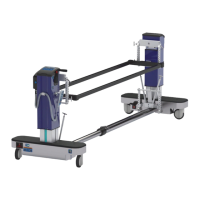
Visual overview of the table with labeled components.
Visual overview of table controls with labeled items.
Illustrates the table setup for lateral-to-prone patient positioning.
Details controls and indicators located on the table's head-end base.
Explains the functions and operation of the table's pendant controls.
Describes the status indicators shown on the table's display.
Step-by-step guide to turn the table unit on and off.
Information on checking and maintaining the table's battery charge.
Procedures for locking, unlocking, and manually releasing the brakes.
Instructions for extending or retracting the table's length.
Guides on attaching H-brackets and patient support tops.
Detailed instructions for installing the Advance Pinless H-Bracket.
Guides on attaching a patient support to the H-bracket.
Instructions for attaching the lateral bracket for specific configurations.
Guides on properly installing the lateral top assembly.
Instructions for using the air bladder and pump for patient positioning.
Guides on installing the prone support set and its components.
Steps for safely transferring patients to and from the table.
Instructions for accessing and using the cervical traction assembly.
Guides on installing and using the Advance Cervical Device.
Detailed steps for adjusting the overall height of the table.
Guides on adjusting patient support height with the H-bracket.
Instructions for positioning the table in Trendelenburg.
Guides on tilting the table's support top to various angles.
Procedures to ensure the table and support top are perfectly level.
Instructions for rotating the support top by 90 degrees.
A crucial checklist to ensure the table is safe and ready for patient use.
Steps for safely powering down and securing the table.
Guidelines for cleaning and disinfecting the table between patient uses.
Solutions for common operational problems and error indicators.
Recommended checks for maintaining the table's optimal condition.
Instructions for replacing specific table components.
A list of optional accessories compatible with the table.
Detailed technical data including dimensions, power, and environmental requirements.
Guidance and declarations regarding electromagnetic emissions and immunity.
 General
| Brand | allen |
|---|---|
| Model | A-71100-US |
| Category | Industrial Equipment |
| Language | English |

 To Next Page