
EasyManua.ls Logo

Allied Telesis AT-2973SX - User Manual

Allied Telesis AT-2973SX
178 pages
Print Icon
To Next Page IconTo Next Page
Loading...
613-001252 Rev. D
NetExtreme II Adapters
1 Gigabit and 10 Gigabit Interface Cards
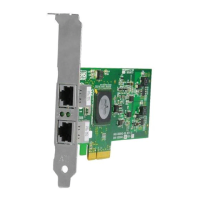
AT-2973SX
AT-2973T
AT-2973T/4
AT-VNC10S
Installation Guide
1
0
0
ATI
L
/A 1
L
/A 2
1696
1
0
0
ACT LNK
ATI
T
LNK
ACT
AT I
1
0
0
ACT LNK
ATI

Table of Contents

Questions and Answers

  • A
    Anne MillerAug 9, 2025
    How to check Allied Telesis AT-2973SX cables and connections?
    • V
      Victoria BennettAug 9, 2025
      To check the Allied Telesis Network Card cables and connections: * Inspect all cables and connections. * Verify that the cable connections at the network adapter and the switch are attached properly. * Verify that the cable length and rating comply with the listed requirements.
  • V
    vasquezjimAug 14, 2025
    What to do if my Allied Telesis AT-2973SX Network Card is probably defective?
    • A
      Adam QuinnAug 14, 2025
      If the Allied Telesis Network Card is probably defective, replace the failed adapter with one that is known to work properly. If the second adapter works in the slot where the first one failed, the original adapter is probably defective.
  • T
    Tiffany DaughertyAug 18, 2025
    What to do if my Allied Telesis Network Card original slot may be defective?
    • C
      Christina MartinAug 19, 2025
      If the original slot for your Allied Telesis Network Card may be defective, try inserting the adapter in another slot. If the new position works, the original slot in your system may be defective.
  • J
    jamieshepherdAug 25, 2025
    How to check Allied Telesis Network Card adapter installation?
    • P
      Paul MaddenAug 25, 2025
      To check the Allied Telesis Network Card adapter installation, review the section on 'Installing a Network Adapter Card'. Verify that the adapter is properly seated in the slot and check for specific hardware problems, such as obvious damage to board components or the PCI edge connector.
  • R
    Rebecca LopezAug 29, 2025
    What to do if my Allied Telesis Network Card original system may be defective?
    • C
      cclarkAug 29, 2025
      If the original system for your Allied Telesis Network Card may be defective, install the adapter in another functioning system and run the tests again. If the adapter passed the tests in the new system, the original system may be defective.
  • J
    John NguyenSep 3, 2025
    What to do if other adapters may be causing contention with my Allied Telesis AT-2973SX?
    • S
      Stephanie SmithSep 3, 2025
      If other adapters may be causing contention with your Allied Telesis Network Card, remove all other adapters from the system and run the tests again. If the adapter passes the tests, the other adapters may be causing contention.

Allied Telesis AT-2973SX Specifications

General IconGeneral
ManufacturerAllied Telesis
ModelAT-2973SX
CategoryNetwork Card
Device TypeNetwork adapter
Form FactorPlug-in card
Connectivity TechnologyWired
Data Link ProtocolGigabit Ethernet
Data Rate1 Gbps
Data Transfer Rate1 Gbps
Wavelength850 nm
Distance550 m
Optical Fiber TypeMultimode
Compliant StandardsIEEE 802.3z, IEEE 802.3x
CompatibilityPC
Operating System SupportWindows, Linux
Interface TypePCI Express
Interface (Bus) TypePCI Express
Interface1000Base-SX
Ports1 x 1000Base-SX