EasyManua.ls Logo

Allied Telesis iMG2400 Series - User Manual

Allied Telesis iMG2400 Series
30 pages
Print Icon
To Next Page IconTo Next Page
Loading...
613-001727 Rev. D
iMG2400 Series
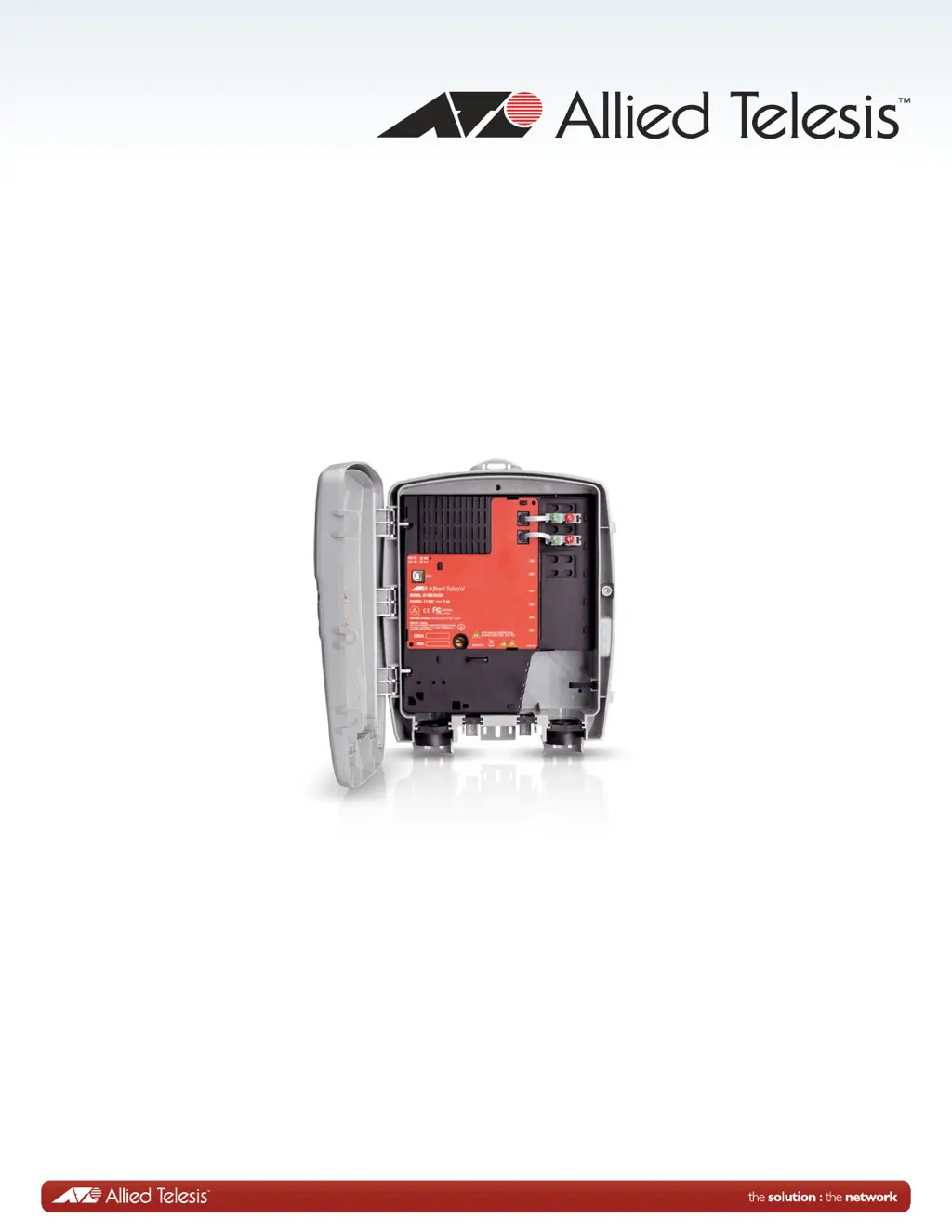
AT-iMG2426F
Installation Guide

Questions and Answers

  • M
    milleremilyAug 3, 2025
    What to do if there is a problem with Allied Telesis Gateway telephone service?
    • D
      Daniel MosleyAug 3, 2025
      If you're experiencing issues with your telephone service, try these steps: First, replace the existing cable with a cable that you know is working correctly. For POTS phones and fax machines, ensure the dial mode is set correctly as described in their respective manuals. Also, inspect the telephone or fax machine itself for any potential issues.
  • D
    Dustin MillerAug 8, 2025
    What to do if the VOIP LED is off on Allied Telesis Gateway?
    • P
      Patrick ThomasAug 8, 2025
      If the VOIP LED doesn't light up when you lift the phone receiver, ensure the telephone cable is correctly connected, undamaged, and is the right type of cable. Try plugging a known good POTS telephone into the RJ-11 jack. If the VOIP LED lights up, the issue is likely with the original telephone cable. If it doesn't light up, there might be a problem with the iMG. In that case, verify the configuration, or reset the iMG to its factory defaults using the command sequence >system, >configure terminal, and then >boot config-file default.cfg. If problems persist after these steps, it is recommended to contact Allied Telesis.
  • G
    Gina ThompsonAug 13, 2025
    How to fix Allied Telesis Gateway that is not operating correctly?
    • B
      Brian PetersonAug 13, 2025
      If the Gateway isn't working as expected, try resetting it. Disconnect the power cable, and then reconnect it.
  • R
    robinwilliamsAug 18, 2025
    What to do if the SYST LED is red on Allied Telesis Gateway?
    • N
      Nathan SmithAug 18, 2025
      If the SYST LED is red, unplug the power cable, wait 20 seconds, and then plug it back in. If the LED remains red, unplug the power cable and contact Allied Telesis.
  • T
    Tammy HansenAug 23, 2025
    Why is the WAN LED off on my Allied Telesis Gateway?
    • B
      beckstephanieAug 23, 2025
      If the WAN LED is off, check the fiber optic port and connector on the pigtail to ensure they are clean. Also, verify that the connector is properly seated in the fiber optic port and that the fiber optic cable has an active light source.
  • B
    Brittany BlackAug 28, 2025
    How to troubleshoot Allied Telesis Gateway PWR LED being off?
    • D
      David NashAug 28, 2025
      If the PWR LED is off, check the power cable to make sure it's undamaged and properly connected.

Summary

Electrical Safety and Emissions Standards

U.S. Federal Communications Commission

Details FCC compliance rules and interference mitigation measures for the device.

Industry Canada Compliance

States compliance with Canadian ICES-003 standards for digital apparatus.

European Union RoHS Compliance

Confirms the product's compliance with EU Restriction of the Use of Certain Hazardous Substances.

EMI;RFI and Electrical Safety Certifications

Lists specific standards met for electromagnetic compatibility and safety (FCC, EN, UL, CSA, CE).

Preface

Safety Symbols and Conventions

Explains symbols like Note, Caution, and Warning used throughout the document.

Safety Precautions Overview

Introduces essential safety measures to review before installing the gateway.

Contacting Allied Telesis

Chapter 1: Technical Specifications

Electronics Overview

Describes the AT-iMG2400 series models and their LAN ports.

Physical and Environmental Specifications

Details dimensions, weight, operating/storage conditions, and altitude limits.

Power Specifications

Outlines input voltage and power consumption details for the device.

Safety and Emissions Certifications

Lists regulatory compliance for EMI/RFI and safety standards.

Power Cord Wiring Diagram

Provides a visual guide and table for connecting the power cord terminal blocks.

Local Management Connection

Explains the use of the MGMT port for Telnet connections.

Chapter 2: Installing the Gateway

Required Tools and Supplies

Lists tools and supplies needed for the installation process.

Check Package Contents

Instructions for verifying all items are present in the electronics package.

Examine Outdoor Enclosure Configuration

Guides the user to check the enclosure setup before proceeding with installation.

Check Power and Grounding

Details procedures for ensuring proper power supply and grounding for the unit.

Install the Electronics Unit into the Enclosure

Step-by-step instructions for physically installing the electronics unit into the enclosure.

Connect the Power Cord

Details on wiring and connecting the power cord to the unit.

Route the Fiber Jumper Cable

Instructions for routing the fiber optic cable correctly within the enclosure.

Close and Ground the Unit

Steps for closing the enclosure and ensuring the unit is properly grounded.

Connect the Telephone Wires

Procedure for connecting POTS telephone lines to the gateway.

Connect the LAN Cables

Instructions for connecting Ethernet cables to the gateway's RJ-45 ports.

Prepare for Initial Startup

Final steps to prepare the gateway for its first power-on after installation.

Indoor Installation and PSU Usage

Guides on indoor mounting and using an AC Power Supply Unit with the iMG.

Chapter 3: Turn-Up and Troubleshooting

Turn-up Sequence

Step-by-step guide for powering on and initiating the gateway.

Understanding the LEDs

Explains the meaning and status indications of the device's LEDs.

Troubleshooting Common Issues

Provides solutions for common problems encountered during operation.

Allied Telesis iMG2400 Series Specifications

General IconGeneral
Product TypeGateway
QoSYes
Ports4 x Gigabit Ethernet
WAN Interface1 x Gigabit Ethernet
Wireless Standard802.11a/b/g/n
FirewallYes
VPN SupportYes
ManagementWeb-based, CLI
MAC Address Table Size8K
Operating Temperature0°C to 40°C
Storage Temperature-20°C to 70°C
Product SeriesiMG2400 Series

Related product manuals