5
Function Introduction
Function 1:
Slide down the middle part of
the screen to enter the setting
interface
Function 2:
Slide the screen from right to
left to switch front and back
Windows
Function 3:
Slide from left to right to enter
the video playback screen
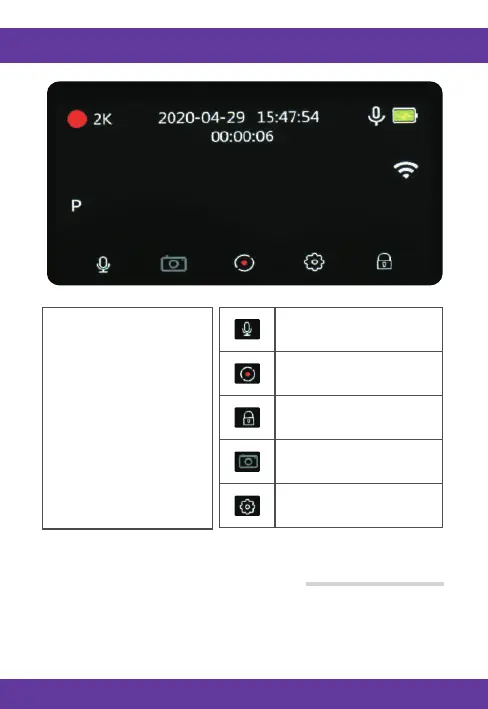
Click to turn off and on
video sound
Click to pause and
start recording
Click to lock the
current video
Click to enter the photo
taking interface
Click to enter the
setting interface
Video Playback interface
Home screen Slide from left to right to access the video playback screen



 To Next Page