Allora 2
11
4 - 1st and 2nd display
The Allora has two graphic displays allowing the display of different sized
characters.
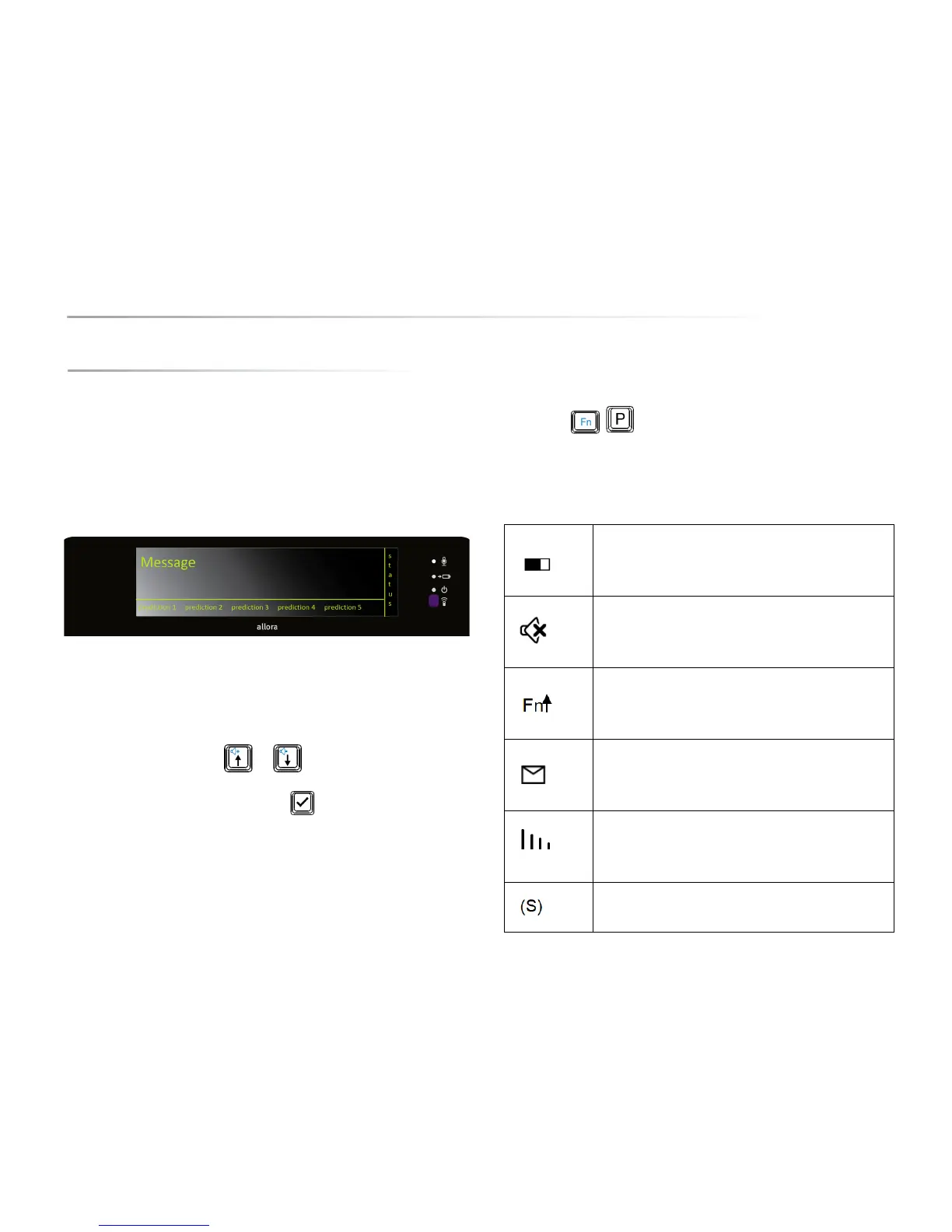
The first and largest display, above the keyboard, displays the messages that
you are typing. This screen also shows you the word or sentence prediction. To
the right of the screen the state parameters are shown. On the front of the Allora
there is a second and smaller screen showing the message that you are typing.
The first screen is divided into three parts. The largest part is used to write the
messages. One message can contain multiple lines. If you press the Enter key,
the message will be pronounced. You do not have to remove the message to
write a new message, which means that you can easily return to your previous
messages. Use the arrow keys or to navigate to the message you
want to use again and press the 'validation' key to speak out the chosen
message.
The second part of the screen at the bottom of the display is separated from the
first part by means of a horizontal line. In this part of the of the screen the word
or sentence predictions are displayed. You can also choose to have no
predictions and use the whole screen for writing messages. Switch between
word prediction, sentence prediction or no predictions by pressing the key
combination .
The third part of the screen, on the right hand side, shows the main state
parameters of the Allora.
Battery status
Mute/unmute
Fn or Shift key status
new text message
GSM reception
SMS mode


 To Next Page
 Loading...