Allora 2
12
The second and smaller display on the front side of the Allora, displays the
message that you are writing. However, you can choose to only to show the
complete message when the message is pronounced.
On this screen you have the option to show 1, 2 or 3 text lines. This will also
determine the size of the characters. Choosing 1 text line results in bigger
characters, but fewer characters will be shown at one time. More text lines will
result in smaller characters.
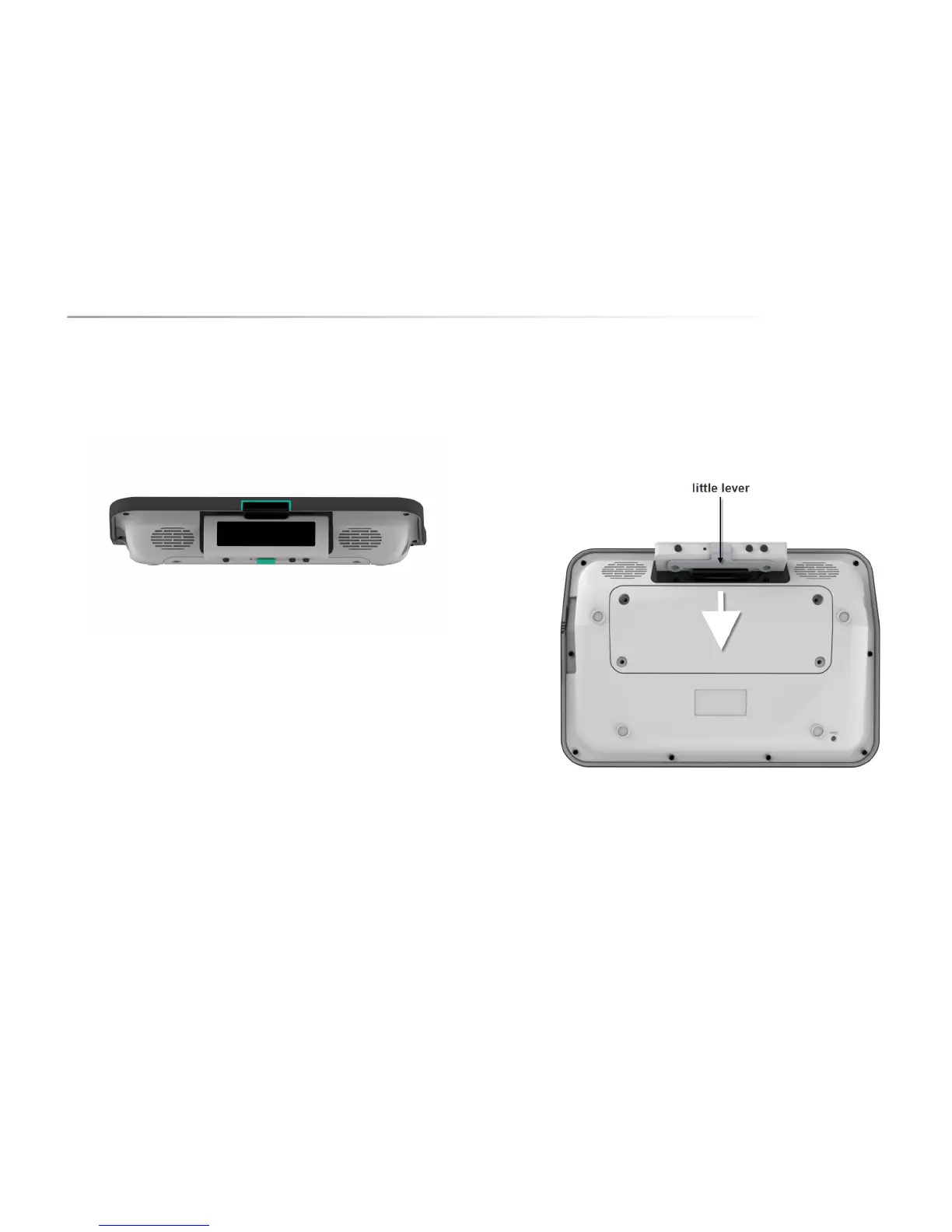
The 2nd display is normally attached to the Allora however you can detach it
from the device allowing you to position it better so that more people can see
the display.
You can also wear the 2nd display or give it to your communication partner.
This is particularly useful if you are in a noisy environment or if you wish to have
a private conversation.
To disconnect the 2nd display from the Allora, push the lever behind the display
away from the display and take the display out of its compartment.
It is not recommended to detach the 2nd display from the Allora or to attach the
2nd screen to the Allora during the start up procedure. You should wait to do this
until the device is completely started up.
As soon as the 2nd display is separated from the Allora, a wireless connection
will be established between the Allora and the 2nd display. You will hear a short
beep as soon as the connection is successful and ready to use. Both text and
sound will be carried by the 2nd screen.


 To Next Page
 Loading...