Allora 2
22
6.1.4 Infrared window
This infrared window is used for learning infrared codes. Keep the remote
control of the device that you wish to learn a command from, at a distance of
about 2 inches from this window during the infrared code learning procedure.
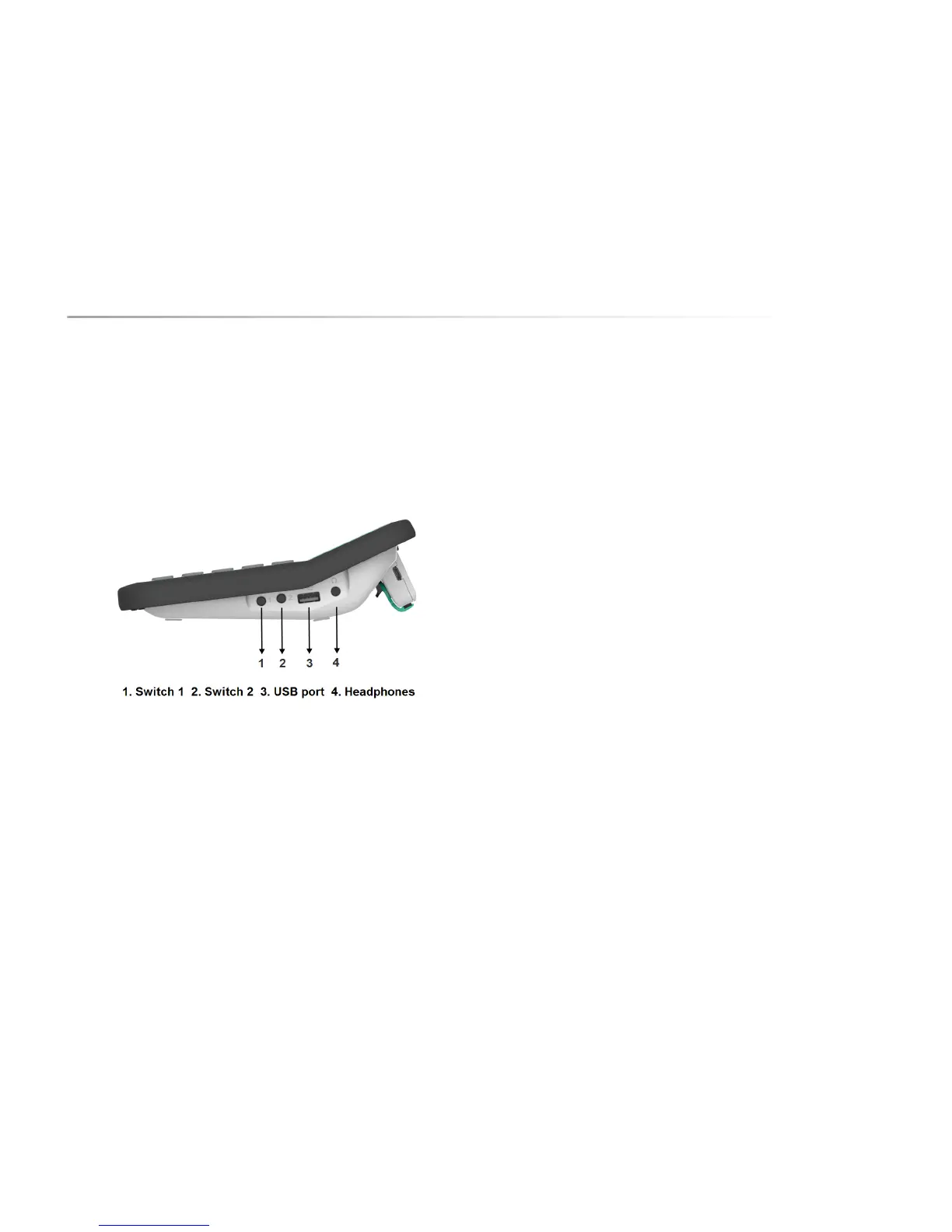
6.2 Side
6.2.1 Switch 1
Use this input to connect switch 1 to the Allora in order to control the unit with a
one switch scanning algorithm.
6.2.2 Switch 2
Use this input to connect switch 2 to the Allora in order to control the unit with a
two switch scanning algorithm.
6.2.3 USB port
This USB port is used to exchange notes or backup and restore data via a USB
memory stick. This port has no other function.
6.2.4 Headphone
This is the input to connect a headphone.
6.2.5 Adapter input
This is the input for the power adapter. Do not use any other power adapter
other than the one that is supplied with the Allora. The adapter will also charge
the internal battery of the Allora and the battery of 2nd display (when attached to
the Allora).
6.3 Back
You will find the battery cover and the reset button on the underside of the Allora
device.
The Allora has a rechargeable battery. This battery is recharged internally using
the adapter that is supplied with the unit. The SIM card connector can be found
in the battery compartment on the underside of the Allora Device. The battery
compartment should only be opened if the battery needs to be replaced or if a
SIM card needs to be inserted or replaced. To open the battery cover you should
use a specific screwdriver (Torx TX 10).
The reset button allows you to force a shut down in case the Allora is not
functioning properly. Press the on/off key to restart the Allora.


 To Next Page
 Loading...