Allora 2
38
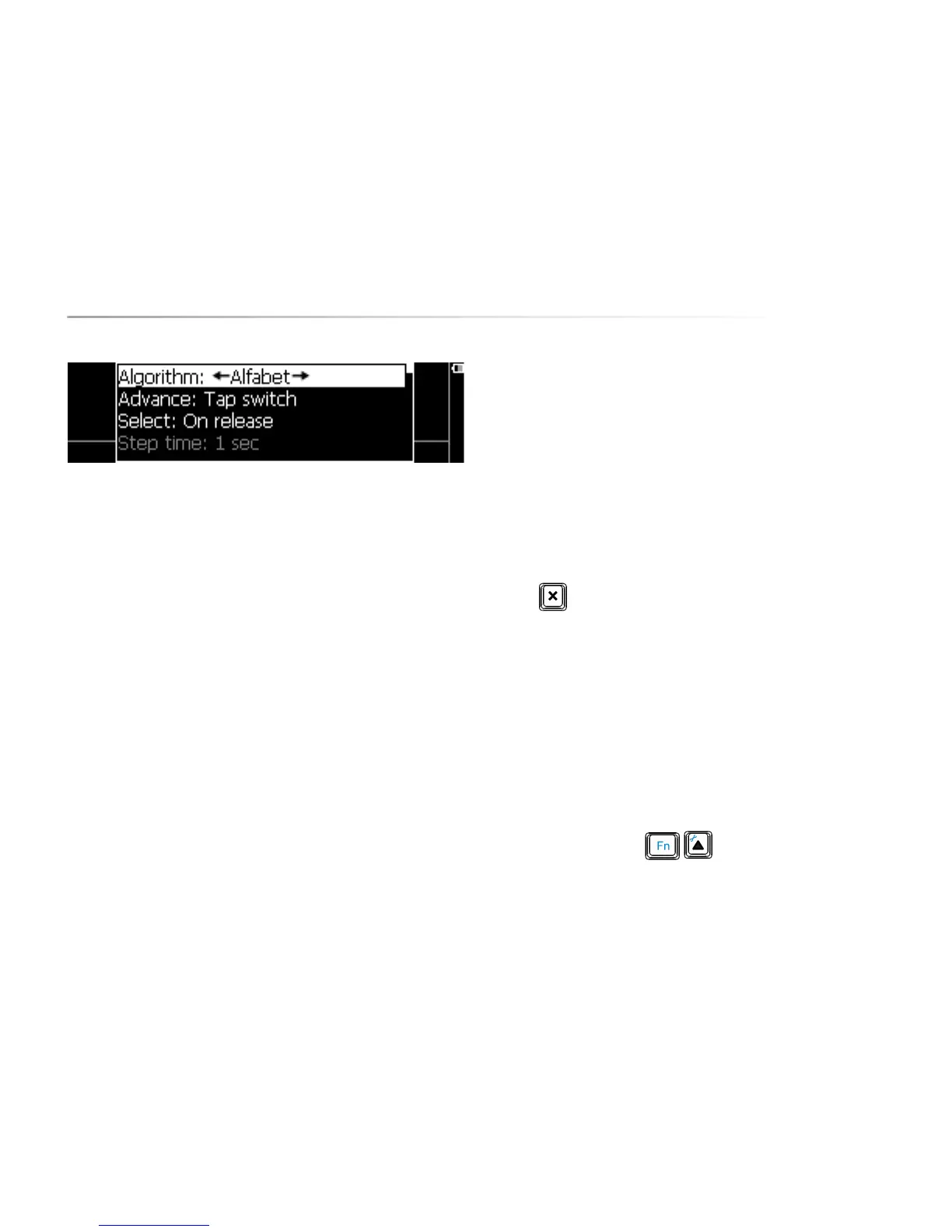
First, select the parameter Algorithm. If you have a QWERTY keyboard, it's also
appropriate to choose Qwerty, although you can also use a different algorithm:
Alphabet. This algorithm will not scan through the rows of the keyboard but uses
a more efficient sequence of characters and functions.
Set the parameter Advance to Automatic. This means that the Allora will
automatically step through the different sequences of the scanning algorithm.
When the character or the sequence of characters in which the character that
you need appears, press the switch to make the selection.
The parameter Select allows you to decide whether you select by pressing (On
press) or by releasing the switch (On release) or by holding the switch for a
specific time. Setting a hold time allows you to avoid unwanted key strikes.
The Step time defines the speed or rhythm used by the Allora to step through the
different sequences.
If you make a mistake and, for example, select a row of characters in which the
character that you need is not appearing, then you can wait until the Allora has
stepped through this row a number of times to finally leave that ‘wrong’ row.
The Leave row parameter sets the number of times the Allora will step through a
row before leaving it.
Pause scanning sets the number of sequences that the Allora will run before it
will stop the algorithm, considering that there was no switch activity during that
interval. Pressing the switch will automatically restart the scanning.
After selecting a particular character or a certain feature, you can choose to
postpone making a next selection. This prevents unwanted successive
selections caused by for instance tremor.
The parameter Delay after selection will set that delay time.
The Allora can add a little sound every time it shows the next character or row of
characters. This can help you keep up with the rhythm. Sound on/off will add or
omit the sound with each step that is made.
Press to stop the Allora from scanning. Press switch & to start scanning
again.
9.2 Two switch access.
Use switch 1 to step through the consecutive sequences of the scanning
algorithm. Use switch 2 to make a selection.
Connect the switches to the appropriate switch inputs of the Allora. Scanning
will automatically start as soon as you activate switch 1.
Press the key combination to set the correct parameters. The
following list appears on the screen:


 To Next Page
 Loading...