Allora 2
55
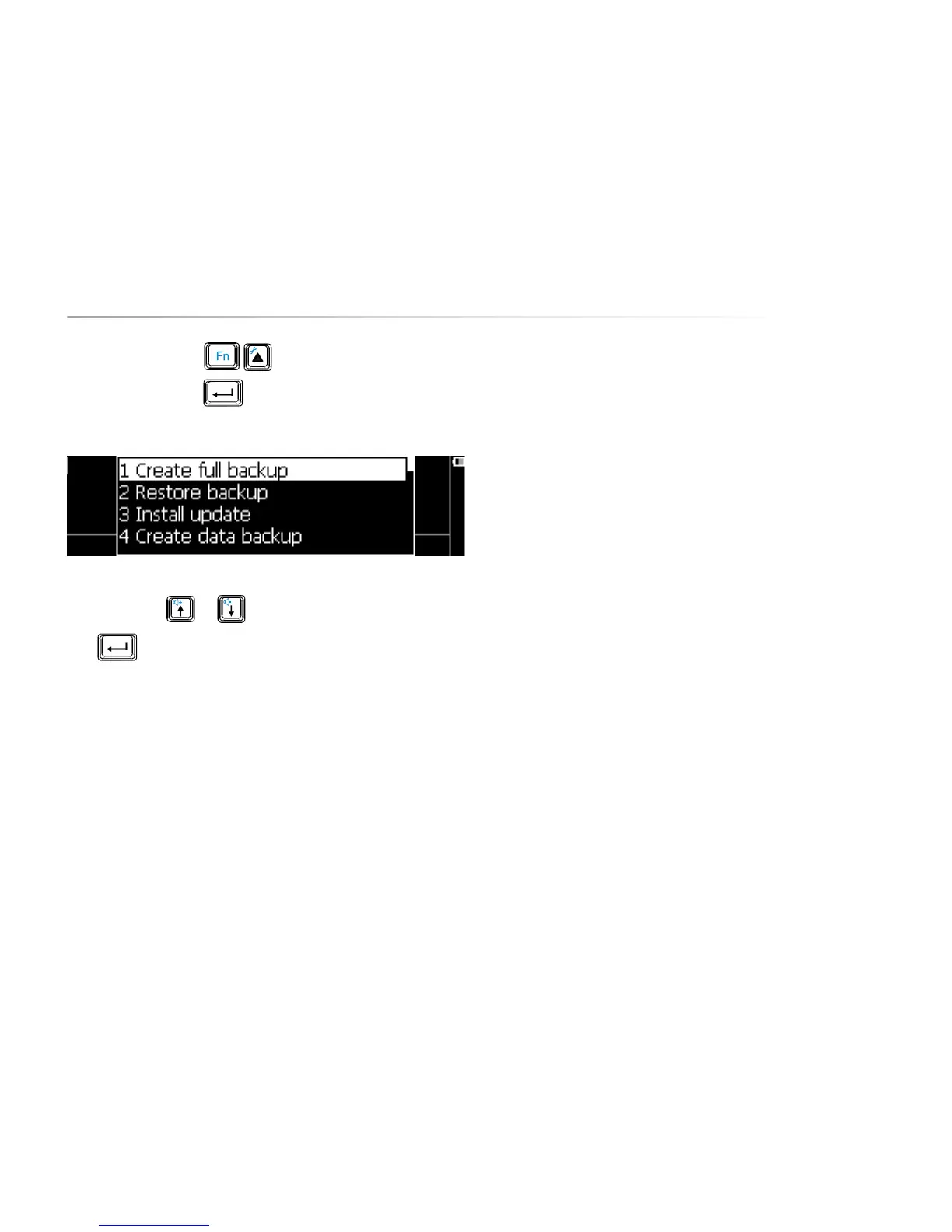
Press the key combination to show the settings menu, choose
Backup/restore and press . The following parameter list appears on
the screen:
Use the arrow keys or to choose a procedure.
Press to start the procedure.
The following overview explains the different procedures:
10.11.1 Create full backup
To make a backup of both the Allora application software and the data. Make
sure that a memory USB stick is connected to the Allora.
10.11.2 Restore backup
To restore the backup from the USB stick. Make sure that a memory USB stick is
connected to the Allora.
10.11.3 Install update
If a new version of the Allora application software becomes available then you
can copy it first on a memory stick and then install it using Install update on the
Allora.
10.11.4 Create data backup
This will only store the Allora data - such as recordings, stored Messages and IR
codes - on a USB memory stick. Ensure that a memory USB stick is connected to
the Allora.
10.11.5 Restore data backup
Copy Allora data from a USB memory stick back to the Allora.
10.11.6 Restore factory defaults
Choose this option to set all parameters back to the factory settings.
This will also clear the Allora memory data.


 To Next Page
 Loading...