Allora 2
54
10.9.10 Shift Star
Similar to the Star key, the key combination can also be
linked to one of your favorite applications.
10.9.11 Fn+Star
Similar to the Star key, the key combination can also be linked to
one of your favorite applications.
10.10 Tools Menu
The Allora supports a variety of applications. The main application is
communication, but you can also make sound recordings or take notes. Your
Allora can also have extra applications when it is equipped with the IR module
for environmental control and/or with the GSM module to send and receive SMS
messages. With the Tools Menu you can select which of the applications are
permitted. Only those applications will then appear as you press the application
key .
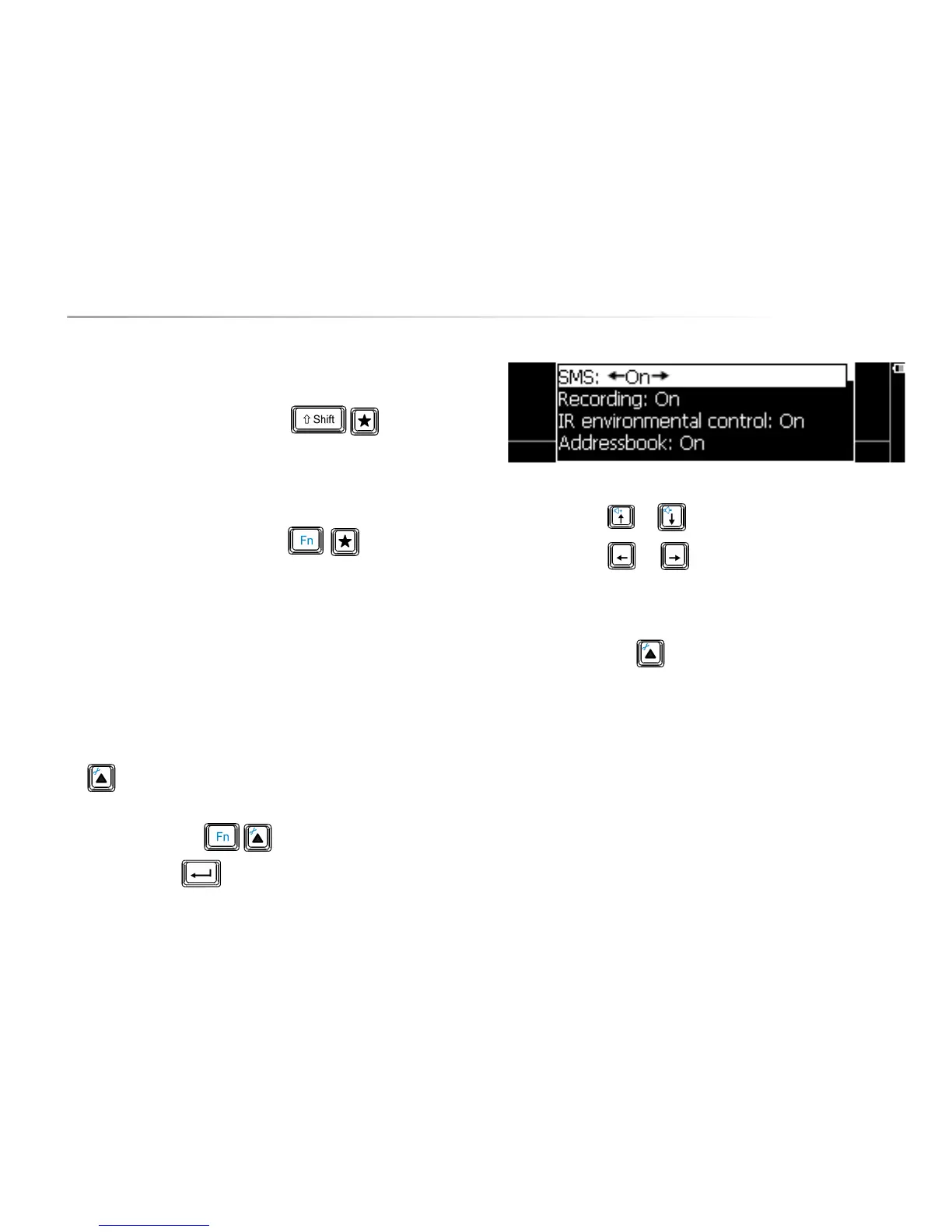
Press the key combination to show the settings menu, choose
Tools Menu and press . The following parameter list appears on the
screen:
Use the arrow keys or to choose a parameter.
Use the arrow keys
or to change the value of a parameter.
Give the applications that you allow to be used the value ‘on’.
The applications that are set ‘off’, will not appear in the application list when you
press the application key .
10.11 Backup/restore
With this feature, you can backup and restore data, such as stored messages,
sound recordings and IR codes on a memory stick. If for some reason your
device's data is deleted (loss, repair), you can always restore the data from the
USB memory stick back to your Allora.
This tool can also be used to install a firmware update or to restore factory
settings.


 To Next Page
 Loading...