
 Need help?
Do you have a question about the Allstar Innovations Sharper Image UV-ZONE and is the answer not in the manual?
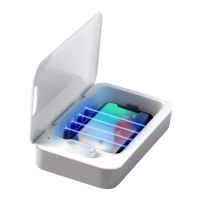
The primary sanitizing device included in the package.
The cable provided for powering the UV-Zone sanitizer.
Connect the USB cable to the sanitizer and power source, then open the lid.
Place the device inside, close the lid, and press the power button to begin the sanitizing cycle.
Observe the LED indicator for cycle progress and open the lid when 100% is reached.
Turn the device over and repeat the sanitizing steps for the opposite side.
Insert and plug in your phone's charging cable through the designated opening before placing the phone inside.
Do not place or store the appliance where it can fall into water or sinks.
Do not look at UV LEDs, use with the lid closed, and refrain from modifying the product.
 General
| Brand | Allstar Innovations |
|---|---|
| Model | Sharper Image UV-ZONE |
| Category | Accessories |
| Language | English |

 To Next Page