P/N: Doc113-016-A_FN2-XCT_Operators-Manual Page 2 of 4
© Alltrax Inc. 2016
All Rights Reserved
Alltrax FN2 for XCT Controllers
Download the latest Alltrax TOOLKIT Version 3.0 (or above) from the Alltrax web site: www.alltraxinc.com.
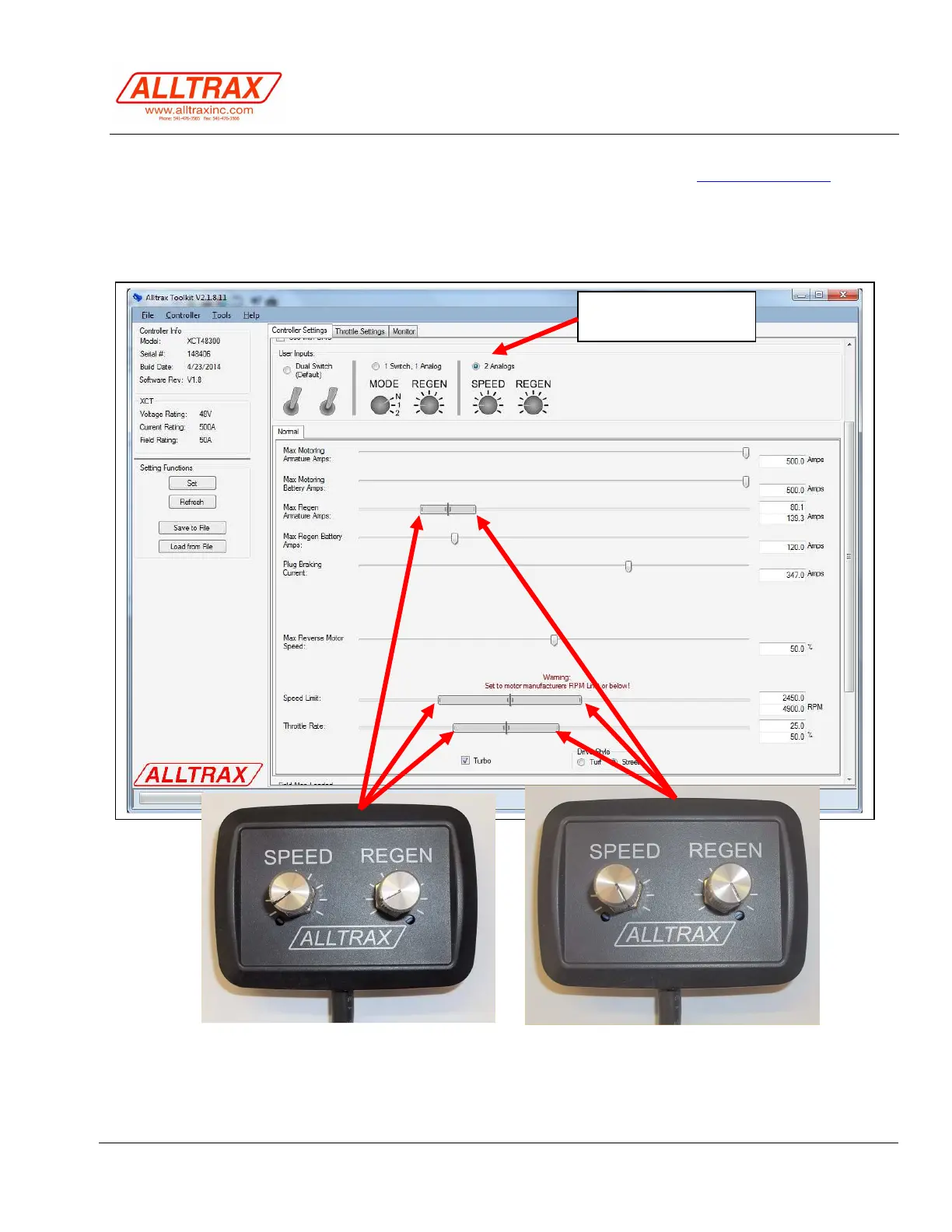
Using toolkit the function knob pertains to the control bar in the software. You can set the Minimum and max
values that correlate to the full left of the knob (CCW) and the max value slider for the full right knob (CW)
Click the 2-Analogs Input radio button to activate the FN2 control box.
FN2 Analog Input
Activate button



 To Next Page