EasyManua.ls Logo

Allview 32ATC5000-H-SB - User Manual

Allview 32ATC5000-H-SB
84 pages
Print Icon
To Next Page IconTo Next Page
Loading...
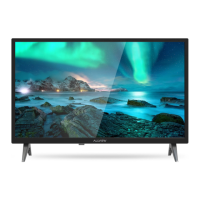
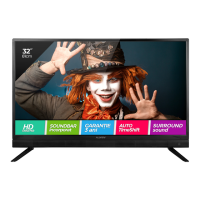
32 LED TV Soundbar
MODEL: 32ATC5000-H-SB
USER MANUAL /
MANUAL DE UTILIZARE

Questions and Answers

Summary

SAFETY INSTRUCTIONS

General Safety Precautions

Essential safety guidelines for operating the TV, including electrical hazards and proper usage.

Battery Handling and Usage

Instructions and precautions for handling and disposing of batteries safely.

Recycling Instructions

Guidance on the proper disposal of old electrical appliances according to WEEE directive.

PRODUCT FEATURES AND PARTS

Product Features List

Details the key features and capabilities of the 32" LED TV Soundbar.

Main Unit Components

Identifies and describes the main physical parts of the TV unit's front and side.

Back Panel Connections

Details and labels the various input and output ports on the back of the TV.

REMOTE CONTROL

Remote Control Button Functions (Part 1)

Explains the functions of the top and middle sections of the remote control buttons.

Remote Control Button Functions (Part 2)

Details the functions of the remaining buttons on the remote control.

Remote Control Button Functions (Part 3)

Explains the functions of number buttons, navigation, and special function buttons on the remote.

Battery Installation and Operation

Instructions for installing batteries and guidelines for effective remote control usage.

CONNECTIONS

Power Socket and Antenna Connection

Guides on connecting the TV to a power socket and an external antenna.

HDMI and PC;VGA Connections

Instructions for connecting the TV to other devices using HDMI and PC/VGA cables.

SCART and Coaxial Connections

Guides for connecting devices using SCART and coaxial cables.

AV Composite and YPbPr Connections

How to connect devices using AV composite and YPbPr cables.

USB, CI Card, and Earphone Connections

Guides for connecting USB devices, CI cards, and headphones.

BASIC OPERATIONS

Power, Channel, and Volume Control

Basic controls for powering the TV, selecting channels, and adjusting volume levels.

Source Selection and Multi-Audio

How to select input sources and manage multi-audio language options.

Information Display and TV Guide

Displaying program information and accessing the TV Guide (DTV mode).

Favorite List and Quick Select

Methods for managing favorite channels and quickly selecting channels from a list.

Teletext and TV;Radio Modes

How to access Teletext information and switch between TV and Radio modes.

Subtitle Settings

Guidance on selecting and enabling subtitles for preferred languages.

RECORDING AND MEDIA PLAYBACK

Recording and Time Shift Functions

Instructions for recording digital programs and using the Time Shift function.

Media Playback Overview

How to access and navigate the media playback menu for various file types.

Viewing and Managing Photos

Instructions for selecting, viewing, deleting, and managing photo files.

Playing Music Files

Steps to select, play, pause, and stop music files.

Playing Movie Files

Guide to selecting, playing, pausing, and controlling movie playback.

Reading e-Books

Instructions for selecting, reading, and navigating e-book files.

MENU AND SETUP OPERATIONS

Main Menu Navigation

Procedures for accessing and navigating main menus and submenus for TV settings.

Initial Setup Steps 1 & 2

Guides for initial TV setup: selecting image mode and country.

Initial Setup Steps 3, 4, 5, & 6

Completing initial setup: language, auto-off timer, connection type, and search type.

Picture Settings in DTV Mode

Adjustments for picture settings like mode, brightness, contrast, and sharpness.

Sound Settings

Options for adjusting sound modes, bass, treble, balance, and other audio parameters.

Channel Management and Favorites

How to manage channels, lock channels, and add channels to favorite lists.

Channel Manager and Skip Settings

Managing channels, locking, skipping, and moving channels in the list.

Favorite Management

Instructions for adding channels to favorite lists 1 through 4.

Country and Connection Type Selection

Settings for selecting the country and TV connection type (Air or Cable).

Performing Channel Searches

Guides for auto and manual channel tuning for DTV and ATV signals.

Manual Tuning for ATV Signals

Steps for manually tuning ATV channels, including frequency and color system.

FEATURE SETTINGS

Lock and Parental Guidance

Settings for locking channels, menus, and managing parental control options.

Hotel Mode and PIN Code Change

Configuring hotel mode and changing the device's PIN code for security.

Hotel Mode Configuration

Detailed settings for Hotel Mode, recommended for hospitality environments.

Language, Clock, and Time Settings

Adjustments for OSD language, clock, time zone, and DST settings.

Sleep Timer, Auto Power Off, and Audio Description

Settings for sleep timers, auto power off, and audio description features.

CI Info and PVR;Timeshift Setup

Displaying CI information and configuring PVR, Timeshift, and USB partitioning.

Timer and Recording Management

Setting up timers, editing recordings, and managing the record list.

Recorder Start and HDMI Link

Starting recordings and configuring HDMI Link features for connected devices.

Setup Menu: OSD, SCART, and Blue Screen

Adjusting OSD, Auto SCART, and blue screen settings.

PC Setup and Reset TV Settings

Configuring PC input and resetting TV to factory default settings.

Software Upgrade and ATV;PC Modes

Upgrading TV software and operating in ATV and PC modes.

MAINTENANCE AND INSTALLATION

Cleaning and Care

Guidelines for cleaning the TV screen and unit safely and effectively.

Wall Mounting Guidelines

Information and recommendations for securely mounting the TV on a wall.

Assembling the TV Stand

Step-by-step instructions for assembling and attaching the TV stand.

DECLARATION AND SPECIFICATIONS

Product Compliance Statement

Official statement of product compliance with relevant European directives and standards.

Technical Specifications Overview

Detailed technical specifications of the TV, including display, resolution, and connectivity.

GENERAL TROUBLESHOOTING

Troubleshooting Common Issues

Common problems and their solutions for power, image, sound, and remote control issues.

Allview 32ATC5000-H-SB Specifications

General IconGeneral
BrandAllview
Model32ATC5000-H-SB
CategoryLED TV
LanguageEnglish

Related product manuals