12 EN
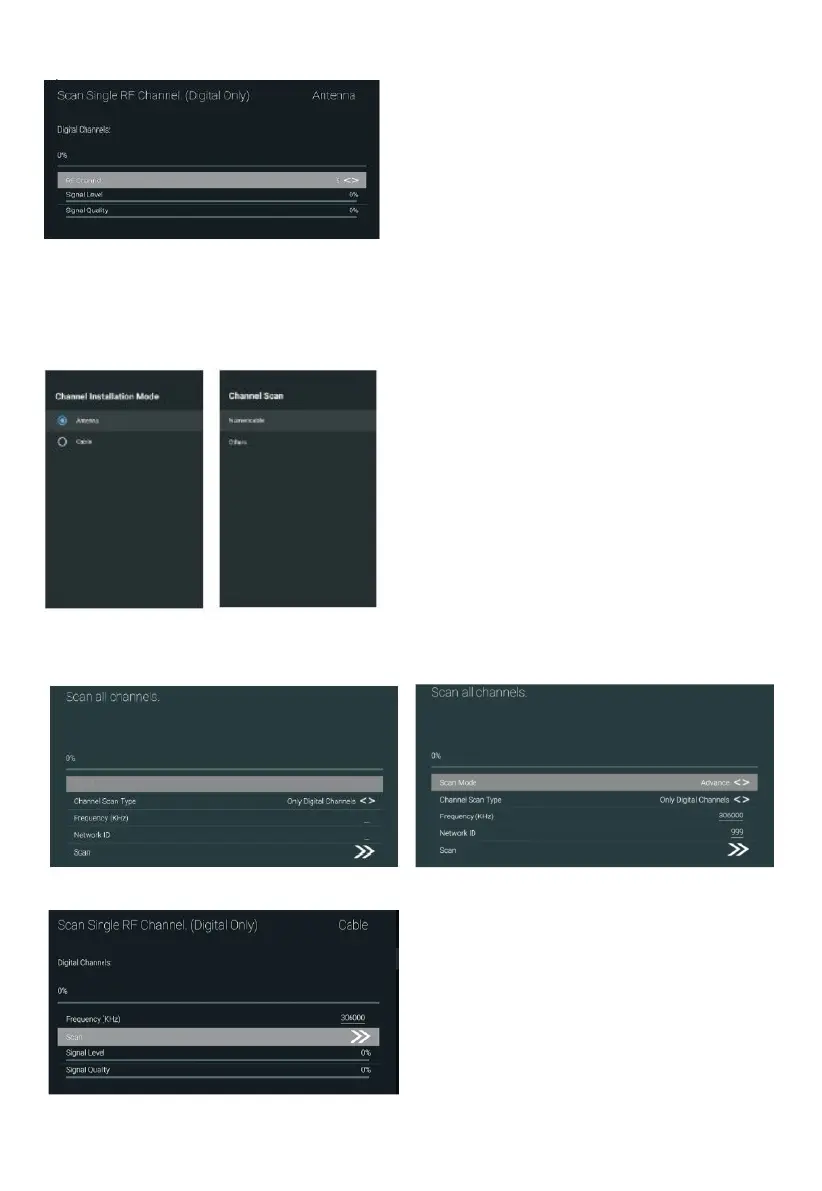
Single RF Scan: DTV manual search, left and right after selecting RF Channel, directly OK search.
Cable
1. Menu->Settings->Channel->Channel Installation Mode, select Cable.
2. Enter Menu – Settings – Channel – Channels.
3. Enter Channel Scan, where Numerical are the local operators, and the default Scan Mode is
Advance; Others have Advance, Quick and Full Scan modes.
Single RF Scan: manual search station.



 To Next Page