6 EN
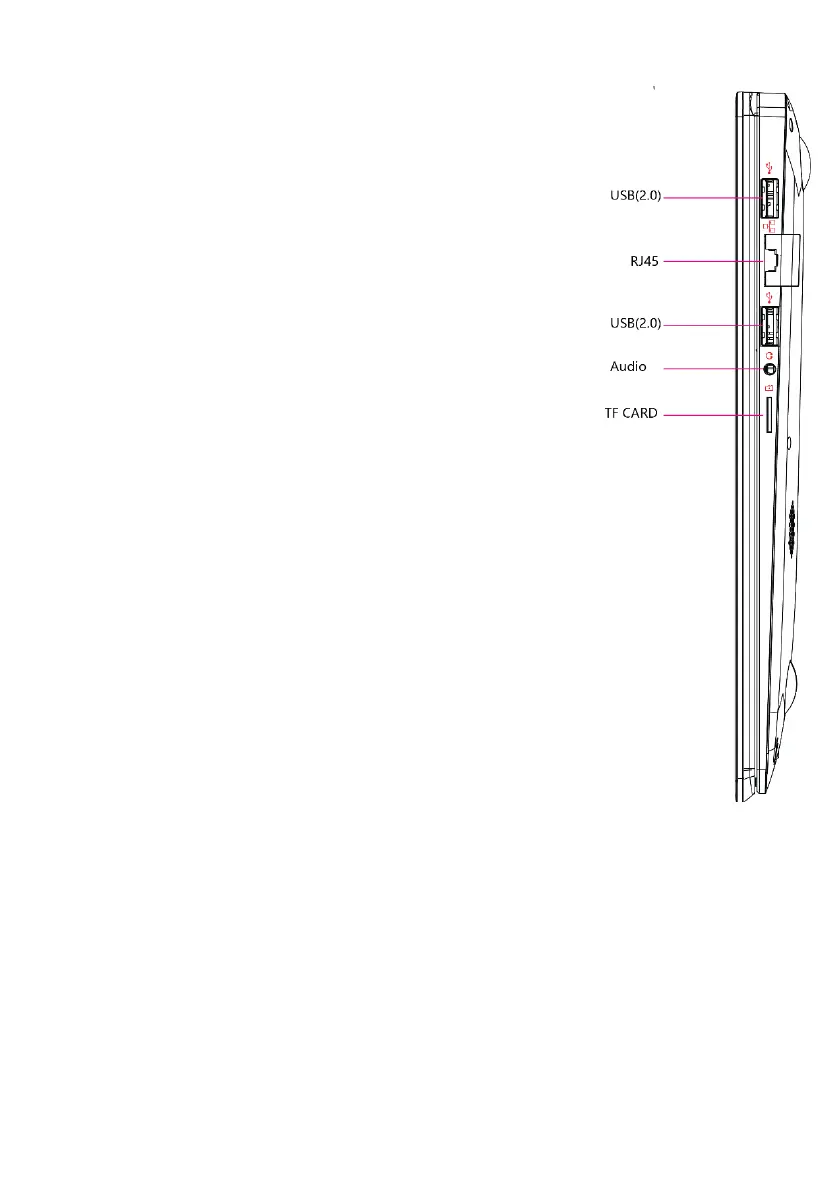
Right Side View
USB (2.0) Port: You can connect devices (like mouse, keyboard,
external HDD / SSD, a.s.o.);
RJ45 port: You can connect to LAN;
Audio: Single/Combo jack for Headset & MIC
TF CARD: You can use micro SD card up to 256 GB
Ⅲ. Descriptions of Keys
Attention: Keyboard is configured according to the specific type of the Notebook PC
you have bought.


 To Next Page