EasyManua.ls Logo

ALM Pamela's Pro Workout - User Manual

ALM Pamela's Pro Workout
26 pages
Print Icon
To Next Page IconTo Next Page
Loading...
ALM034 Pamela’s Pro Workout’
Operation Manual / Version 0.1 / Firmware 116
November 14, 2022
Contents
1 INTRODUCTION 3
2 FEATURES 4
2.1 TECHNICAL SPECIFICATIONS . . . . . . . . . . . . . . . . . . . . . . . . . . . . . 4
3 CORE OPERATION 5
3.1 Panel Layout . . . . . . . . . . . . . . . . . . . . . . . . . . . . . . . . . . . . . . . 5
3.2 Getting Started . . . . . . . . . . . . . . . . . . . . . . . . . . . . . . . . . . . . . 6
3.3 Basic Per Output Modier Adjustment . . . . . . . . . . . . . . . . . . . . . . . . 6
3.4 Extended Per Trigger Adjustment . . . . . . . . . . . . . . . . . . . . . . . . . . . 7
4 OUTPUT PARAMETER REFERENCE 9
4.1 Shape . . . . . . . . . . . . . . . . . . . . . . . . . . . . . . . . . . . . . . . . . . . 9
4.2 Width / Slew . . . . . . . . . . . . . . . . . . . . . . . . . . . . . . . . . . . . . . . 10
4.3 Level . . . . . . . . . . . . . . . . . . . . . . . . . . . . . . . . . . . . . . . . . . . 10
4.4 Offset . . . . . . . . . . . . . . . . . . . . . . . . . . . . . . . . . . . . . . . . . . . 11
4.5 Phase . . . . . . . . . . . . . . . . . . . . . . . . . . . . . . . . . . . . . . . . . . . 11
4.6 Probability . . . . . . . . . . . . . . . . . . . . . . . . . . . . . . . . . . . . . . . . 11
4.7 Euclidean Patterns . . . . . . . . . . . . . . . . . . . . . . . . . . . . . . . . . . . 11
4.7.1 Steps . . . . . . . . . . . . . . . . . . . . . . . . . . . . . . . . . . . . . . . 11
4.7.2 Triggers . . . . . . . . . . . . . . . . . . . . . . . . . . . . . . . . . . . . . . 11
4.7.3 Rotate . . . . . . . . . . . . . . . . . . . . . . . . . . . . . . . . . . . . . . 11
4.7.4 Pad . . . . . . . . . . . . . . . . . . . . . . . . . . . . . . . . . . . . . . . . 12
4.8 Loops . . . . . . . . . . . . . . . . . . . . . . . . . . . . . . . . . . . . . . . . . . . 12
4.8.1 Loop Nap . . . . . . . . . . . . . . . . . . . . . . . . . . . . . . . . . . . . . 12
4.8.2 Loop Wake . . . . . . . . . . . . . . . . . . . . . . . . . . . . . . . . . . . . 12
4.9 Cross Operations . . . . . . . . . . . . . . . . . . . . . . . . . . . . . . . . . . . . 13
4.9.1 MIX . . . . . . . . . . . . . . . . . . . . . . . . . . . . . . . . . . . . . . . . 13
4.9.2 MASK . . . . . . . . . . . . . . . . . . . . . . . . . . . . . . . . . . . . . . . 13
4.9.3 MULT . . . . . . . . . . . . . . . . . . . . . . . . . . . . . . . . . . . . . . . 13
4.9.4 HOLD . . . . . . . . . . . . . . . . . . . . . . . . . . . . . . . . . . . . . . . 13
4.9.5 S&H . . . . . . . . . . . . . . . . . . . . . . . . . . . . . . . . . . . . . . . . 14
4.9.6 ADD . . . . . . . . . . . . . . . . . . . . . . . . . . . . . . . . . . . . . . . . 14
4.9.7 SUB . . . . . . . . . . . . . . . . . . . . . . . . . . . . . . . . . . . . . . . . 14
4.9.8 OR . . . . . . . . . . . . . . . . . . . . . . . . . . . . . . . . . . . . . . . . . 14
1
Question and Answer IconNeed help?

Do you have a question about the ALM Pamela's Pro Workout and is the answer not in the manual?

Summary

Introduction to Pamelas PRO Workout

Product Features

Technical Specifications

Detailed technical specifications including size, power, depth, outputs, and inputs.

Core Operational Guide

Panel Layout Overview

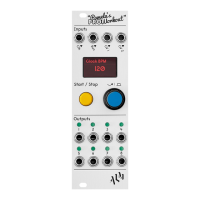
Identifies and explains the function of each physical control and input/output on the module.

Getting Started with Operation

Initial steps for powering on, setting tempo, and basic clock control.

Basic Output Modifier Adjustment

How to adjust timing modifiers (multipliers/dividers) for each output.

Extended Trigger Parameter Settings

Advanced settings for fine-tuning trigger timing, wave shape, and rhythmic patterns.

Output Parameter Reference

Waveform Shape Selection

Describes available waveforms like Gate/Pulse, Triangle, Sine, and Random types.

Width and Slew Controls

Explains how width and slew parameters affect selected waveforms.

Output Level Adjustment

Sets the maximum voltage level for each output as a percentage of 0-5V.

Offset and Phase Configuration

Adjusts the initial voltage offset and waveform phase shift.

Probability and Pattern Generation

Controls the likelihood of step occurrence and details Euclidean pattern creation.

Euclidean Patterns

Details parameters for Euclidean rhythms: Steps, Triggers, Rotate, and Pad.

Loop Functionality

Specifies reset points for looping patterns and loop nap/wake parameters.

Cross Operations

Combines outputs via operations like MIX, MASK, MULT, and HOLD for modulation.

FLEX Operations

Introduces micro-timing effects like Swing, Ramp, and Hump for rhythmic variation.

Signal Inversion

Inverts the final output signal value.

Signal Quantization

Quantizes output values to fit selected musical scales or modes.

Waveform Scope Display

Displays a real-time visual representation of the output waveform.

Data Management and Reset

Options for loading, saving, and resetting output parameters.

Operational Shortcuts

Provides shortcuts for efficient parameter editing and output muting.

External Control via CV

CV Input Assignment

Assigns output parameters to be controlled by external CV inputs.

CV Attenuation and Offset

Fine-tunes incoming CV signals with attenuation and offset values.

Axon-1 Expander Module

Details the Axon-1 expander for adding four extra CV inputs.

System Settings Configuration

Input Signal Configuration

Configures 'Clk' and 'Run' inputs for clocking or CV control.

User Interface Theme Selection

Allows selection of different visual themes for the display.

Encoder Hold Time Setting

Sets the duration for a program knob press to be registered.

Bank Loading and Saving

Functions for loading and saving entire banks of output settings.

Resetting All Outputs

Resets all outputs to their initial default state.

External Clock Synchronization

Syncing Tips and Recommendations

Guidance on using PPQN values, Run signals, and MIDI/Din Sync for reliable synchronization.

Product Limited Warranty

Product Support and Resources

Appendix and Supplementary Information

Factory Reset Procedure

Steps to reset the device to its factory default state.

Firmware Update and Data Backup

Instructions for updating firmware and backing up/restoring parameter data.

Expander Module Integration

Details on connecting PPEXXP1, PPEXP2, and AXON-1 expanders.

Improvements Over Previous Version

Highlights new features and enhancements compared to 'Pamela's NEW Workout'.

ALM Pamela's Pro Workout Specifications

General IconGeneral
BrandALM
ModelPamela's Pro Workout
CategoryRecording Equipment
LanguageEnglish