
 Need help?
Do you have a question about the Alogic ALUS19 and is the answer not in the manual?
Guidance on initial setup and battery installation for the stylus pen.
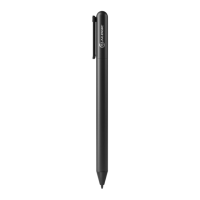
The ALOGIC Active Stylus Pen is a precision input device designed to enhance interaction with compatible Chromebooks. This stylus provides a natural and intuitive writing and drawing experience, making it ideal for note-taking, sketching, and navigating user interfaces with greater accuracy than a finger. Its active technology allows for fine control and responsiveness, mimicking the feel of pen on paper.
The primary function of the ALOGIC Active Stylus Pen is to provide a precise and responsive input method for touch-enabled Chromebooks. It allows users to write, draw, annotate, and navigate their devices with enhanced accuracy and control. The active nature of the stylus means it communicates electronically with the device's screen, enabling features like pressure sensitivity (though not explicitly stated, it's a common feature of active styluses) and palm rejection, which prevents accidental input from a resting hand. This makes it particularly useful for tasks that require detailed input, such as digital art, handwritten notes, or precise selection in applications. The stylus is designed to integrate seamlessly with the Chrome OS environment, ensuring a smooth and reliable user experience. It is an essential tool for students, artists, professionals, and anyone who wants to maximize the productivity and creative potential of their Chromebook.
The ALOGIC Active Stylus Pen is designed for straightforward and user-friendly operation. Before first use, the stylus requires the installation of an AAAA battery. This is achieved by unscrewing the end cap of the pen, inserting the battery, and then re-securing the cap. This simple battery replacement mechanism ensures that users can quickly get the stylus ready for use and easily replace the battery when needed, minimizing downtime.
Once the battery is installed, the stylus is ready to be used with compatible Chromebooks. Its design focuses on providing a comfortable and natural grip, similar to a traditional pen, which reduces hand fatigue during extended periods of use. The fine tip of the stylus allows for precise input, making it easy to write small text, draw intricate details, or accurately select small on-screen elements.
The stylus is compatible with a range of popular Chromebook models, including the ASUS Chromebook C436, Lenovo Chromebook Duet, Lenovo IdeaPad Flex 5i Chromebook, HP Chromebook x2, HP Chromebook X360 12b, and HP Chromebook x360 14b. This broad compatibility ensures that a wide array of users can benefit from its functionality. The product is certified to meet Google's compatibility standards and works with devices running the latest version of Chrome OS, guaranteeing a reliable and integrated experience within the Google ecosystem. This certification also implies that the stylus is optimized for Chrome OS features and applications, providing a consistent and high-quality performance.
The pen's lightweight design further contributes to its ease of use, making it comfortable to hold and maneuver for extended periods without causing strain. Its sleek and minimalist aesthetic also ensures it looks professional and integrates well with the modern design of Chromebooks. The stylus is an excellent accessory for enhancing productivity, creativity, and overall interaction with a Chromebook, transforming it into a more versatile tool for various tasks.
Maintaining the ALOGIC Active Stylus Pen is straightforward, focusing on ensuring its longevity and optimal performance. The device is designed for indoor use only and must be kept dry to prevent damage. Exposure to damp conditions can harm the internal electronics and compromise the stylus's functionality. Therefore, it's crucial to store and use the pen in a dry environment, away from liquids or high humidity.
Users are advised against deliberately damaging the device or exposing it to direct sunlight or high temperature conditions. Extreme temperatures, especially heat, can negatively impact the battery and the internal components of the stylus. Overheating the battery, in particular, poses a risk of explosion, emphasizing the importance of keeping the pen away from heat sources. This also extends to not exposing the pen and battery to high temperatures during storage or use.
Disassembling the device or failing to properly use and care for it will void the product's warranty. This highlights the importance of adhering to the manufacturer's guidelines for use and maintenance. Users should avoid attempting to open or repair the stylus themselves, as this can lead to further damage and negate any warranty coverage.
In the event of a battery leak, immediate action is required to prevent harm. Users should avoid making contact with skin or eyes. If accidental contact occurs, it is critical to rinse the affected area with clean water immediately and seek proper medical treatment. This safety precaution underscores the potential hazards associated with battery chemicals and the need for prompt response.
The stylus and its accessories contain small parts, making it essential to keep them away from small children to prevent choking hazards. This is a standard safety measure for electronic devices with detachable or small components.
ALOGIC explicitly states that it bears no responsibility for damage to the device or incidental damages arising from improper use or lack of care. This includes situations where the device is not properly maintained or used outside of its intended parameters. The company is also not liable for repair or replacement of the device or other damages in these circumstances. This policy reinforces the user's responsibility in ensuring the proper care and handling of the stylus to maintain its functionality and warranty. By following these simple maintenance guidelines, users can ensure their ALOGIC Active Stylus Pen remains in excellent working condition for an extended period.
 General
| Product Type | Portable Monitor |
|---|---|
| Power Supply | USB-C |
| Aspect Ratio | 16:9 |
| Panel Type | IPS |
| Response Time | 5ms |
| HDMI Resolution | 1920x1080 |
| Compatibility | Laptops, smartphones, gaming consoles |
| Resolution | 1920x1080 |
| Brightness | 250 cd/m2 |
| Viewing Angle | 178° |

 To Next Page