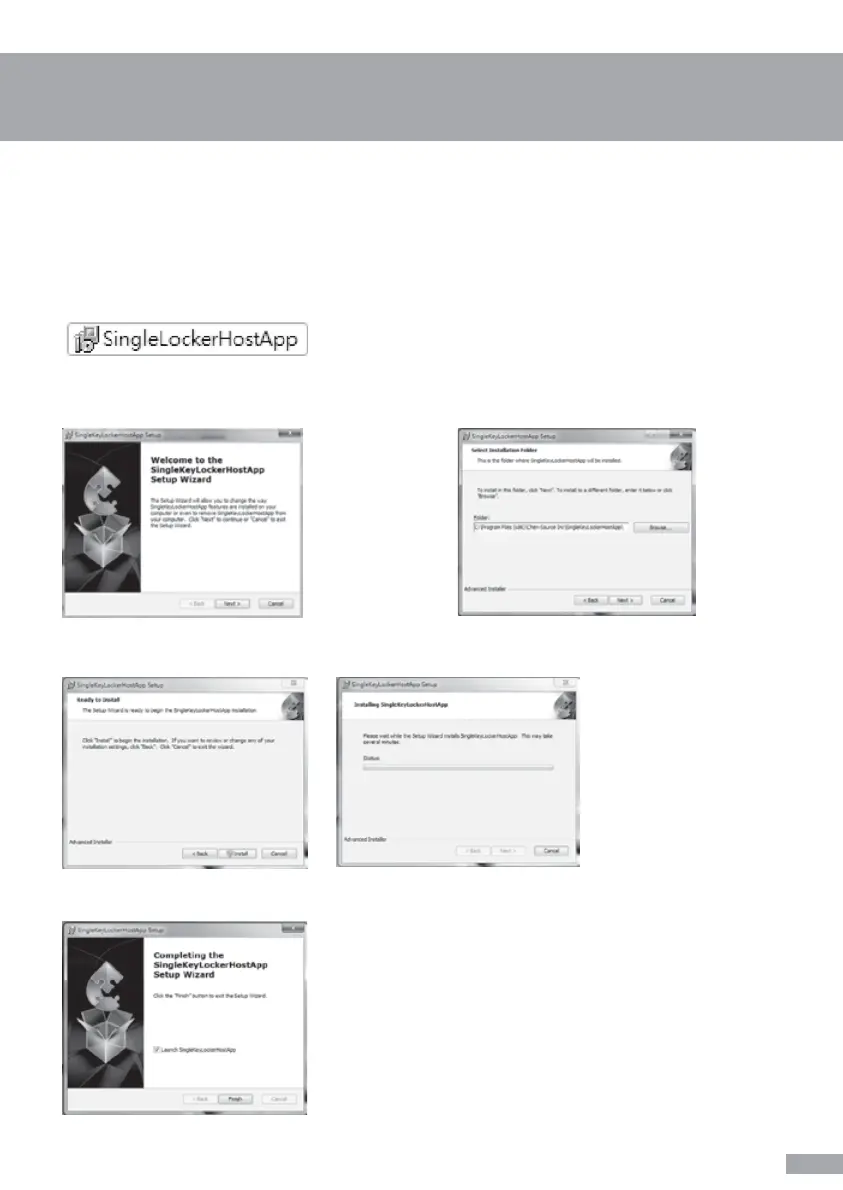
4-1. Software Installation Guide
Double click “SingleLockerHostApp” to start the software installation
Press “Next” after the Setup Wizard pop up
Simply press “Install” to start the software installation, then Setup Wizard will come out with the
processing status of installation.
Installation is complete, press “Finish” to close the pop up window
Choose the target drive/folder to place
software then press “Next” to go to next stage
a. Software about administration platform
(For Windows OS only)
5


 To Next Page