6
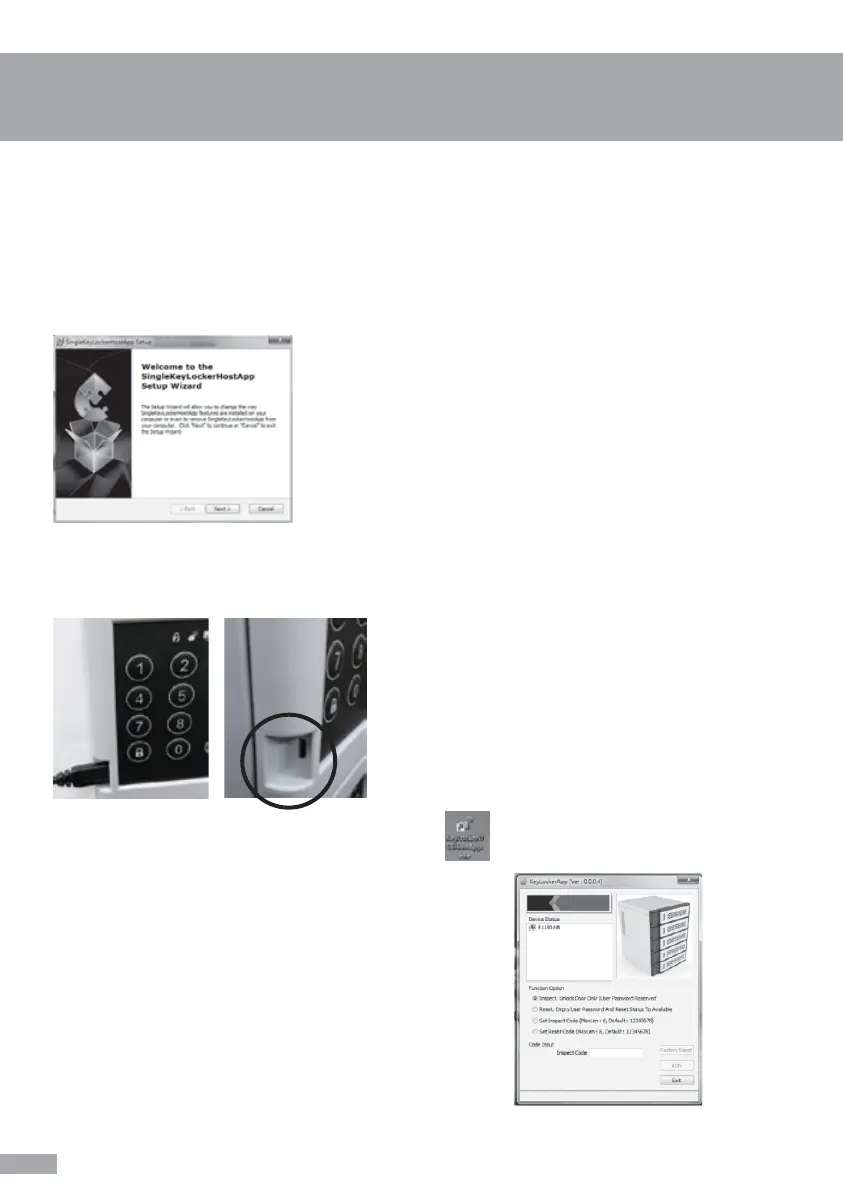
Before you start to use this administration platform, please make sure your “SingleLockerHostApp”
has been successfully installed on your laptop or refer to “Software Installation Guide” and
“SingleLockerHostApp” we have provided.
Please use a Micro USB cable to connect your computer with the charging locker. The Micro USB
port on the charging locker is placed at left bottom corner next to the keypad.
Double click the shortcut of “KeyLockerUSBHostApp” on windows desktop. Software will run
automatically.
After software opens, you will see the administration
platform on the right.
b. Administration User Guide
Operation guidance for administrator
(For Windows OS only)


 To Next Page