Administrator Guidance
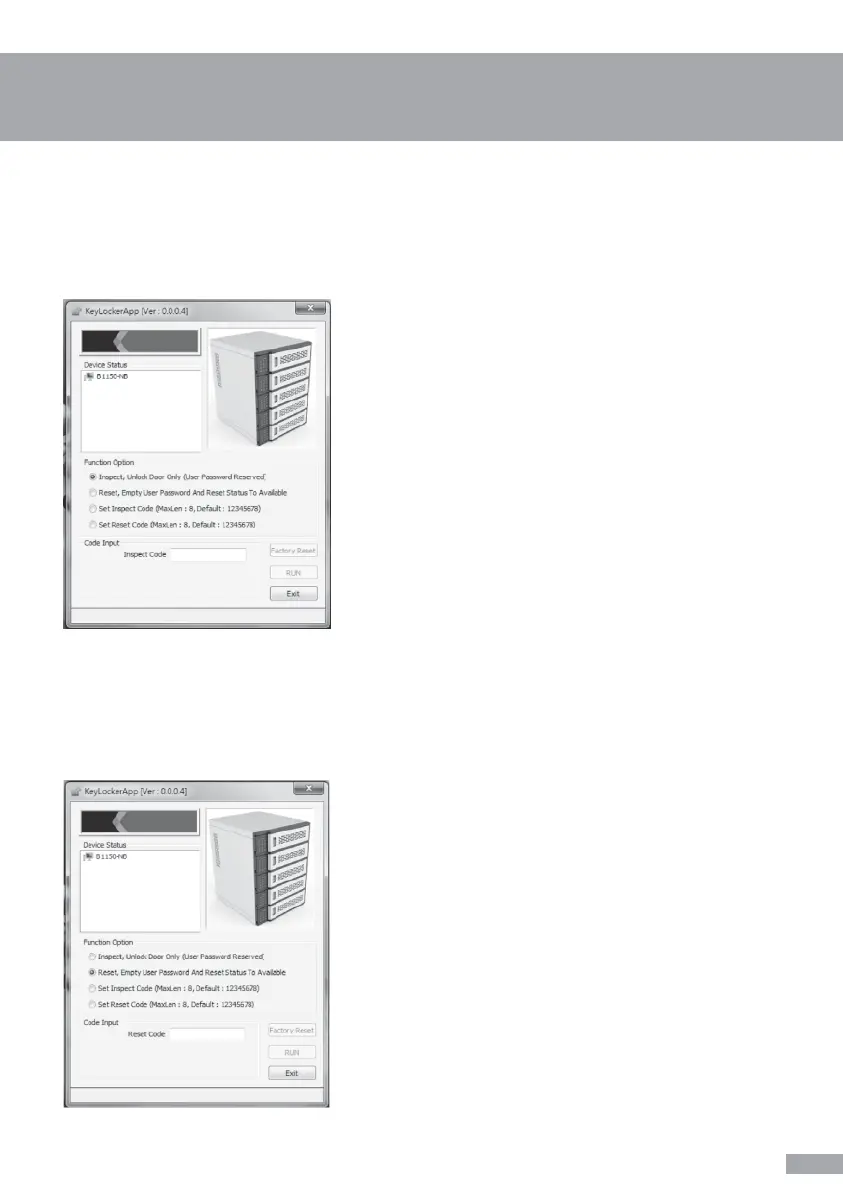
Unlock by administrator
Unlock & Reset by administrator
Select 1st option (Inspect,
Unlock Door Only (User Password Reserved)) »
Insert “Inspect Code” » Press “RUN” to proceed.
Door will open after “Successful” message pop up.
Tip: Default Inspect Code is 12345678
Select 2nd option (Reset,
Empty User Password And Reset Status To
Available) » Insert “Reset Code” » Press “RUN” to
proceed.
Door will open after “Successful” message pops
up, user’s personal code will be deleted and the
device will be reset to the default settings. (Doors
will open by pressing unlock button in default
setting)
Tip: Default Reset Code is 12345678
Allows you to open the locker and delete/reset the code that was set by the user to
default.
Unlock the door without user’s personal code
7


 To Next Page