Need help?
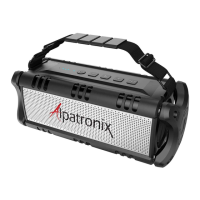
Do you have a question about the Alpatronix AX320 and is the answer not in the manual?
Activate your 1-year warranty by registering your product online to cover defects in material and workmanship.
Charge the built-in lithium battery for 6-8 hours before first use and press the power button for 3 seconds to turn on.
Turn on device Bluetooth, find 'AX320' in available devices, and tap to pair; no password typically required.
Learn to play/pause music, answer calls, adjust volume, skip tracks, and use AUX input for audio playback.
Details on Bluetooth version, transmission distance, battery, output power, frequency response, and sensitivity.
Steps to resolve connection problems, including checking battery, power, device Bluetooth, and re-pairing.
 Bluetooth Specifications
| Bluetooth specification version | 4.0 + EDR |
|---|---|
| Transmission distance | < 30 ft (10 m) |
 Power
Power| USB charging voltage | DC 5V + 0.5A |
|---|---|
| Battery capacity | 500 mAh |
| Output power | 5 watts |
 Audio
Audio| Frequency response | 90 Hz - 20 KHz |
|---|---|
| Sensitivity | 80 db + 2 db |
| S/N ratio | 76 db |


 To Next Page