Your Power Solutions Partner
For more information visit
www.alpha.ca
F-MKT-08 Rev 1.0 0470348-00 Rev B (07/2018)
Copyright © 2018 Alpha Technologies. All Rights Reserved. Alpha® is a registered trademark of Alpha Technologies.
Member of The Alpha Group™ is a trademark of Alpha Technologies.
Member of the Alpha Group
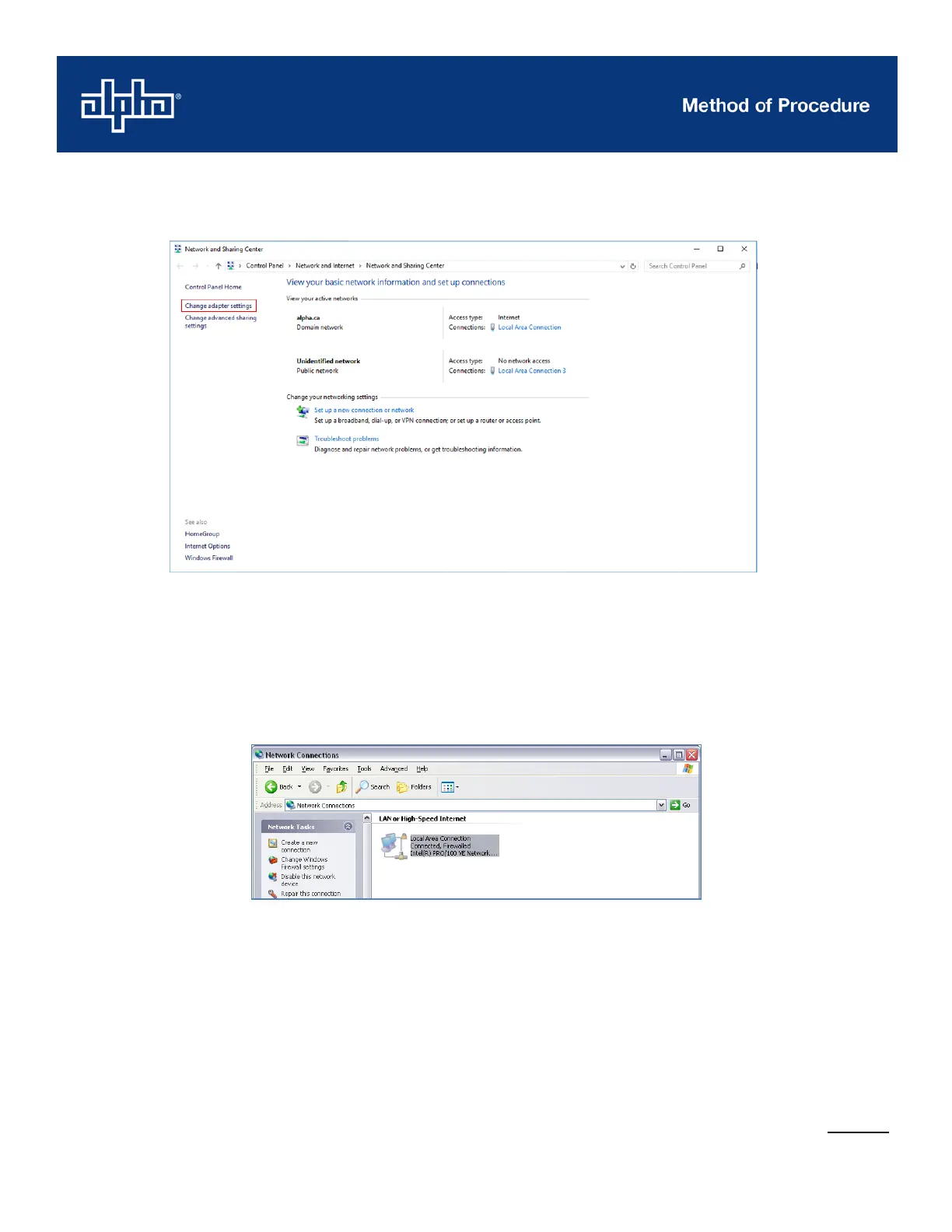
5. For Windows Vista/7/10, click Change adapter settings on the left-hand menu.
6. Right-click Local Area Connection (LAN), and then choose Properties. If there is more than
one LAN connection, choose the one that indicates that the CXC controller is connected. To
verify, unplug, and then plug in the Ethernet cable, the LAN should change state (Windows
Vista/7/10 only).
Windows XP:



 To Next Page