072-0500 Alphasense User Manual
OPC-R1 Optical Particle Counter Issue 1
Alphasense Ltd Page 8 of 33 February 2019
Sensor Technology House, 300 Avenue West, Skyline 120, Great Notley. Essex.CM77 7AA. UK
Tel: +44 (0) 1376 556700 - Fax: +44 (0) 1376 335899
Email: sensors@alphasense.com - Web: www.alphasense.com
Data Display Screens and taking Measurements
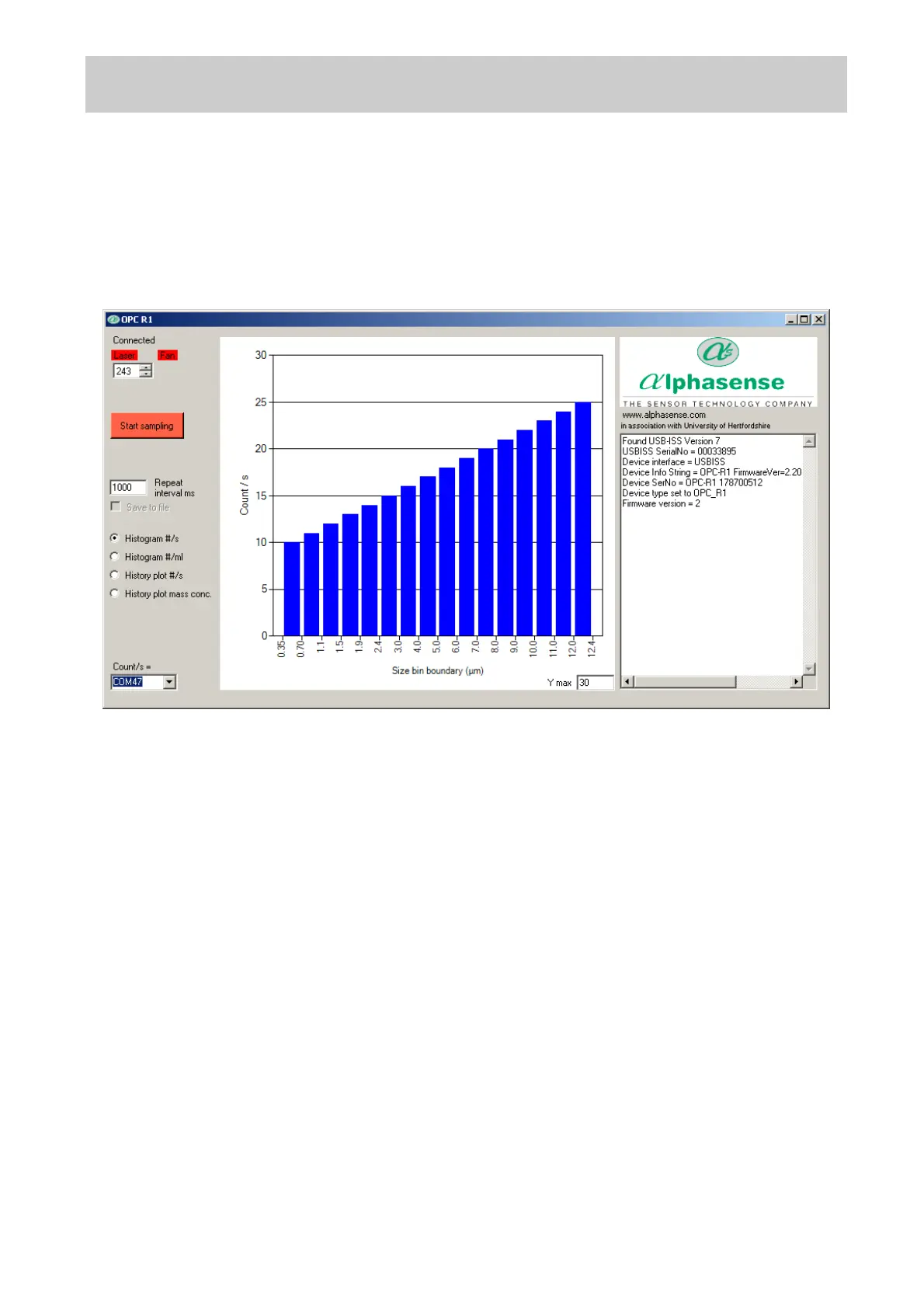
Default start-up screen
Select the allocated COM port: A list of COM ports available on the PC/Laptop is displayed in the
drop-down menu at the bottom-left of the screen. Select the correct port number; the software will
not respond unless the port with the attached OPC-R1 device is selected.
· Device information (Right hand side text window): This shows hardware serial number and
firmware versions currently installed on the OPC-R1.
· Start sampling: Starts data collection, note on the OPC-R1 this does not start the fan and
the laser. The button will then show ‘Stop sampling’ to allow termination of the sampling
process.
· Laser and fan icons: Clicking the laser and fan boxes turns the lasers and fan on. Note
that changing the laser power will alter the unit’s response and will put the unit out of
calibration. Fan speed cannot be varied on the OPC-R1.
· Repeat interval ms: Sets the duration (in milliseconds) over which a particle size histogram
is acquired. The default is 1,000 ms. We recommend a maximum of 20,000 to 30,000 ms to
avoid the risk of an individual size bin becoming full (65,536 counts). Longer intervals can
be set in very clean environments.
· Y max: This sets the maximum y-axis value of the histogram screen display
· Histogram y-axis ‘Counts/ s’: This displays the recorded counts per second in each size bin,
regardless of the setting of the ‘Repeat interval ms’. For example, if a 10,000 ms sampling
interval is set, the ‘Counts/ s’ figure will represent the average counts per second over that
period. This average figure is also recorded in the CSV file.
Histogram Counts/s vs Particle Size display mode
When the Start sampling button is pressed, the OPC-R1 will first ask if the data are to be saved.
Once answered, it will begin to display particle size histogram data and if selected it will store data
to a specified file.


 To Next Page
 Loading...