072-0500 Alphasense User Manual
OPC-R1 Optical Particle Counter Issue 1
Alphasense Ltd Page 9 of 33 February 2019
Sensor Technology House, 300 Avenue West, Skyline 120, Great Notley. Essex.CM77 7AA. UK
Tel: +44 (0) 1376 556700 - Fax: +44 (0) 1376 335899
Email: sensors@alphasense.com - Web: www.alphasense.com
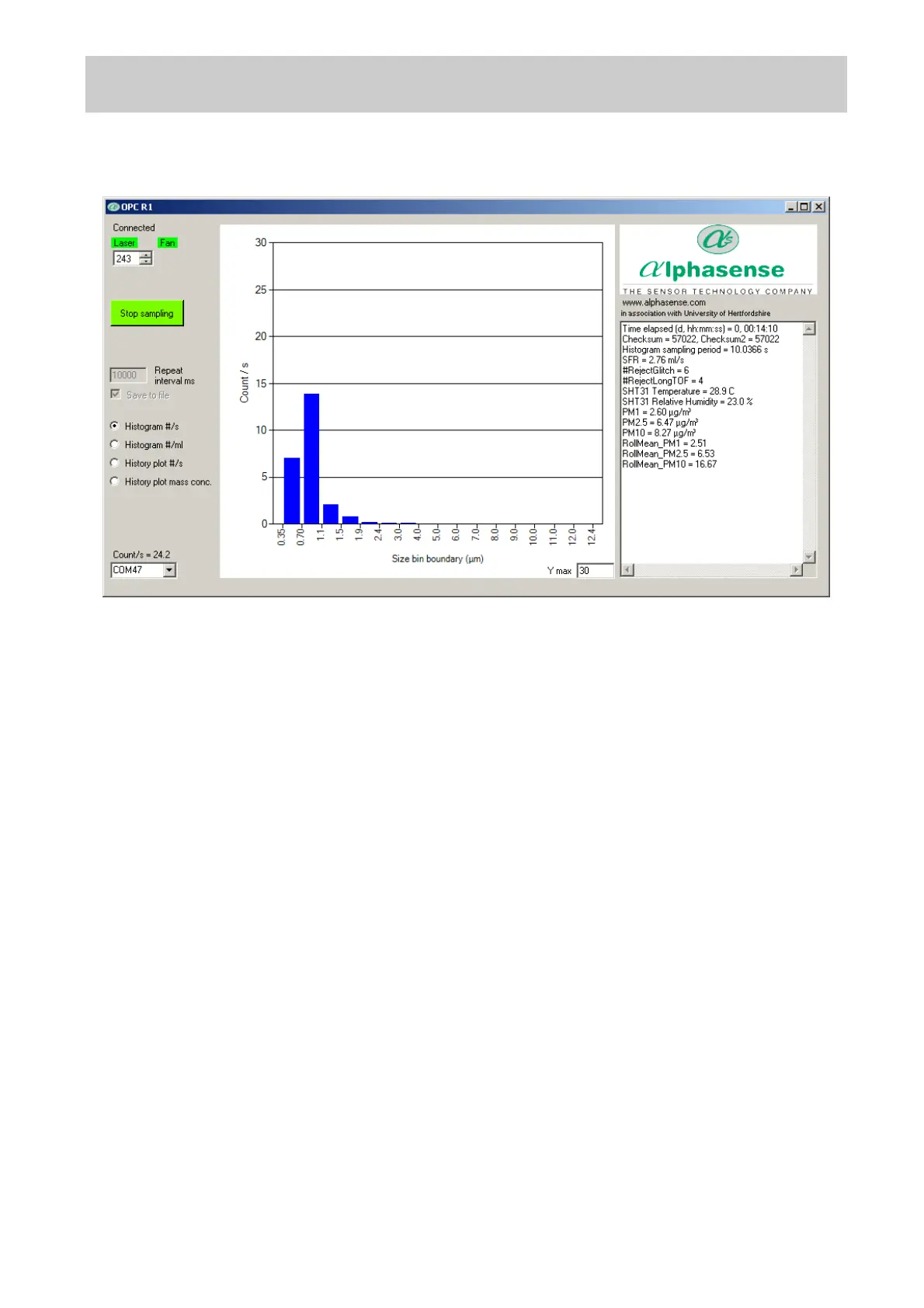
· Data relating to each acquired histogram, including PM values, is given in the right-hand window
of the display. The RollMean_PM10, etc., are the current rolling mean values for PM evaluated
over the previous 5 minutes or to the beginning of sampling if that is less time. The sample flow
SFR, and temperature and humidity are also given.
· Reject Glitch and RejectLong TOF are an indication of the electronic noise and errors in timing,
respectively. High values would suggest a problem with the unit or the set up.
· The total particle count rate per second across all size bins (Counts/ s) is displayed in the
bottom-left of the screen.
· Clicking on the graph and pressing ‘l’ (lower case L) will display the numerical values for each
bin; pressing ‘l’ again will toggle it back.
· Note: if the laser cuts out, the display will show a pattern of alternate maximum and zero count
values in bins across the whole size range of the R1, as shown below. The laser may shut
down if unusual power spikes are detected. It can be reset first by trying a stop start cycle or a
laser off and on cycle. If this is not successful then a power cycle may be required.


 To Next Page
 Loading...