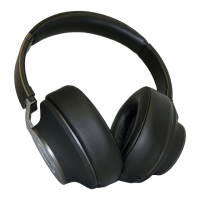
WIRED MODE:
1. Using the 3.5mm cable, connect one end to your audio
source and the other end to the 3.5mm audio port.
2. Control the playback on the source unit.
(NOTE: VOLUME CONTROL)
The volume settings on the source unit also aect the
playback volume on the headset.
TURN OFF:
Turn o your headset by holding down the On / O multi
function button for three seconds. The status LED will
illuminate red briey and then turn o.
NOISE CANCELING:
When Noise Canceling (ANC) is activated, the
ambient noise that is picked up from the top of the microphone
is automatically counter measured. The Noise Canceling
feature signicantly reduces the surrounding ambient noise.
1. Switch the Noise Canceling ON by pressing the ANC
button for 2 seconds. The blue LED will illuminate.
2. Turn OFF the Noise Canceling by pressing the ANC button
for 2 seconds. The blue LED illumination on the left-side
of the headphone will turn o.
NOTE:
If the noise canceling is turned on, all ambient
noise will be reduced.
TURNING ON:
Turn on the headset by pressing the On / O Multi function
button for three seconds. The status LED will ash blue rapidly
indicating that the headset is searching for a device that has
been paired already. Once connected, the LED will ash blue
slowly. After the device has been learned, it will automatically
connect when in range.
BLUETOOTH MODE:
1. Connecting a device (see section Bluetooth Connection).
2. Start playback on the device and use the headset or
source unit to control the playback.
(NOTE: VOLUME CONTROL)
The volume settings on the source unit also
aect the playback volume on the headset.
OPERATION
OPERATION CONTINUED
8 9


 To Next Page
 Loading...