5.FUNCTION AND OPERATION
• Power supply: connect to DC 12V/24V or AC 100~240V (using the adapter) power supply.
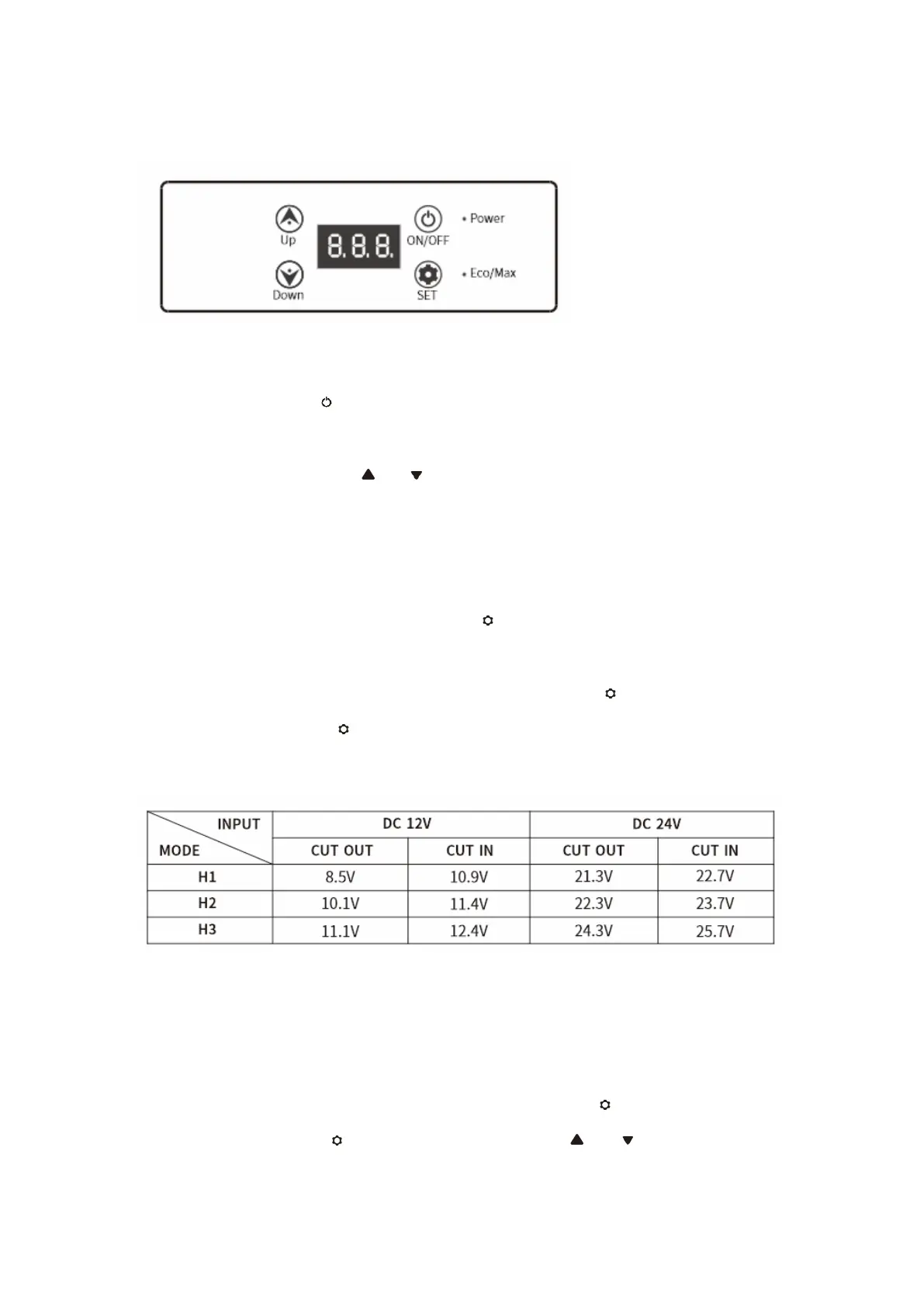
• Power On/Off: press to switch ON/OFF. (Power light in red: compressor shutdown or
delay start; power light in green: compressor is working)
• Temperature Setting:press or for temperature setting, the setting will be saved
automatically after stopping operating for 4 seconds(Note: the temperature displayed is the
current temperature of the compartment, it’ll take a while to reach the set temperature.)
Temperature setting range: -20~20°C(-4~68°F)
• Cooling Mode: under the running state, press to switch HH(fast cooling mode, Eco/Max
light in red) and ECO(Energy saving mode, Eco/Max light in green). (*Factory setting is HH.)
• Battery Protection Mode: under the running state, long press for three seconds until
screen flashes, then press again to select protection mode H3(High), H2(Middle) and
H1(Low) (*Factory setting is H3.)
Voltage Reference:
* the voltage is theoretical value, there may be a deviation in different sceneries.
* H should be set when the product is connected to car power, and M or L should be set when
it is connected to a portable battery or other back-up battery.
• Temperature Unit Setting:switch off the fridge, long press for three seconds until
E1displays, keep pressing until E5 displays. then press or to select Celsius or
Fahrenheit.(*Factory setting is °C.)


 To Next Page