EasyManua.ls Logo

Alpine 1310R - Page 13

Alpine 1310R
29 pages
Print Icon
To Next Page IconTo Next Page
To Previous Page IconTo Previous Page
Loading...
(eo)
J)
1-7-5
(0),
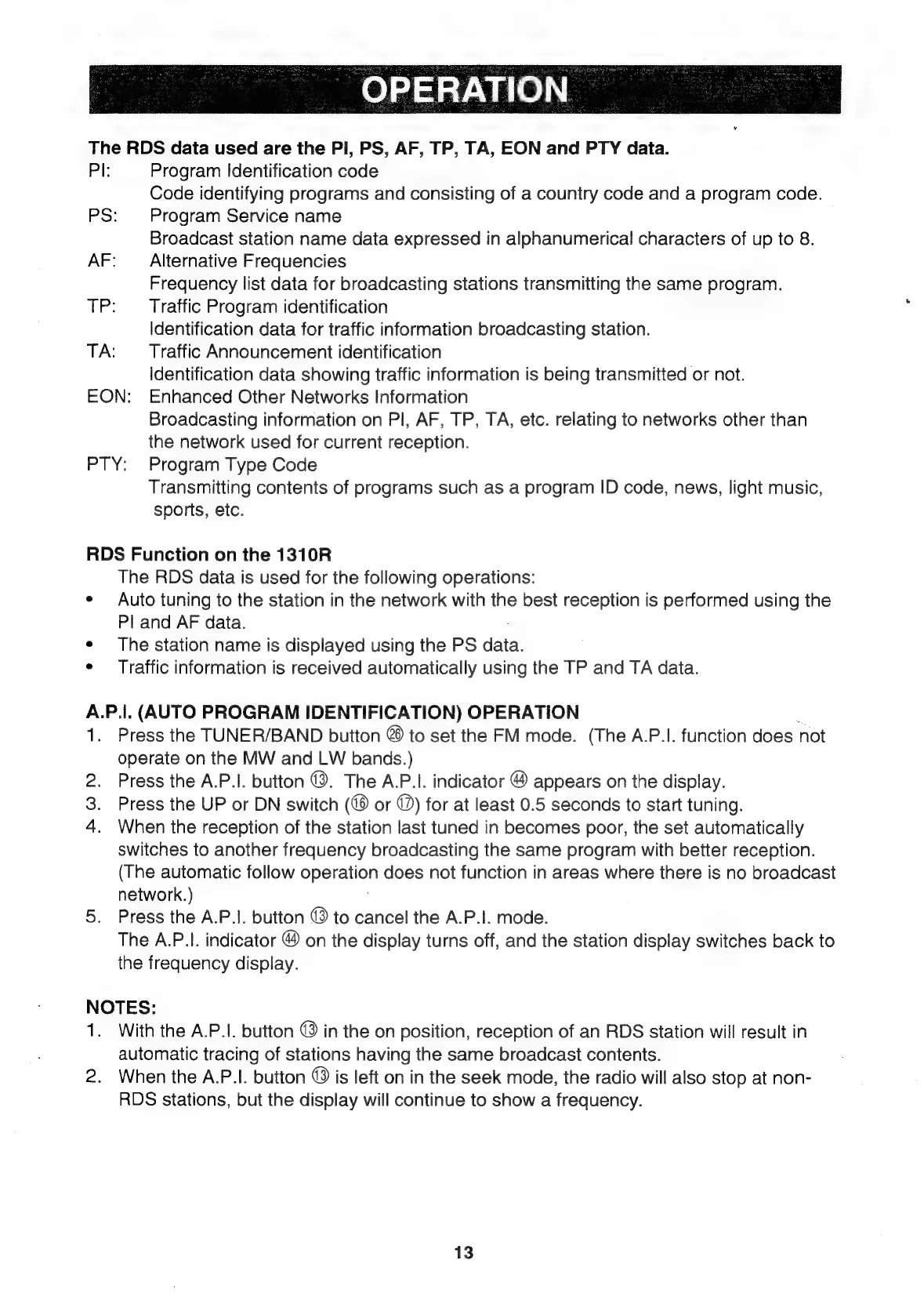
The
RDS
data
used
are
the
PI,
PS,
AF,
TP,
TA,
EON
and
PTY
data.
Pl;
Program
Identification
code
Code
identifying
programs
and
consisting
of
a
country
code
and
a
program
code.
PS:
Program
Service
name
Broadcast
station
name
data
expressed
in
alphanumerical
characters
of
up
to
8.
AF:
_
Alternative
Frequencies
Frequency
list
data
for
broadcasting
stations
transmitting
the
same
program.
TP:
Traffic
Program
identification
Identification
data
for
traffic
information
broadcasting
station.
TA:
Traffic
Announcement
identification
Identification
data
showing
traffic
information
is
being
transmitted
or
not.
EON:
Enhanced
Other
Networks
Information
Broadcasting
information
on
Pl,
AF,
TP,
TA,
etc.
relating
to
networks
other
than
the
network
used
for
current
reception.
PTY:
Program
Type
Code
Transmitting
contents
of
programs
such
as
a
program
ID
code,
news,
light
music,
sports,
etc.
RDS
Function
on
the
1310R
The
RDS
data
is
used
for
the
following
operations:
¢
Auto
tuning
to
the
station
in
the
network
with
the
best
reception
is
performed
using
the
Pl
and
AF
data.
¢
The
station
name
is
displayed
using
the
PS
data.
¢
Traffic
information
is
received
automatically
using
the
TP
and
TA
data.
A.P.|.
(AUTO
PROGRAM
IDENTIFICATION)
OPERATION
1.
Press
the
TUNER/BAND
button
@
to
set
the
FM
mode.
(The
A.P.I.
function
does
not
operate
on
the
MW
and
LW
bands.)
2.
Press
the
A.P.I.
button
@.
The
A.P.I.
indicator
@
appears
on
the
display.
Press
the
UP
or
DN
switch
or
@)
for
at
least
0.5
seconds
to
start
tuning.
When
the
reception
of
the
station
last
tuned
in
becomes
poor,
the
set
automatically
switches
to
another
frequency
broadcasting
the
same
program
with
better
reception.
(The
automatic
follow
operation
does
not
function
in
areas
where
there
is
no
broadcast
network.)
5.
Press
the
A.P.1.
button
@
to
cancel
the
A.P.I.
mode.
The
A.P.I.
indicator
&
on
the
display
turns
off,
and
the
station
display
switches
back
to
the
frequency
display.
Pe
@
NOTES:
1.
With
the
A.P.1.
button
©
in
the
on
position,
reception
of
an
RDS
station
will
result
in
automatic
tracing
of
stations
having
the
same
broadcast
contents.
2.
When
the
A.P.I.
button
4
is
left
on
in
the
seek
mode,
the
radio
will
also
stop
at
non-
RDS
stations,
but
the
display
will
continue
to
show
a
frequency.
13

Related product manuals