EasyManua.ls Logo

Alpine 1310R - Page 26

Alpine 1310R
29 pages
Print Icon
To Next Page IconTo Next Page
To Previous Page IconTo Previous Page
Loading...
|
OPERATION
:
@
CLOCK
OPERATION
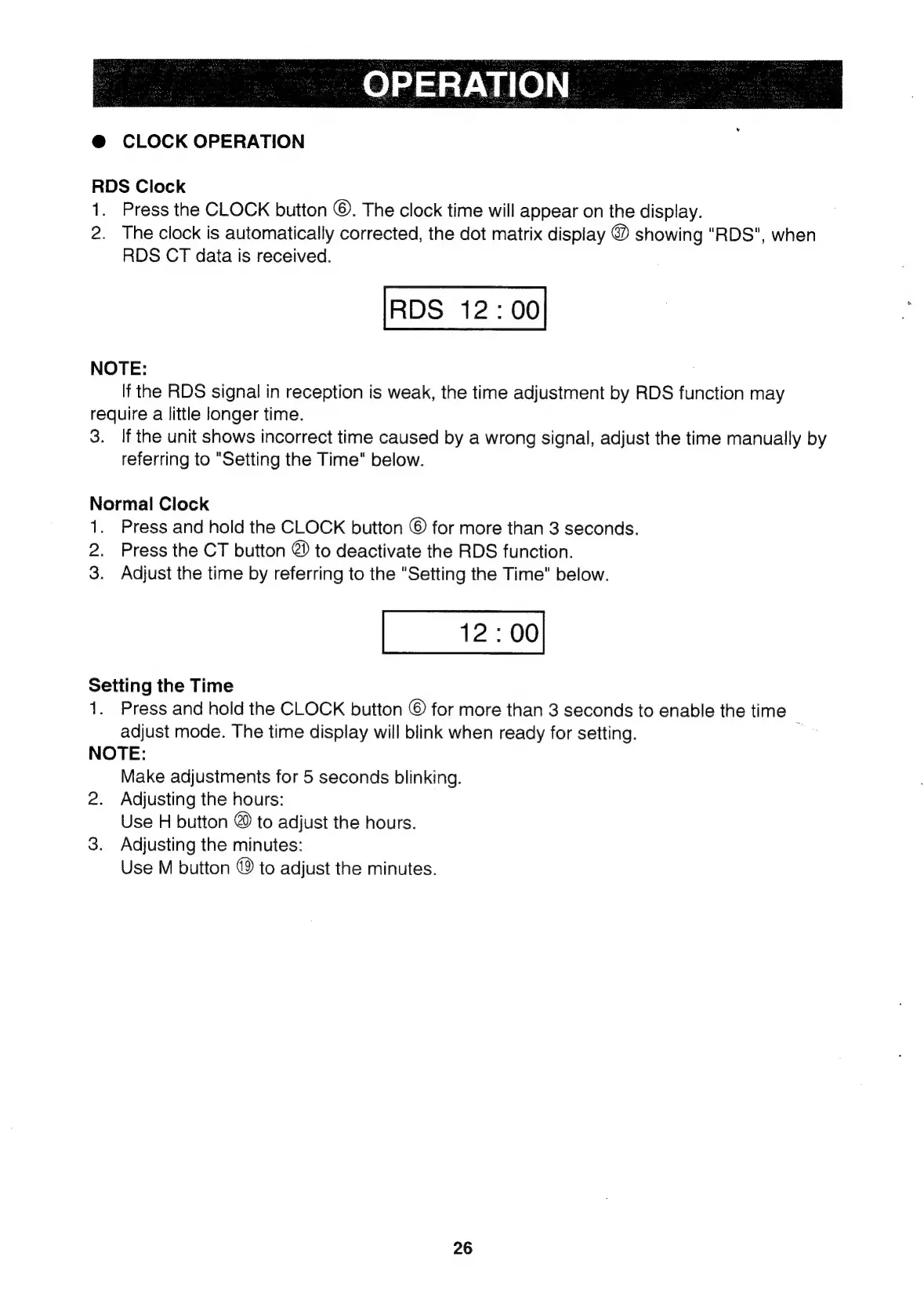
RDS
Clock
1.
Press
the
CLOCK
button
©.
The
clock
time
will
appear
on
the
display.
2.
The
clock
is
automatically
corrected,
the dot
matrix
display
@
showing
"RDS",
when
RDS
CT
data
is
received.
RDS
12:00
NOTE:
If
the
RDS
signal
in
reception
is
weak,
the
time
adjustment
by
RDS
function
may
require
a
little
longer
time.
3.
If
the
unit
shows
incorrect
time
caused
by
a
wrong
signal,
adjust
the
time
manually
by
referring
to
"Setting
the
Time"
below.
Normal
Clock
1.
Press
and
hold
the
CLOCK
button
©
for
more
than
3
seconds.
2.
Press
the
CT
button
@
to
deactivate
the
RDS
function.
3.
Adjust
the
time
by
referring
to
the
"Setting
the
Time"
below.
12:00
Setting
the
Time
1.
Press
and
hold
the
CLOCK
button
©
for
more
than
3
seconds
to
enable
the
time
adjust
mode.
The
time
display
will
blink
when
ready
for
setting.
NOTE:
Make
adjustments
for
5
seconds
blinking.
2.
Adjusting
the
hours:
Use
H
button
©
to
adjust
the
hours.
3.
Adjusting
the
minutes:
Use
M
button
©
to
adjust
the
minutes.
26

Related product manuals