EasyManua.ls Logo

Alpine 5903 - Page 8

Alpine 5903
34 pages
Print Icon
To Next Page IconTo Next Page
To Previous Page IconTo Previous Page
Loading...
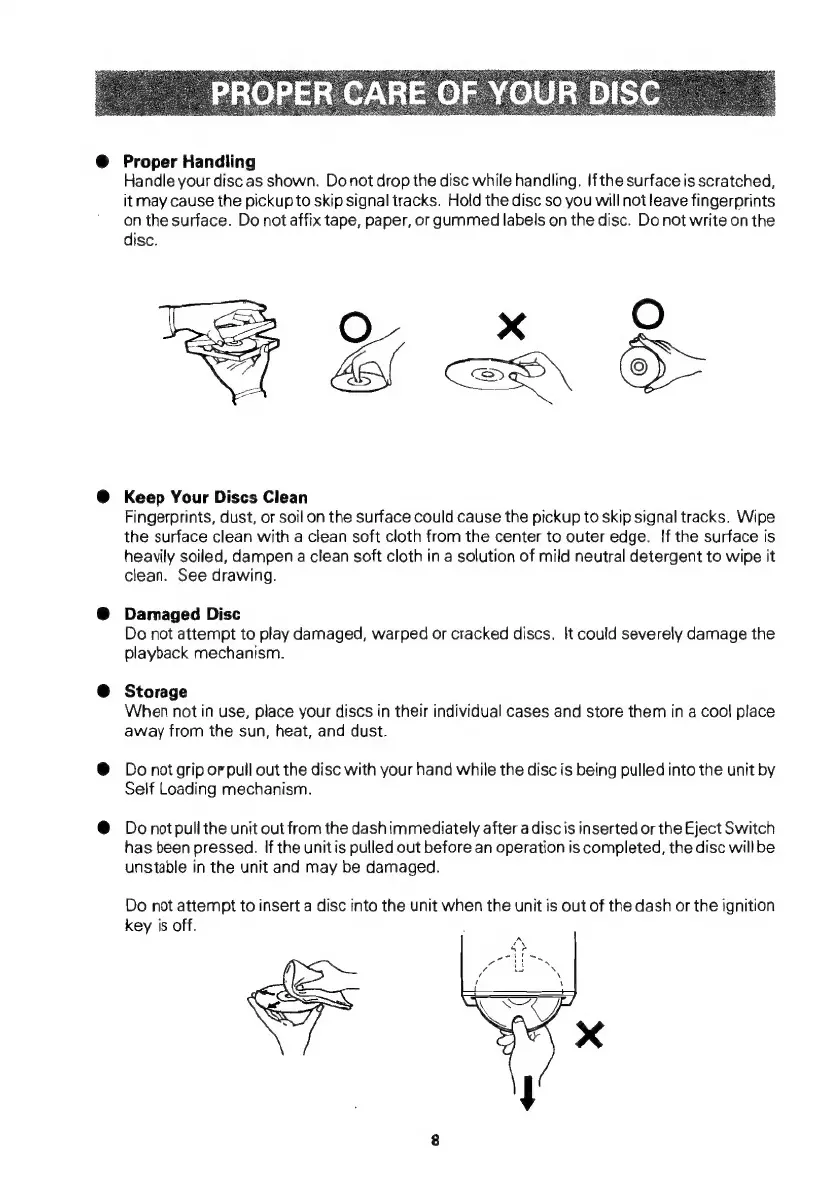
Proper
Handling
Handle
your
disc
as
shown.
Donot
drop
the
disc
while
handling.
If
the
surface
is
scratched,
it
may
cause
the
pickup
to
skip
signal
tracks.
Hold
the
disc
so
you
will
not
leave
fingerprints
on
the
surface.
Do
not
affix
tape,
paper,
or
gummed
labels
on
the
disc.
Do
not
write
on
the
disc.
O
x
OO
Lo
kl
SS
OS
Keep
Your
Discs
Clean
Fingerprints,
dust,
or
soil
on
the
surface
could
cause
the
pickup
to
skip
signal
tracks.
Wipe
the
surface
clean
with
a
clean
soft
cloth
from
the
center
to
outer
edge.
If
the
surface
is
heavily
soiled,
dampen
a
clean
soft
cloth
in
a
solution
of
mild
neutral
detergent
to
wipe
it
clean.
See
drawing.
Damaged
Disc
Do
not
attempt
to
play
damaged,
warped
or
cracked
discs.
It
could
severely
damage
the
playback
mechanism.
Storage
When
not
in
use,
place
your
discs
in
their
individual
cases
and
store
them
in
a
cool
place
away
from
the
sun,
heat,
and
dust.
Do
not
grip
or
pull
out
the
disc
with
your
hand
while
the
disc
is
being
pulled
into
the
unit
by
Self
Loading
mechanism.
Do
not
pull
the
unit
out
from
the
dashimmediately
after
a
discis
inserted
or
the
Eject
Switch
has
been
pressed.
If
the
unitis
pulled
out
before
an
operation
is
completed,
the
disc
willbe
unstable
in
the
unit
and
may
be
damaged.
Do
not
attempt
to
insert
a
disc
into
the
unit
when
the
unit
is
out
of
the
dash
or
the
ignition
key
is
off.

Related product manuals