EasyManua.ls Logo

Alpine 7915M - Page 12

Alpine 7915M
21 pages
Print Icon
To Next Page IconTo Next Page
To Previous Page IconTo Previous Page
Loading...
Turn
the
Audio
MODE
Select
switch.
Volume
decrease
Volume
increase
Indication
example
VOL
adjust.
(~oo
0)
-
26
-
OO
TRE
adjust.
(—7
+7)
TR
-4
Treble
increase
TR+7
Treble
decrease
TR
-7
BAS
adjust.
(~7
+7)
BS
-3
Bass
Increase
BS
+7
Bass
decrease
BS
-7
Volume
increase
of
left
speaker
BL
Volume
increase
of
right
speaker
BR
8
8
Volume
increase
of
front
Speaker
FF
8
Volume
increase
of
rear
speaker
FR
8
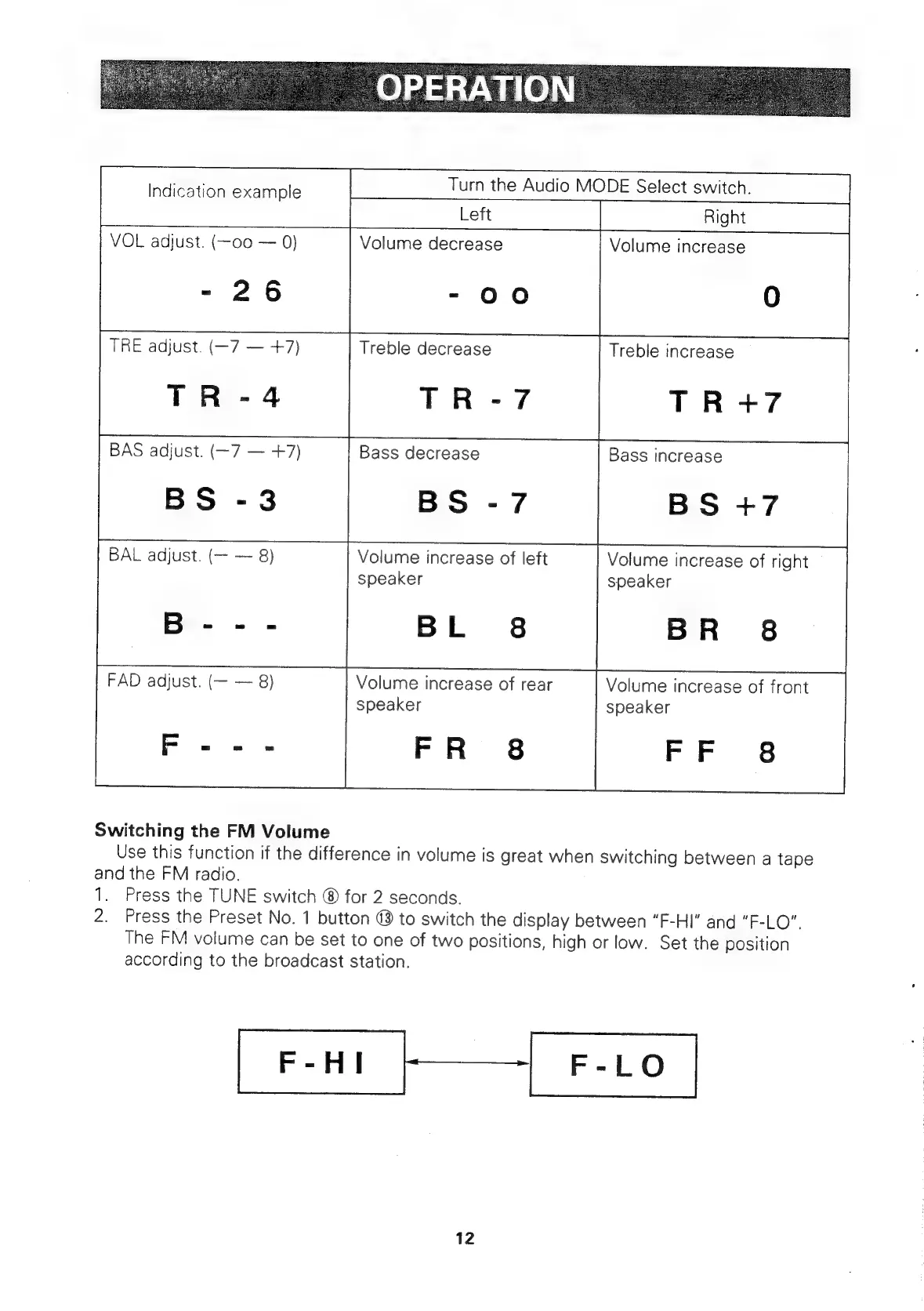
Switching
the
FM
Volume
Use
this
function
if
the
difference
in
volume
is
great
when
switching
between
a
tape
and
the
FM
radio.
1.
Press
the
TUNE
switch
®
for
2
seconds.
2.
Press
the
Preset
No.
1
button
®
to
switch
the
display
between
“F-HI”
and
“F-LO”.
The
FM
volume
can
be
set
to
one
of
two
positions,
high
or
low.
Set
the
position
according
to
the
broadcast
station.
F-HI
F-LO
12

Related product manuals