EasyManua.ls Logo

Alpine 7980M - Page 9

Alpine 7980M
94 pages
Print Icon
To Next Page IconTo Next Page
To Previous Page IconTo Previous Page
Loading...
OPERATION
@
Traffic
Information
Receiving
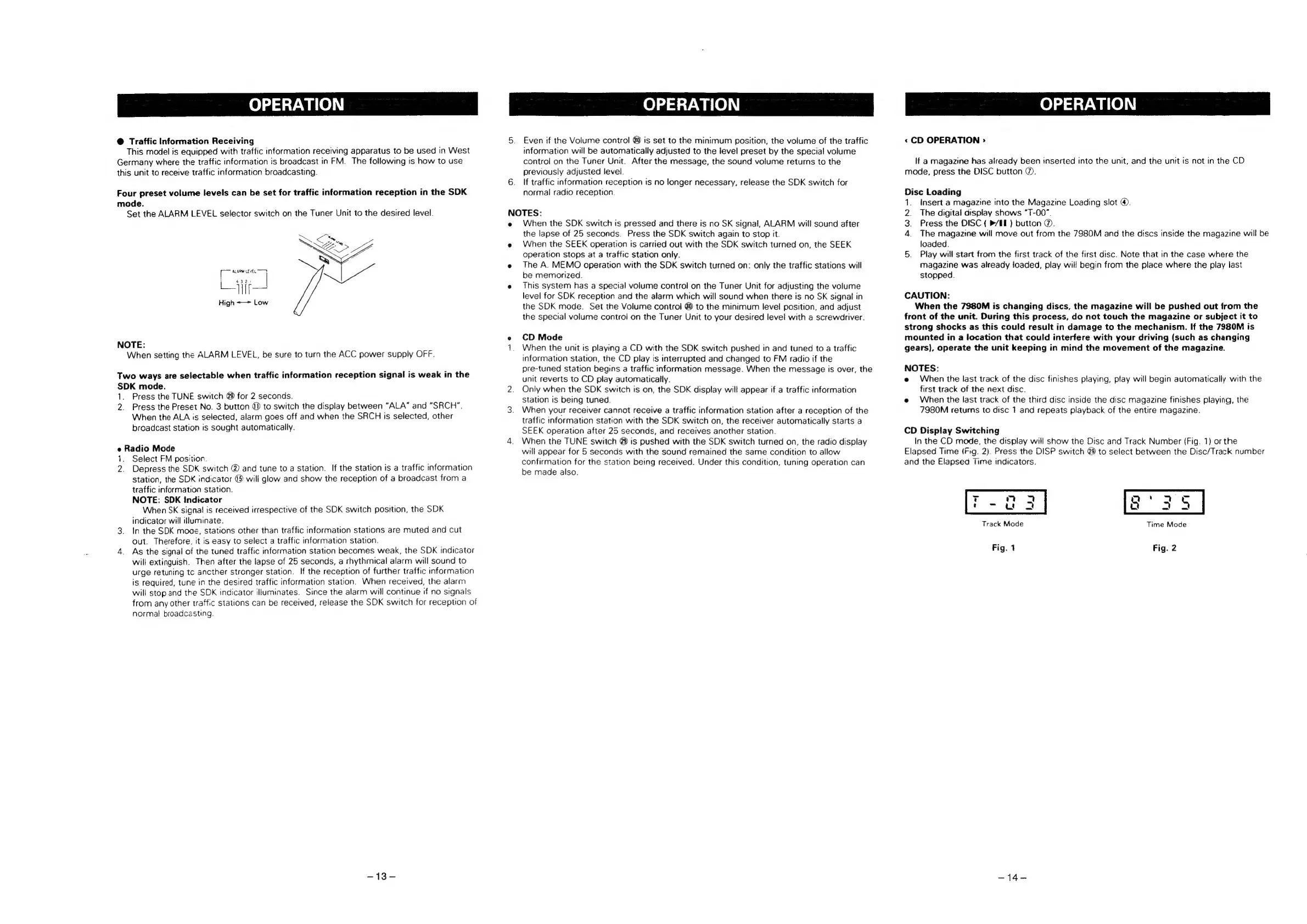
This
model
is
equipped
with
traffic
information
receiving
apparatus
to
be
used
in
West
Germany
where
the
traffic
information
is
broadcast
in
FM.
The
following
is
how
to
use
this
unit
to
receive
traffic
information
broadcasting.
Four
preset
volume
levels
can
be
set
for
traffic
information
reception
in
the
SDK
mode.
Set
the
ALARM
LEVEL
selector
switch
on
the
Tuner
Unit
to
the
desired
level.
itt
High
~—>~
Low
NOTE:
When
setting
the
ALARM
LEVEL,
be
sure
to
turn
the
ACC
power
supply
OFF.
Two
ways
are
selectable
when
traffic
information
reception
signal
is
weak
in
the
SDK
mode.
1.
Press
the
TUNE
switch
@
for
2
seconds.
2.
Press
the
Preset
No.
3
button
@)
to
switch
the
display
between
“ALA”
and
“SRCH".
When
the
ALA
is
selected,
alarm
goes
off
and
when
the
SRCH
is
selected,
other
broadcast
station
is
sought
automatically.
e
Radio
Mode
1.
Select
FM
position.
2.
Depress
the
SDK
switch
@
and
tune
to
a
station.
If
the
station
is
a
traffic
information
station,
the
SDK
indicator
@
will
glow
and
show
the
reception
of
a
broadcast
from
a
traffic
information
station.
NOTE:
SDK
Indicator
When
SK
signal
is
received
irrespective
of
the
SDK
switch
position,
the
SDK
indicator
will
illuminate.
3.
In
the
SDK
moge,
stations
other
than
traffic
information
stations
are
muted
and
cut
out.
Therefore,
it
is
easy
to
select
a
traffic
information
station.
4.
As
the
signal
of
the
tuned
traffic
information
station
becomes
weak,
the
SDK
indicator
will
extinguish.
Then
after
the
lapse
of
25
seconds,
a
rhythmical
alarm
will
sound
to
urge
retuning
tc
ancther
stronger
station.
If
the
reception
of
further
traffic
information
is
required,
tune
in
the
desired
traffic
information
station.
When
received,
the
alarm
will
stop
and
the
SDK
indicator
illuminates.
Since
the
alarm
will
continue
if
no
signals
from
any
other
traffic
stations
can
be
received,
release
the
SDK
switch
for
reception
of
normal
broadcasting.
=43'=
OPERATION
5.
Even
if
the
Volume
control
@0
is
set
to
the
minimum
position,
the
volume
of
the
traffic
information
will
be
automatically
adjusted
to
the
level
preset
by
the
special
volume
control
on
the
Tuner
Unit.
After
the
message,
the
sound
volume
returns
to
the
previously
adjusted
level.
6.
If
traffic
information
reception
is
no
longer
necessary,
release
the
SDK
switch
for
normal
radio
reception.
NOTES:
e
When
the
SDK
switch
is
pressed
and
there
is
no
SK
signal,
ALARM
will
sound
after
the
lapse
of
25
seconds.
Press
the
SDK
switch
again
to
stop
it.
e
When
the
SEEK
operation
is
carried
out
with
the
SDK
switch
turned
on,
the
SEEK
operation
stops
at
a
traffic
station
only.
e
The
A.
MEMO
operation
with
the
SDK
switch
turned
on:
only
the
traffic
stations
will
be
memorized.
e
This
system
has
a
special
volume
control
on
the
Tuner
Unit
for
adjusting
the
volume
level
for
SDK
reception
and
the
alarm
which
will
sound
when
there
is
no
SK
signal
in
the
SDK
mode.
Set
the
Volume
control
@
to
the
minimum
level
position,
and
adjust
the
special
volume
control
on
the
Tuner
Unit
to
your
desired
level
with
a
screwdriver.
e
CD
Mode
1.
When
the
unit
is
playing
a
CD
with
the
SDK
switch
pushed
in
and
tuned
to
a
traffic
information
station,
the
CD
play
is
interrupted
and
changed
to
FM
radio
if
the
pre-tuned
station
begins
a
traffic
information
message.
When
the
message
is
over,
the
unit
reverts
to
CD
play
automatically.
2.
Only
when
the
SDK
switch
is
on,
the
SDK
display
will
appear
if
a
traffic
information
Station
is
being
tuned.
3.
When
your
receiver
cannot
receive
a
traffic
information
station
after
a
reception
of
the
traffic
information
station
with
the
SDK
switch
on,
the
receiver
automatically
starts
a
SEEK
operation
after
25
seconds,
and
receives
another
station.
4.
When
the
TUNE
switch
@
is
pushed
with
the
SDK
switch
turned
on,
the
radio
display
will
appear
for
5
seconds
with
the
sound
remained
the
same
condition
to
allow
confirmation
for
the
station
being
received.
Under
this
condition,
tuning
operation
can
be
made
also.
OPERATION
«
CD
OPERATION
>
If
a
magazine
has
already
been
inserted
into
the
unit,
and
the
unit
is
not
in
the
CD
mode,
press
the
DISC
button
@.
Disc
Loading
1.
Insert
a
magazine
into
the
Magazine
Loading
slot
@.
2.
The
digital
display
shows
“T-00”.
3.
Press
the
DISC
{
B/E)
button
@.
4.
The
magazine
will
move
out
from
the
7980M
and
the
discs
inside
the
magazine
will
be
loaded.
5.
Play
will
start
from
the
first
track
of
the
first
disc.
Note
that
in
the
case
where
the
magazine
was
already
loaded,
play
will
begin
from
the
place
where
the
play
last
stopped.
CAUTION:
When
the
7980M
is
changing
discs,
the
magazine
will
be
pushed
out
from
the
front
of
the
unit.
During
this
process,
do
not
touch
the
magazine
or
subject
it
to
strong
shocks
as
this
could
result
in
damage
to
the
mechanism.
If
the
7980M
is
mounted
in
a
location
that
could
interfere
with
your
driving
(such
as
changing
gears),
operate
the
unit
keeping
in
mind
the
movement
of
the
magazine.
NOTES:
e
When
the
last
track
of
the
disc
finishes
playing,
play
will
begin
automatically
with
the
first
track
of
the
next
disc.
e
When
the
last
track
of
the
third
disc
inside
the
disc
magazine
finishes
playing,
the
7980M
returns
to
disc
1
and
repeats
playback
of
the
entire
magazine.
CD
Display
Switching
In
the
CD
mode,
the
display
will
show
the
Disc
and
Track
Number
(Fig.
1)
or
the
Elapsed
Time
(Fig.
2).
Press
the
DISP
switch
@
to
select
between
the
Disc/Track
number
and
the
Elapsed
Time
indicators.
T
on
ee
ee
rou
2
8
a5
Track
Mode
Time
Mode
Fig.
1
Fig.
2
-14-

Related product manuals