EasyManua.ls Logo

Alpine CDA-7939R - Page 31

Alpine CDA-7939R
47 pages
Print Icon
To Next Page IconTo Next Page
To Previous Page IconTo Previous Page
Loading...
CD
Shuttle
Operation
English
Titling
Disc
(Continued)
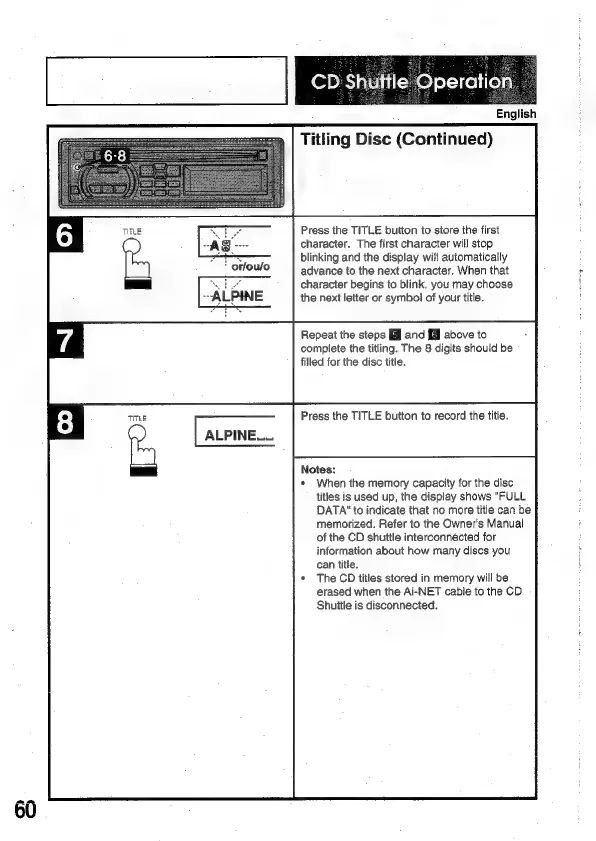
Press
the
TITLE
button
to
store
the
first
character.
The
first
character
will
stop
blinking
and
the
display
will
automatically
advance
to
the
next
character.
When
that
character
begins
to
blink,
you
may
choose
the
next
letter
or
symbol
of
your
title.
or/ou/o
Repeat
the
steps
El
and
[@l
above
to
complete
the
titling.
The
8
digits
should
be
filled
for
the
disc
title.
Press
the
TITLE
button
to
record
the
title.
|
ALPINE
Notes:
*
When
the
memory
capacity
for
the
disc
titles
is
used
up,
the
display
shows
"FULL
DATA‘
to
indicate
that
no
more
title
can
be
memorized.
Refer
to
the
Owner's
Manual
of
the
CD
shuttle
interconnected
for
information
about
how
many
discs
you
can
title.
The
CD
titles
stored
in
memory
will
be
erased
when
the
Ai-NET
cable
to
the
CD
Shuitle
is
disconnected.

Related product manuals