EasyManua.ls Logo

Alpine CDA-7939R - Page 33

Alpine CDA-7939R
47 pages
Print Icon
To Next Page IconTo Next Page
To Previous Page IconTo Previous Page
Loading...
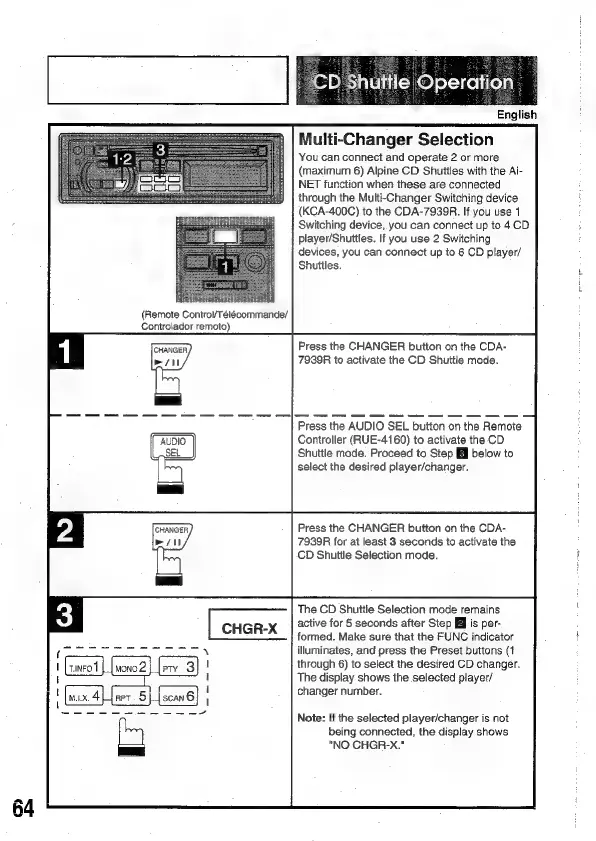
(Remote
Control/Télécommande/
Controlador
remoto)
CD
Shuttle:
Operation
English
Multi-Changer
Selection
You
can
connect
and
operate
2
or
more
(maximum
6)
Alpine
CD
Shuttles
with
the
Ai-
NET
function
when
these
are
connected
through
the
Multi-Changer
Switching
device
(KCA-400C)
to
the
CDA-7939R.
If
you
use
1
Switching
device,
you
can
connect
up
to
4
CD
player/Shuttles.
If
you
use 2
Switching
devices,
you
can
connect
up
to
6
CD
player/
Shuttles.
Press
the
CHANGER
button
on
the
CDA-
7939R
to
activate
the
CD
Shuttle
mode.
Press
the
AUDIO
SEL
button
on
the
Remote
Controller
(RUE-4160)
to
activate
the
CD
Shuttle
mode.
Proceed
to
Step
Ell
below
to
select
the
desired
player/changer.
Press
the
CHANGER
button
on
the
CDA-
7939R
for
at
least
3
seconds
to
activate
the
CD
Shuttle
Selection
mode.
The
CD
Shuttie
Selection
mode
remains
active
for
5
seconds
after
Step
]
is
per-
formed.
Make
sure
that
the
FUNC
indicator
illuminates,
and
press
the
Preset
buttons
(1
through
6)
to
select
the
desired
CD
changer.
The
display
shows
the
selected
player/
changer
number.
Note:
If
the
selected
player/changer
is
not
being
connected,
the
display
shows
"NO
CHGR-X."

Related product manuals