15-EN
01GB05CDA9884.fm
ALPINE CDA-9884E 68-09359Z41-A (EN)
About “Text”
Text:
Text compatible CDs contain text information such as the disc
name and track name. Such text information is referred to as
“text”.
• Some characters may not be displayed correctly with this device,
depending on the character type.
• The CD changer must also be CD Text compatible for the Text
information to be displayed.
• The text or tag information may not be correctly displayed,
depending on the contents.
Displaying Time
Press VIEW repeatedly until the time is displayed.
Each press changes the display.
For details, see “Displaying the Text” (page 14).
• Selecting any tuner or CD function while in the clock priority mode
will interrupt the time display momentarily. The function selected
will be displayed for about 5 seconds before the time returns to the
display.
• When the power is off but the ignition key is on, press VIEW to
display or turn off the time.
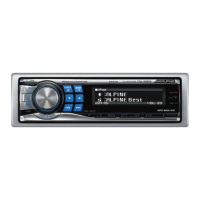
About the indication display
When displaying Text, the following indicators are lit according
to the mode.
Indicator/
Mode
CD Mode
MP3/WMA/AAC/
USB Audio
Mode
iPod/BT Audio
Mode
––
Folder Name
being displayed
––
––
Artist Name
being displayed
Artist Name
being displayed
Text (Disc
Name) being
displayed
Album Name
being displayed
Album Name
being displayed
Text (Track
Name) being
displayed
Song Name/
File Name being
displayed
Song Name
being displayed
Blinks in search mode when the Rotary encoder is turned.
Also Blinks when operation, such as fast forward etc., is
performed.
Lights up in SETUP mode.
01GB00CDA9884.book Page 15 Friday, September 28, 2007 10:24 AM



 To Next Page