EasyManua.ls Logo

Alpine CDE-140E - User Manual

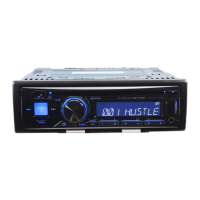
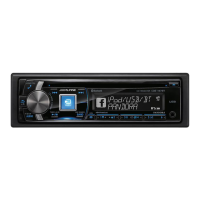
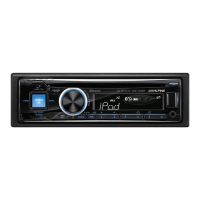
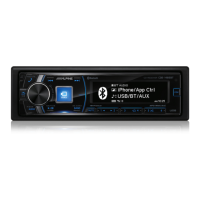
Alpine CDE-140E
29 pages
Print Icon
To Next Page IconTo Next Page
Loading...
Designed by ALPINE Japan
Printed in Thailand (Y)
68-21627Z70-A
ALPINE CDE-142E 68-21627Z70-A (EN)
01COV1.fm
OWNER’S MANUAL
Please read before using this equipment.
PANDUAN REFERENSI SINGKAT
Untuk informasi tentang semua fungsi, baca materi
berbahasa Inggris.
EN
R
R
ALPINE ELECTRONICS MARKETING, INC.
1-7, Yukigaya-Otsukamachi, Ota-ku,
Tokyo 145-0067, JAPAN
Phone: 03-5499-4531
ALPINE ELECTRONICS OF AMERICA, INC.
19145 Gramercy Place, Torrance,
California 90501, U.S.A.
Phone 1-800-ALPINE-1 (1-800-257-4631)
ALPINE ELECTRONICS OF CANADA, INC.
777 Supertest Road, Toronto,
Ontario M3J 2M9, Canada
Phone 1-800-ALPINE-1 (1-800-257-4631)
ALPINE ELECTRONICS OF AUSTRALIA PTY. LTD.
161-165 Princes Highway, Hallam
Victoria 3803, Australia
Phone 03-8787-1200
ALPINE ELECTRONICS GmbH
Wilhelm-Wagenfeld-Str. 1-3, 80807 München, Germany
Phone 089-32 42 640
ALPINE ELECTRONICS OF U.K. LTD.
Alpine House
Fletchamstead Highway, Coventry CV4 9TW, U.K.
Phone 0870-33 33 763
ALPINE ELECTRONICS FRANCE S.A.R.L.
(RCS PONTOISE B 338 101 280)
98, Rue de la Belle Etoile, Z.I. Paris Nord Il,
B.P. 50016, 95945 Roissy Charles de Gaulle
Cedex, France
Phone 01-48638989
ALPINE ITALIA S.p.A.
Viale C. Colombo 8, 20090 Trezzano
Sul Naviglio (MI), Italy
Phone 02-484781
ALPINE ELECTRONICS DE ESPAÑA, S.A.
Portal de Gamarra 36, Pabellón, 32
01013 Vitoria (Alava)-APDO 133, Spain
Phone 945-283588
YAMAGATA (THAILAND) Co., Ltd.
324 Moo 4, Bangpoo Industrial Estate Soi6, Sukhumvit Road T.Phraeksa,
A.Muang Samutprakarn, Samutprakarn 10280, Thailand
T
H
I
D
CD/USB RECEIVER
CDE-142E/CDE-141E/
CDE-141ETH/CDE-140E/
CDE-140ETH
(CDE-142E/CDE-141E/CDE-141ETH only)
00ALPINE.book Page 1 Friday, October 12, 2012 3:21 PM

Table of Contents

Question and Answer IconNeed help?

Do you have a question about the Alpine CDE-140E and is the answer not in the manual?

Alpine CDE-140E Specifications

General IconGeneral
TypeCD Receiver
Max Power Output50W x 4
RMS Power Output18W x 4
Peak Power Output50W x 4
Channels4
TunerFM/AM
BluetoothNo
USB PortYes
Aux InputYes
Display TypeLCD
Detachable FaceplateYes
Audio formats supportedMP3, WMA
CD PlayerYes
MP3 PlaybackYes
WMA PlaybackYes
Remote ControlOptional
Preset EQYes
High-Pass FilterYes
Low-Pass FilterYes
Playback MediaCD, USB

Summary

Operating Instructions and Safety

Safety Warnings and Precautions

Crucial safety instructions, warnings, and precautions for operating the unit safely.

Product Handling and Maintenance

Guidelines for cleaning, temperature handling, maintenance, and proper disc handling.

Disc Handling and Media Compatibility

Instructions for handling discs, media compatibility, and installation location advice.

USB Port and Memory Handling

Guidelines for using the USB port and handling USB memory devices safely.

Getting Started

Initial Setup and Controls

Accessory list, power on/off, source selection, and volume adjustment.

Front Panel Management

Instructions for detaching and attaching the detachable front panel.

Radio Operation

Radio Listening and Station Presets

Listening to radio, auto/manual station presets, and tuning.

Frequency Search Function

Method to search for radio stations directly by their frequency.

CD;MP3;WMA Playback

Basic Playback and Shuffle Modes

Basic playback, repeat, and random playback modes for discs.

Searching CD Text and File Names

How to search for songs using CD Text and navigate MP3/WMA files by name.

MP3;WMA File Details and Compatibility

Sound Settings

Audio Adjustment Overview

Adjusting levels, EQ presets, and loudness for optimal sound.

Parametric Equalizer (3 BAND EQ) Setup

Customizing Bass, Mid, and Treble response curves for personalized sound.

Tone Control and Sound Filters

Bass, Mid, and Treble Control Details

Specific adjustments for bass, mid, and treble frequency ranges, bandwidth, and level.

Subwoofer and Loudness Configuration

Turning subwoofer on/off, adjusting low pass filter, and setting subwoofer phase.

Subwoofer System and Amplifier Connection

Other Functions

Display and Text Information

Displaying text, understanding indications, and notes on text compatibility.

AUX Input and FAV Button Setup

Using AUX input and setting a favorite source via the FAV button.

Option Menu Setting

Accessing and adjusting settings relevant to the current audio source.

Setup Menu Navigation

General and Source-Specific Settings

Navigating setup, general settings, and source-specific configurations.

Playback Modes and Display Settings

iPod;iPhone and USB Features

iPod;iPhone Search Modes

Configuring and using various search modes for iPod/iPhone content.

USB Memory Playback and Connection

Playing MP3/WMA from USB memory and connecting the device.

USB Memory Removal and iPod;iPhone Details

iPod;iPhone Control and Search

iPod Control and Playback

Controlling iPod/iPhone via the unit and performing basic playback operations.

Searching iPod;iPhone Content

Methods for finding songs on iPod/iPhone using various search hierarchies.

Advanced iPod;iPhone Search Functions

iPod Shuffle and Repeat Play

Random Play Shuffle (M.I.X.)

Enabling album or song shuffle playback for iPod/iPhone.

Repeat One Playback

Setting a single song to repeat playback for iPod/iPhone.

Troubleshooting Guide

General and Radio;CD Issues

General troubleshooting for power, radio, and CD playback problems.

CD Playback and File Format Errors

Solutions for CD skipping, errors, and MP3/WMA format issues.

Audio, iPod, and CD Player Indications

Troubleshooting audio, iPod issues, and understanding CD player indications.

CD Player and USB Memory Errors

iPod Mode and USB Error Codes

Specifications

Tuner, CD, and Pickup Specifications

Technical specifications for tuner, CD player, and pickup components.

USB, General, and Dimensions

Technical data for USB, general unit features, chassis, and dimensions.

Installation and Connections

Installation Safety and Precautions

Critical safety warnings, cautions, and precautions for the installation process.

Mounting and Removal Procedures

Instructions for physically mounting the unit and removing it from its sleeve.

Wiring Connections

Power, Antenna, and Ground Wiring

Wiring connections for power supply, antenna control, and grounding.

Speaker and Input;Output Wiring

Wiring for speakers, RCA, AUX input, USB terminal, and power supply.

Related product manuals