17-EN
The Low Pass Filter on this unit can be adjusted to suit your personal
taste.
Setting item: SUBW LPF
Setting contents:
OFF (Initial setting) / 60 (Hz) / 80 (Hz) / 120 (Hz) / 160 (Hz)
All frequencies lower than the selected cutoff are output.
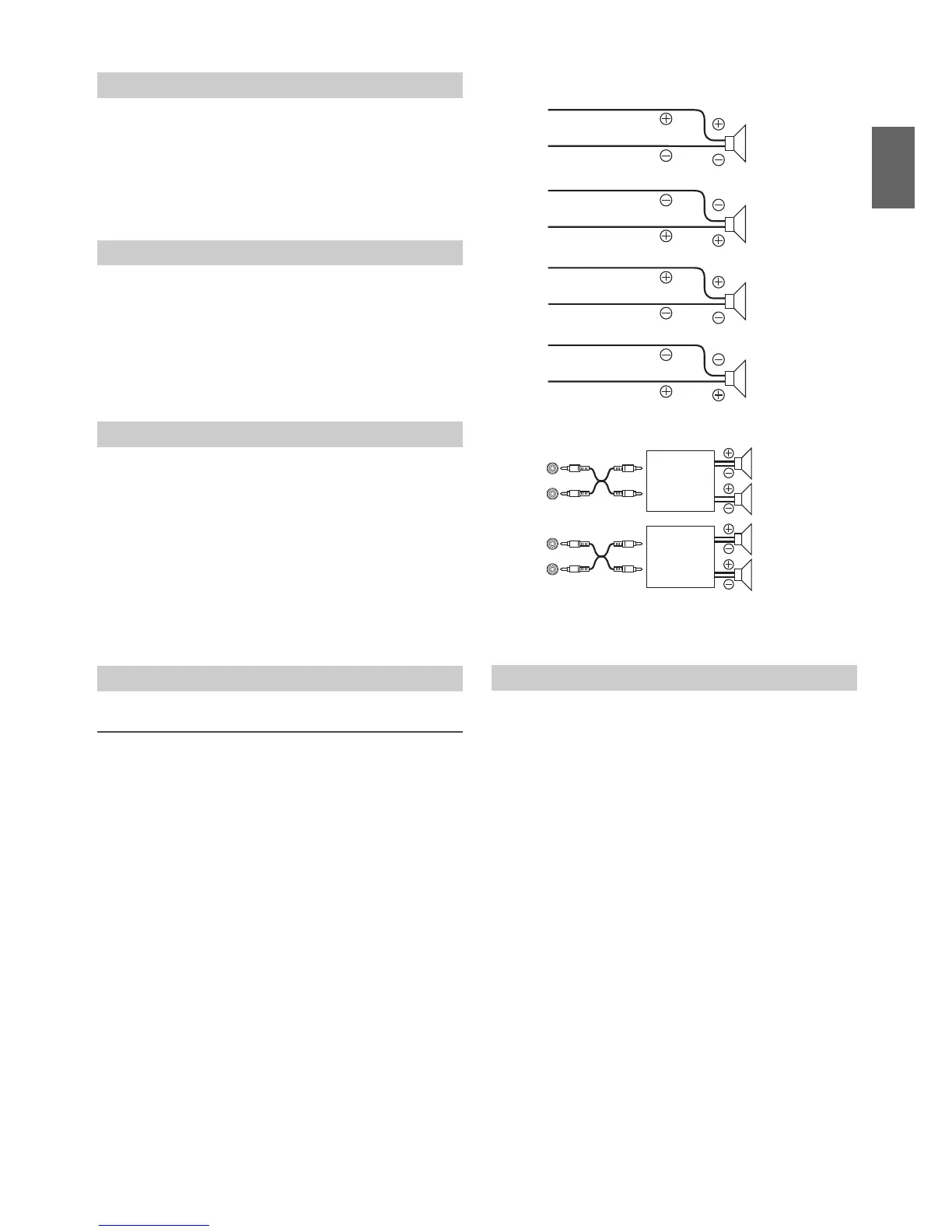
The subwoofer output phase is toggeled between SUBWOOFER
NORMAL (0°) or SUBWOOFER REVERSE (180°). Depending on the
installation location of your subwoofer, one of these settings may sound
better than the other.
Setting item: SUBW PHASE
Setting contents:
NORMAL (Initial setting) / REVERSE
When the subwoofer is on, you can select either SYSTEM 1 or SYSTEM
2 for the desired subwoofer effect.
Setting item: SUBW SYS
Setting contents:
SUBW SYS 1 / SUBW SYS 2 (Initial setting)
SUBW SYS 1:
Subwoofer level changes according to the main volume setting.
SUBW SYS 2:
Subwoofer level change is different from the main volume setting.
For example, even at low volume settings, the subwoofer is still
audible.
Connecting to an External Amplifier (POWER IC)
When an external amplifier is connected, sound quality can be
improved by stopping the power supply of the built-in amplifier.
Setting item: POWER IC
Setting contents:
ON (Initial setting) / OFF
ON:
The speakers are driven by the built-in amplifier.
OFF:
Use this mode when the line output of this unit is used to drive an
external amplifier. In this setting, the head unit’s internal amplifier
is turned OFF and cannot drive speakers.
ON:
OFF:
Note
• No sound is produced by the system when the power output is set to
OFF.
MX (Media Xpander) makes vocals or instruments sound distinct
regardless of the music source. The CD and iPod, etc. will be able to
reproduce the music clearly even in cars with a lot of road noise.
Setting item: MX SETTING
1
Turn the Rotary encoder to select the source to which you
want to apply Media Xpander, and then press ENTER.
FM SIRIUSXM CD
*
CMPM
*
USB iPod BT AUDIO
PANDOR A AUX
* Be applied for MP3/WMA files in disc. (CDE-153BT only)
2
Turn the Rotary encoder to select the Media Xpander
level, and then press ENTER.
LEVEL OFF LEVEL 1 LEVEL 2 LEVEL 3
Note
• There is no MX mode for AM radio.
Adjusting the Low Pass Filter
Setting the Subwoofer Phase
Setting the Subwoofer System
External Device
Setting the Media Xpander mode


 To Next Page