Pairing
with
a
BLUETOOTH
compatible
device
I
Association
d'un
appareil
compatible
BLUETOOTH
I
Sincronizacion
con
un
dispositivo
compatible
con
BLUETOOTH
English
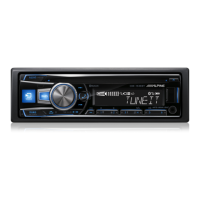
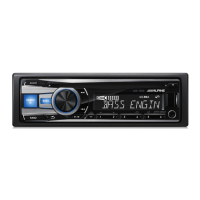
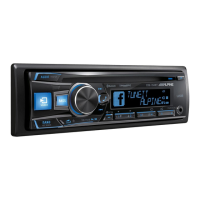
Use your BLUETOOTH
compatible device to search and
select
"CDE-153Series"/
"UTE-52Series".
For iPod/iPhone, connect it to this
unit via USB port.
<For devices with Secure
Simple Pairing (SSP) or iPod/
iPhone>
The head unit will ask to "PAIR".
Use the Rotary encoder to
select
"YES" and press
~/ENTER.
<For all other devices>
When
prompted
by the head unit,
input the
PIN
code
"0000" on the
BLUETOOTH compatible device.
Franrais
Recherchez puis selectionnez
« CDE-153Series »/
« UTE-52Series » depuis votre
appareil compatible
BLUETOOTH.
Espaiiol
Utilice
su
dispositivo compatible
con BLUETOOTH para detectar
y seleccionar
"CDE-153Series"/
"UTE-52Series".
-------------------------------------
Raccordez l'iPod/iPhone a cet
En
el
caso de iPod/iPhone,
appareil via
le
port USB. conectelos a esta unidad a
traves del puerto USB.
<Pour les appareils
compatibles Secure Simple
Pairing (SSP)>
L'autoradio affichera
le
message
« PAIR
».
Tournez
le
Bouton
rotatif
pour selectionner « YES
»,
puis appuyez sur
~/ENTER.
<Pour tous les autres
appareils>
Lorsque l'autoradio
le
demande,
entrez le
code
PIN
« 0000
»sur
votre appareil compatible
BLUETOOTH.
20
<Para dispositivos con
Sintonizaci6n segura simple
(SSP)>
La unidad principal mostrara
Ia
solicitud "PAIR". Gire
el
Codificador giratorio para
seleccionar
"YES"
y,
a
continuaci6n, pulse
~/ENTER.
<Para todos los demas
dispositivos>
Cuando
Ia
unidad principal
lo
solicite, introduzca
el
c6digo
PIN
"0000" en
el
dispositivo
compatible con BLUETOOTH.


 To Next Page