21-EN
ALPINE CDE-170E 68-40368Z02-A (EN) 128x182
vel) (CDE-
nnected
– [-6 dB].
ust the
selected.)
hile with
matically.
d, and
during a
t the start
mmer
mmer
applied
ed or
rightness
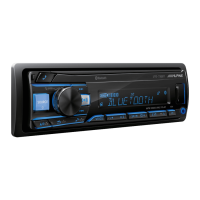
KEY COLOR (CDE-173EBT/ UTE-73EBT only)
Sets a preset color or customized color for the
buttons.
OPTION
Selects from 10 presets colors, 1 customized
color.
CUSTOMIZE
Registers a customized color for the buttons.
RGB RED, RGB GREEN, RGB BLUE
Adjustable color range: [0] – [32]
([0] cannot be set for all color ranges).
DISP COLOR (display color) (CDE-173EBT/ UTE-
73EBT only)
Sets a preset color or customized color for the
display.
OPTION
Selects from 10 presets colors, 1 customized
color.
CUSTOMIZE
Registers a customized color for the display.
RGB RED, RGB GREEN, RGB BLUE
Adjustable color range: [0] – [32] ([0]
cannot be set for all color ranges).
MUSIC SYNC (music synchronization)
Activates the synchronization of the
illumination with the music: [ON], [OFF].
TEXT SCROLL
Scrolls long items automatically: [ON], [OFF].
(Not available when the AUX or tuner is
selected.)
BLUETOOTH Setup (BLUETOOTH)
(CDE-173EBT/ UTE-73EBT only)
PAIRING (page 9)
Connects up to two BLUETOOTH devices:
[DEVICE 1], [DEVICE 2].
[DEVICE 1] or [DEVICE 2] will be changed to
the paired device name after pairing is
complete .
AUDIO DEVICE
Selects the audio device.
[*] appears on the device paired with [DEVICE
1] or the current A2DP compatible audio
device .
RINGTONE
Selects whether this unit or the connected
cellular phone outputs the ringtone: [1] (this
unit), [2] (cellular phone).
AUTO ANSWER
Sets this unit to answer an incoming call
automatically: [OFF], [1] (about 3 seconds), [2]
(about 10 seconds) .
AUTO PAIR (auto pairing)
Starts BLUETOOTH pairing automatically
when iOS device version 5.0 or later is
connected via USB: [ON], [OFF].
BT IN (page 10)
Activates/deactivates the BLUETOOTH
function.
BT INITIAL (BLUETOOTH initialize)
Initializes all the BLUETOOTH related settings
(pairing information, preset number, device
information, etc.): [YES], [NO].
When disposing the unit, initialize all the
settings.
(Available only while the source is off and the
clock is displayed.)



 To Next Page