10-EN
Turning AF (Alternative Frequencies) ON/OFF
The RDS (Radio Data System) is a radio information system using the
57 kHz subcarrier of regular FM broadcast. The RDS allows you to
receive a variety of information such as traffic information, station
names, and to automatically re-tune to a stronger transmitter that is
broadcasting the same programme.
1
Press and hold AUDIOSETUP for at least 2 seconds to
activate the SETUP selection mode.
2
Turn the Rotary encoder to select the “TUNER” setup
mode, and then press ENTER.
3
Turn the Rotary encoder to select the “AF”, and then press
ENTER.
4
Turn the Rotary encoder to select the AF (Alternative
Frequency) ON or OFF mode.
5
Press and hold AUDIOSETUP for at least 2 seconds to
return to normal mode.
Notes
• When the AF ON mode is selected, the unit automatically tunes to a
strong signal station in the AF list.
• Use the AF OFF mode when automatic re-tuning is not required.
•Press r to return to the previous mode.
• Pressing and holding r for at least 2 seconds will return to normal
mode.
• If no operation is performed for 60 seconds, the unit will return to
normal mode automatically.
The RDS digital data includes the following:
Receiving RDS Regional (Local) Stations
1
Press and hold AUDIOSETUP for at least 2 seconds to
activate the SETUP selection mode.
2
Turn the Rotary encoder to select the “TUNER” setup
mode, and then press ENTER.
3
Turn the Rotary encoder to select the “REGIONAL”, and
then press ENTER.
4
Turn the Rotary encoder to select ON or OFF.
In the OFF mode, the unit automatically keeps receiving the
related local RDS station.
5
Press and hold AUDIOSETUP for at least 2 seconds to
return to normal mode.
Notes
•Press r to return to the previous mode.
• Pressing and holding r for at least 2 seconds will return to normal
mode.
• If no operation is performed for 60 seconds, the unit will return to
normal mode automatically.
PI SEEK Setting
1
Press and hold AUDIOSETUP for at least 2 seconds to
activate the SETUP mode.
2
Turn the Rotary encoder to select the TUNER mode, and
then press ENTER.
3
Turn the Rotary encoder to select PI SEEK, and then press
ENTER.
4
Turn the Rotary encoder to select ON or OFF.
5
Press and hold AUDIOSETUP for at least 2 seconds to
return to normal mode.
Notes
•Press r to return to the previous mode.
• Pressing and holding r for at least 2 seconds will return to normal
mode.
• If no operation is performed for 60 seconds, the unit will return to
normal mode automatically.
RDS
PI Programme Identification
PS Programme Service Name
AF List of Alternative Frequencies
TP Traffic Programme
TA Traffic Announcement
PTY Programme Type
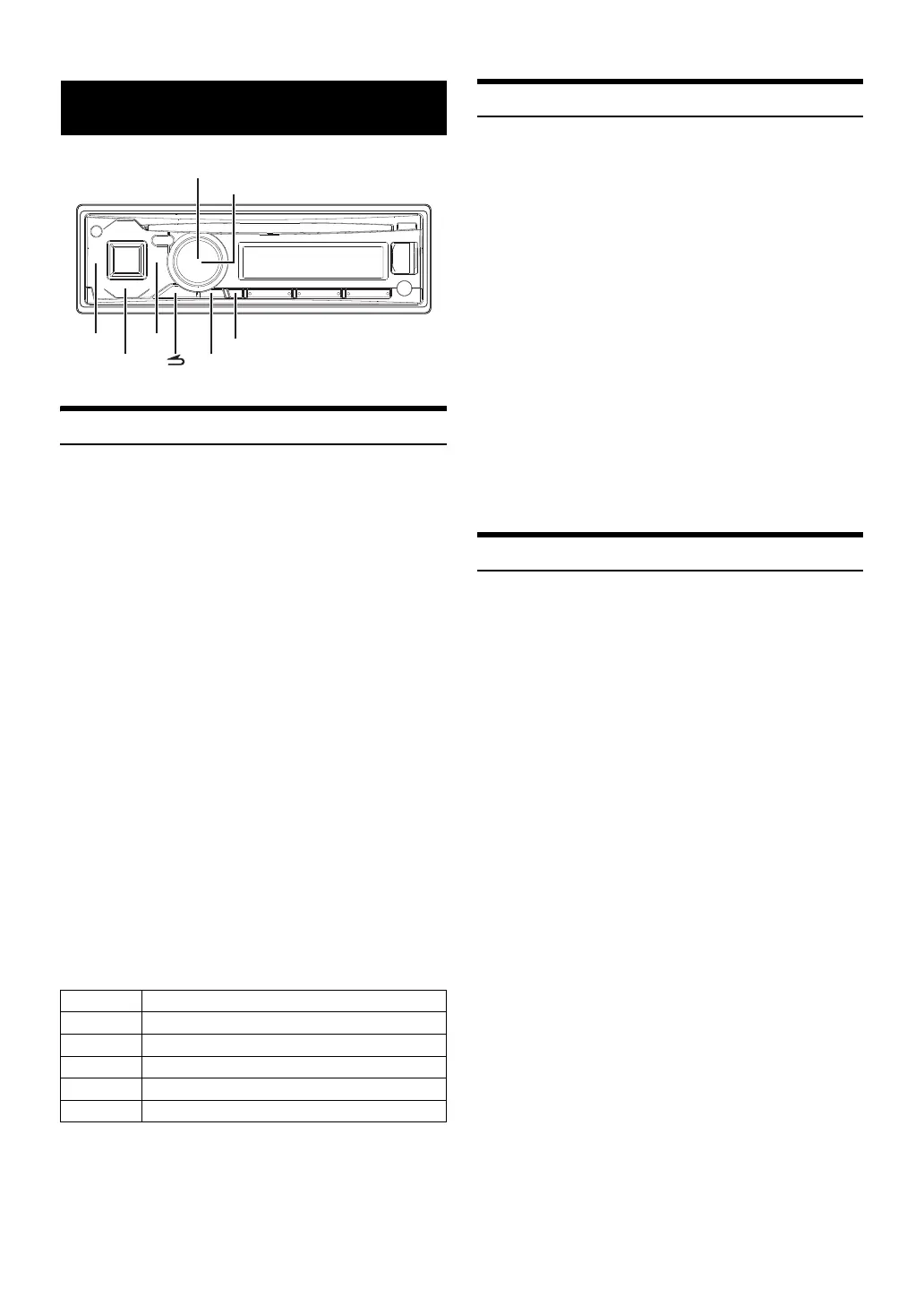
BAND/TA
AUDIO/SETUP
VIEW
/ENTER
Rotary encoder


 To Next Page