14-EN
CD Player Operation
Controlling CD Changer (Optional)
(CDM-7874EB only)
If an optional Alpine 6-disc CD Changer is
connected to the 8-pin DIN connector (M-Bus) of
the CDM-7874EB, you can control the CD
changer using the CDM-7874EB.
NOTE
The CD controls on the CDM-7874EB for the CD
changer operation are functional only when the CD
Changer is interconnected with the CDM-7874EB.
1 Press the SOURCE button to activate the
CHANGER mode.
The display shows the "Changer", disc number
and track number.
2 Press the Disc Select buttons (1 through 6)
corresponding to one of the discs loaded in the
CD Changer. The selected disc number appears
in the display and CD playback starts.
NOTES
• After selecting the desired disc, you can operate in the
same way as for the CDM-7874EB CD player.
For details, please see the CD Player Operation
section.
• If the "FUNC" indicator is illuminated the Disc Select
buttons become nonfunctional.
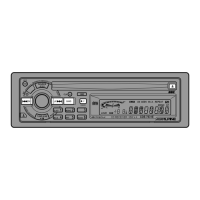
Disc Select buttons (1 through 6)
SOURCE


 To Next Page