75-EN
CAUTION
Do not adjust the display angle when the display
unit is not fixed to the slider of the main unit using
4 screws (M5×8). Doing so may not turn power on.
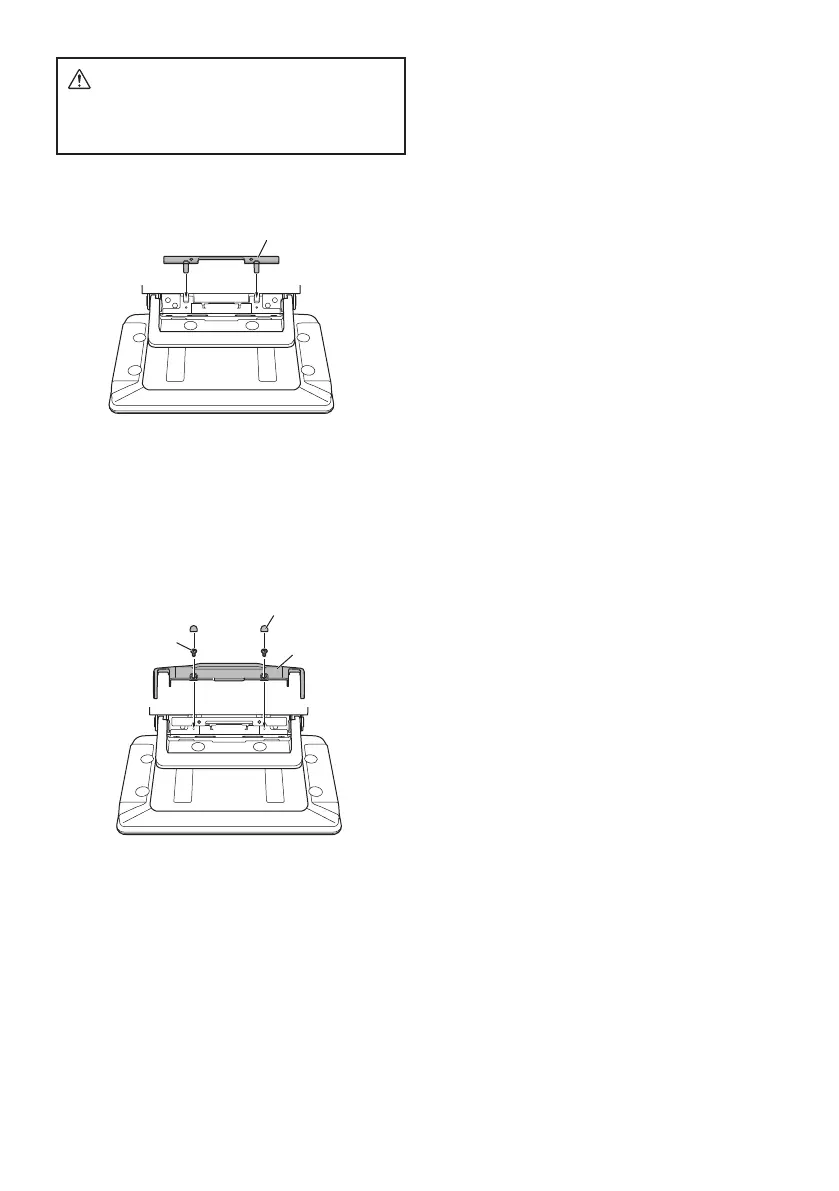
2 Mount the Power Plate.
Power Plate (Included)
• If the Power Plate is not mounted, the display unit
may not be turned power on. Make sure to mount
it.
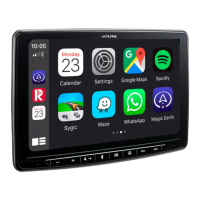
3 Mount the Cover Hinge using 2 screws
(M3×4).
Secure the screws, then attach the Sheet
Hinge.
Sheet Hinges
(Included)
Screws (M3×4)
(Included)
Cover Hinge
(Included)



 To Next Page