CD
Dimmer Sensor
(J)
ggg
(HOME) button
Sense
the brightness
of
the
car
interior.
Activates
the
HOME
screen.
@
f button
The
Sound
Setup
screen
is
displayed
while the
HOME
screen
is
displayed.
Activate
Siri
function or
voice
recognition mode while
Press
and
hold
this
button for
at
least
2
seconds
to turn
Apple
CarPlay
or Android Auto
is
connected.
the power off
@
-
/+(DOWN/UP)
button
®
~
(CAM) button
Adjusts
the
volume.
Displays
the image
of
Camera2
(Front/Side/Other) or
@
~
(MUTE) button
Cameral
(Rear).
Press
for 1
second
or more to return to the
previous
Activates/deactivates
MUTE
mode.
screen.
Press
and
hold this button
for
at
least
2
seconds
to
turn
off the screen/button illumination.
®
~/~button
®
J>
(Audio) button
Press
to
seek
up/down a station
in
radio
mode or
up/
down a
track,
etc.,
in other audio/visual
sources.
Displays
the Audio playback
screen.
@)
~
(MAP) button
Audio
sources
can
be
switched while the
Aud
io
playback
screen
is
displayed.
Displays the map screen for Apple
CarPlay
/
• When displaying a screen different from the
Android Auto when Apple
CarPlay
or Android Auto
audio source (such
as
the map screen for
App
le
is
connected.
CarPlay
or Android Auto), the audio source
is
@
Remote Sensor
switched
without
changing the screen display.
Point the remote control transmitter towards the
®
Power indicator
remote sensor within a range
of
2 meters.
Turning Power On
or
Off
1
Turn
the
ignition
key
to
the
ACC
or
ON
position.
The system
is
turned on.
•
Wh
en using the system
for
the
fir
st t
im
e,
the
HOME
screen is displayed.
~
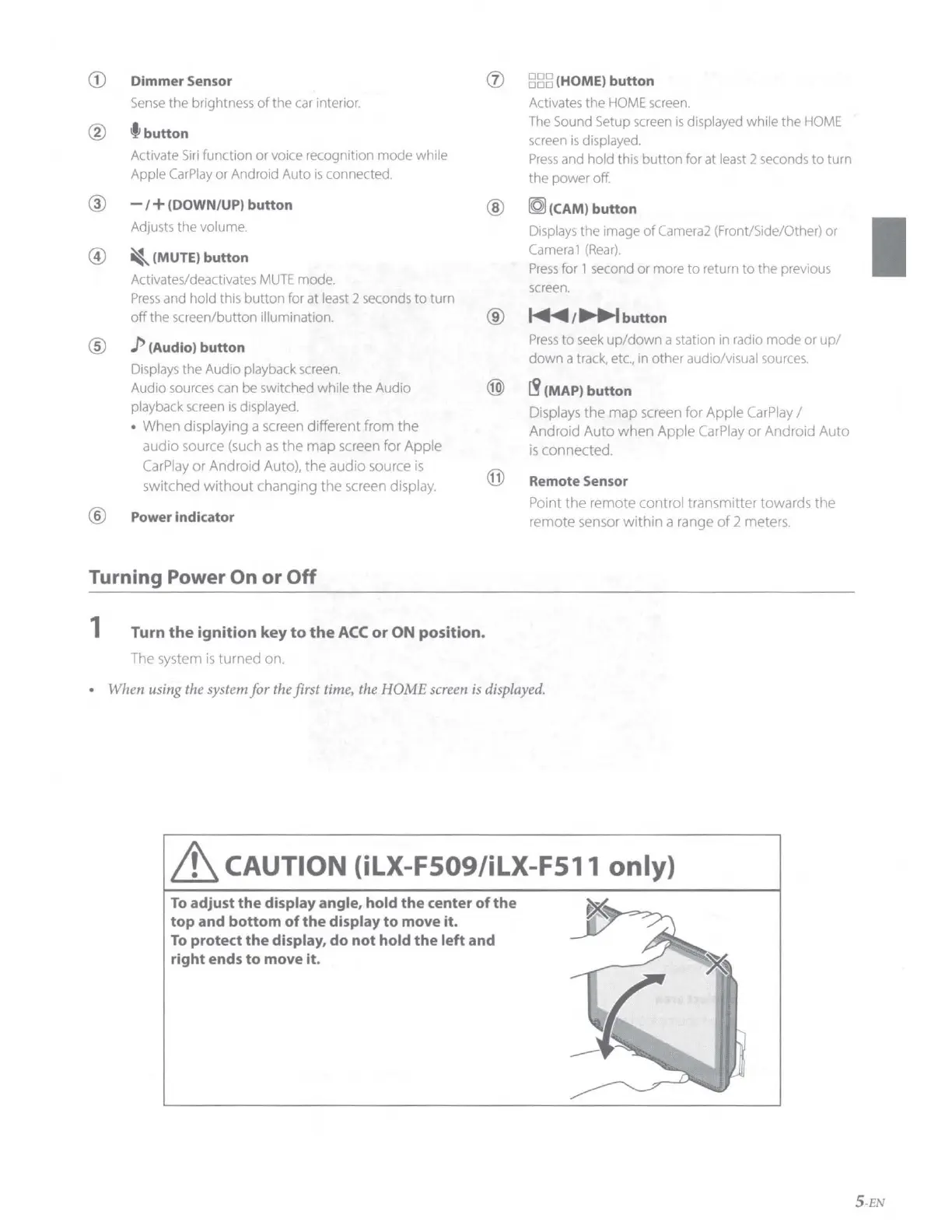
CAUTION (iLX-F509/iLX-F511 only)
To
adjust
the
display angle,
hold
the
center
of
the
top
and
bottom
of
the
display
to
move
it.
To
protect
the
display,
do
not
hold
the
left
and
right ends
to
move
it
.
5 -EN










 To Next Page