About
the
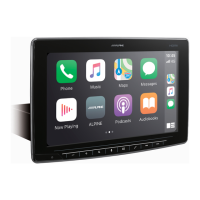
HOME Screen
Select the audio source
on
the
HOME
screen
to
perform various settings and operations
of
the
function.
1
Press
the
ggg
(HOME)
button.
The
HOME
screen
is
displayed.
■
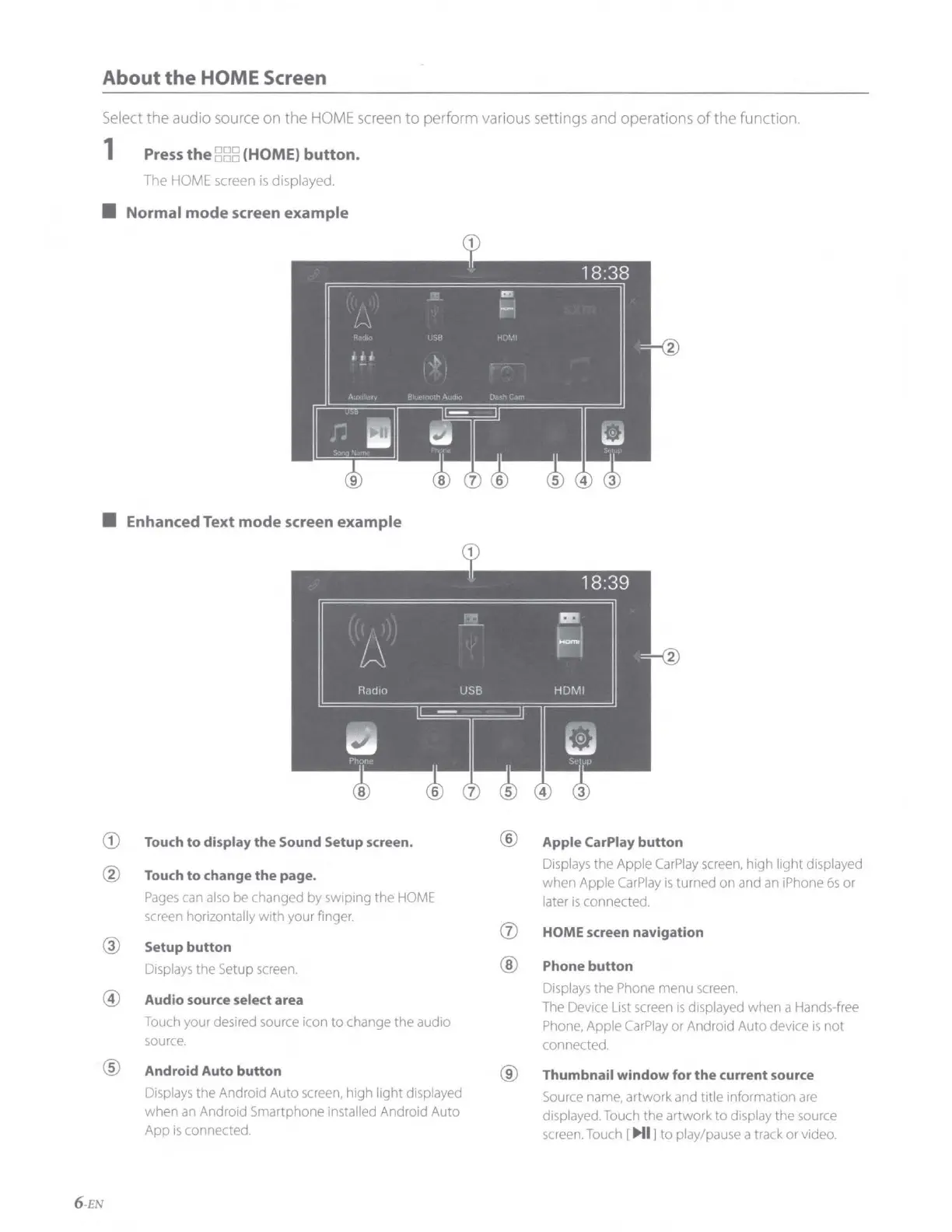
Normal mode screen example
■
Enhanced Text mode screen example
CD
Touch
to
display
the
Sound Setup screen.
® Apple CarPlay
button
®
Displays
the Apple
CarPlay
screen,
high light displayed
Touch
to
change
the
page.
when Apple
CarPlay
is
turned on and
an
iPhone
6s
or
Pages
can
also
be
changed
by
swiping the
HOME
later
is
connected.
screen
horizontally with your finger.
(J)
HOME screen navigation
@
Setup
button
Displays
the
Setup
screen.
®
Phone button
@
Displays
the
Phone
menu
screen.
Audio source select area
The
Device
List
screen
is
displayed when a Hands-free
Touch
your desired
source
icon to change the audio
Phone,
Apple
CarPlay
or Android Auto device
is
not
source.
connected.
®
Android Auto button
®
Thumbnail
window
for
the
current source
Displays
the Android Auto
screen,
high light displayed
Source
name,
artwork
and
title information
are
when
an
Android Smartphone installed Android Auto
displayed.
Touch
the artwork to display the
source
App
is
connected.
screen.
Touch
[
Ml
] to play/pause a track or video.
6 -EN










 To Next Page