Jeep Wrangler
HCE-RCAM-WRA 9/16
Camera & Light Extension Cable Installation
G. Secure to the factory cables.
H. Remove OEM grommet. Route the wire out
of an OEM grommet hole. Insert the camera
harness cable and the OEM third brake light cable
through the rubber grommet provided. Cut rubber
grommet by a razor blade if needed. Press the
grommet firmly into the hole.
I. Route along and through the centric hub.
Route the cable so it does not interfere with any
moving parts or safety equipment.
Use silicone to fill up all gaps around the grommet
and cables to prevent water going into the rear
gate.
Failure to do so may cause moisture to go inside.
Bracket Installation
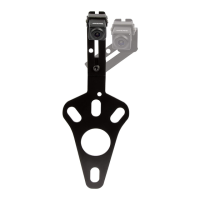
1) Attach camera bracket to spare tire bracket using
the supplied allen wrench, torx screw, and lock
washer.
2) Adjust the bracket for the camera height.
3) Place bracket with camera over the studs and slide
to the back. There’s usually 2 on the top and 1 on
the bottom.
4) Slide retaining clips over the studs to hold the
bracket in place.
5) Check the spacing of the bracket by placing the
spare tire back over the studs.
6) If spacing is correct use 19mm socket to re-install
spare tire.


 To Next Page
 Loading...